Overview
The Resource Center, available for Users on v10.3 and above, provides centralized access to training materials, product documentation, and AI-powered assistance within Decisions.
Considerations/Error Handling
- The Videos and Documentation pages include enhanced error handling for external content.
- When an external host is unavailable, the Resource Center attempts to provide access to publicly available content while maintaining existing load-error messaging for unavailable resources.
- The Resource Center includes reliability enhancements that improve page loading behavior and reduce client-side errors, including clean loading when network connectivity is unavailable.
Videos
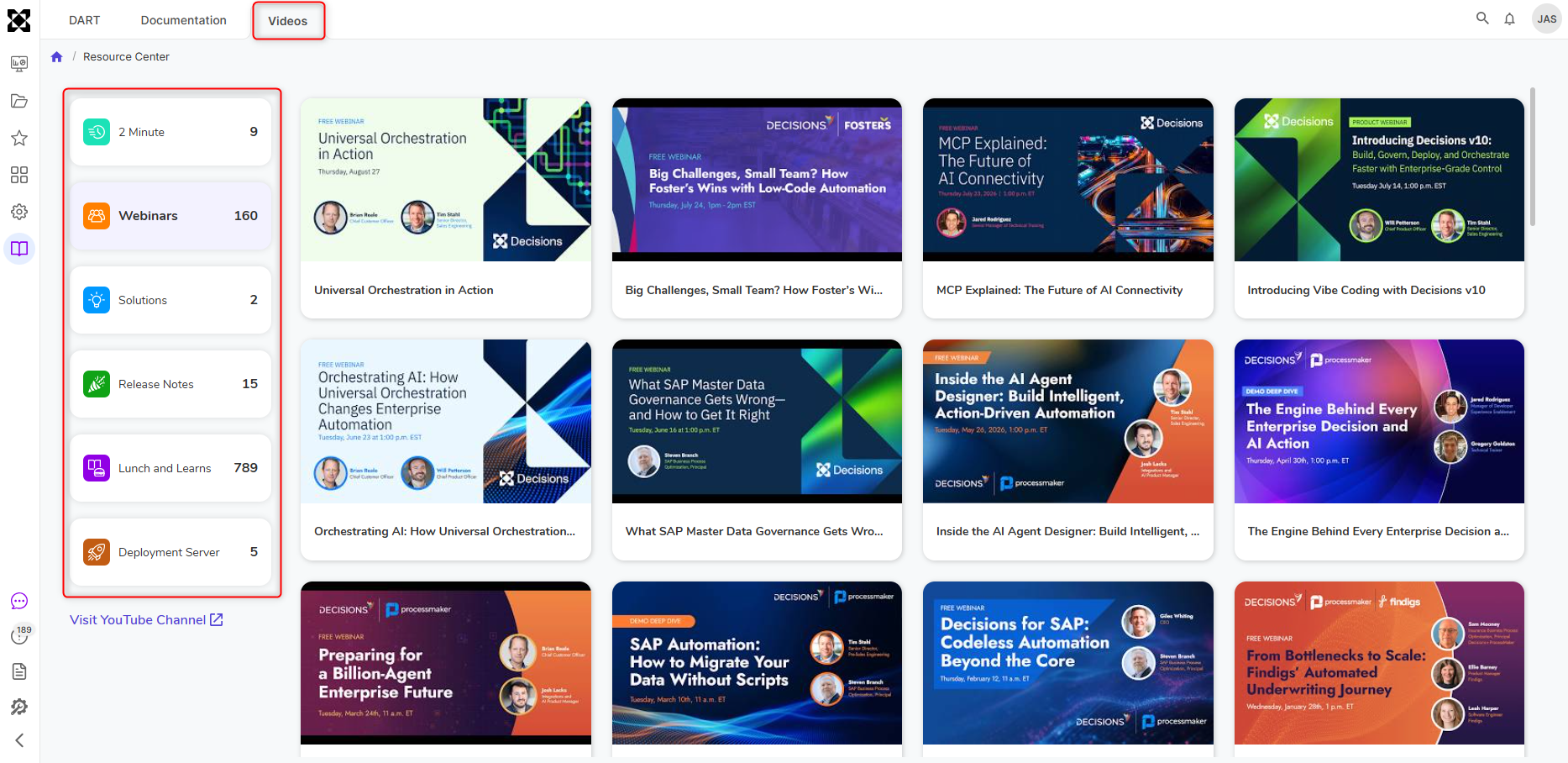
The Videos page organizes training content into the following categories:
- 2 Minute Videos
- Webinars
- Solutions
- Release Notes
- Lunch and Learns
- Deployment Tower Resources
Each category displays the number of available videos and includes video thumbnails to help users identify content. Users can launch videos directly from the Resource Center or access additional content through the Decisions Training YouTube Channel
Documentation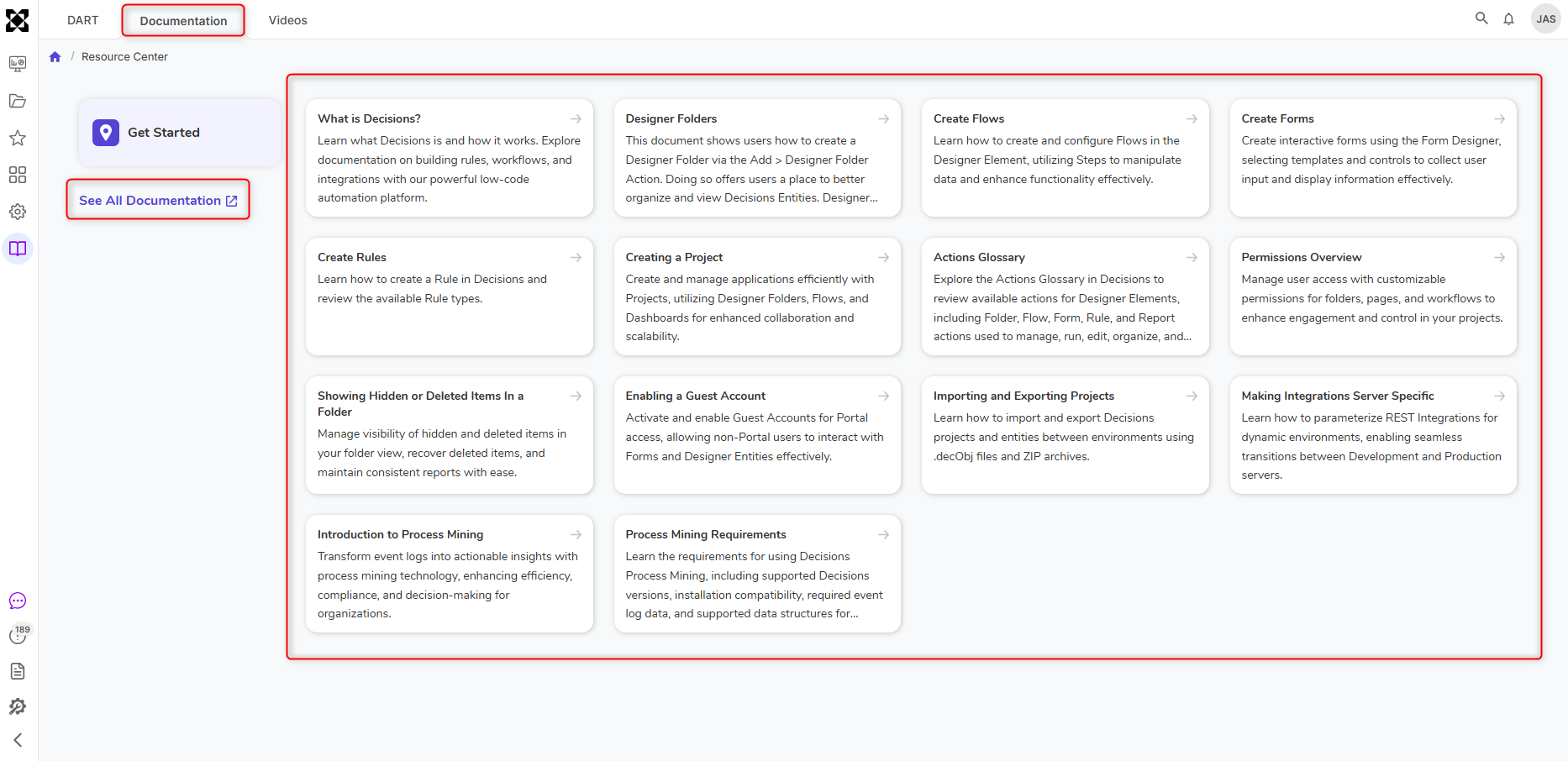
The Documentation page provides quick access to product documentation through topic-based documentation cards.
Users can browse documentation by category or select See All Documentation to open the full Decisions documentation site.
Full Page DART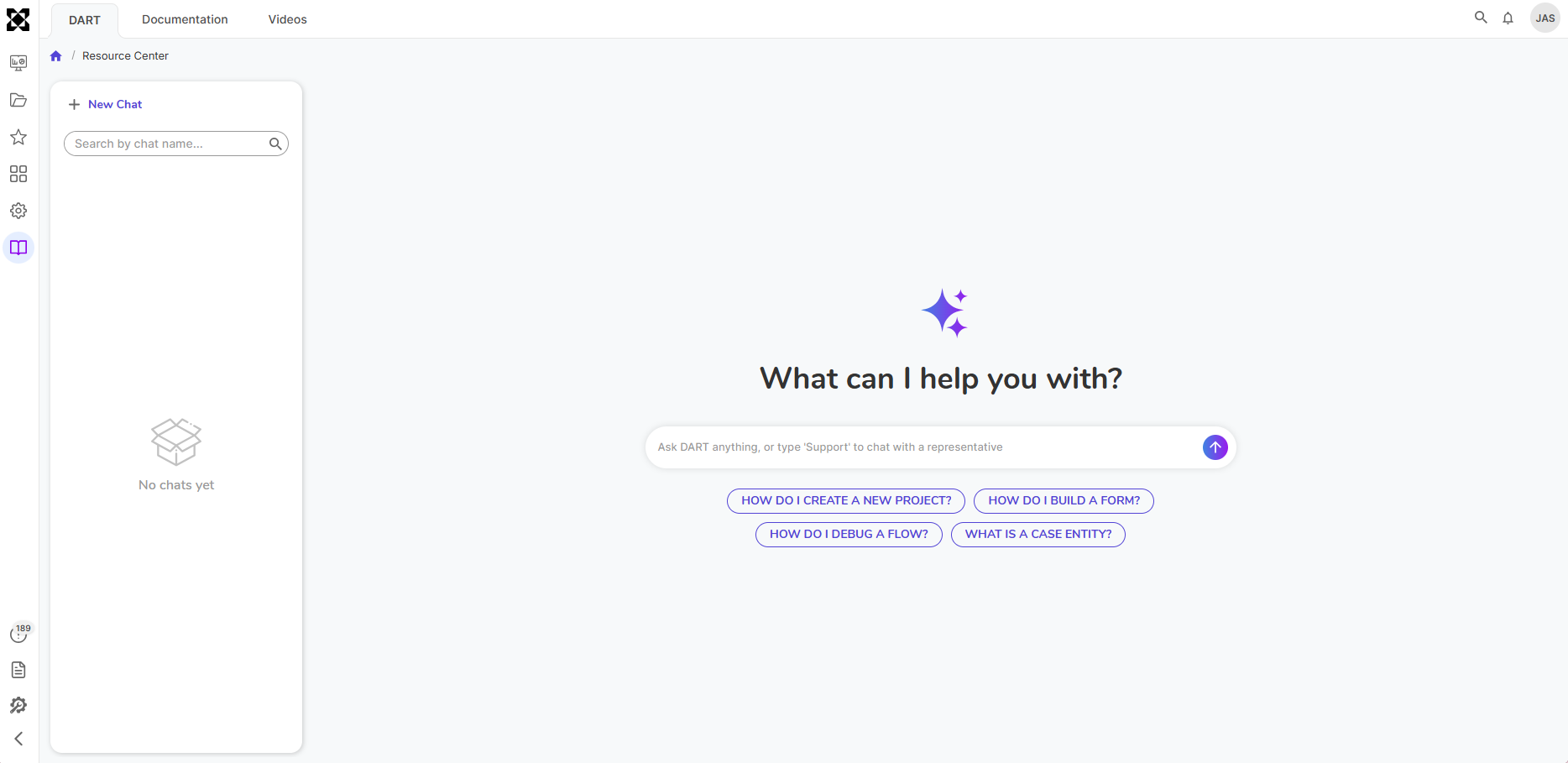
The Resource Center includes Full Page DART, a dedicated AI assistant experience designed to answer Decisions-related questions, and supports the following features:
- Chat history
- Conversation search
- Pinning conversations
- Renaming conversations
- Deleting conversations
Conversation Synchronization
Full Page DART remains synchronized with the floating DART chat experience. Conversations started in one interface can be continued in another without interruption.