Overview
gRPC (Remote Procedure Call) is an open-source remote procedure call framework that allows client and server applications to communicate efficiently. It is commonly used in distributed systems, microservices, and server-to-server integrations where performance and structured communication are important.
gRPC uses protocol buffers, also known as .proto files, to define available services, methods, and message types. These definitions allow Decisions to understand how to communicate with the external gRPC server and make the available methods usable as Flow steps.
Settings and Configuration
The following table describes all the settings to configure a gRPC Service.
| Setting | Description |
|---|---|
| Name | User-defined name for the gRPC service reference. Steps with this name will be available in the toolbox under Integration > External Services. |
| Description | Description of what the gRPC Service is intended for. |
| Service URL | Specifies the address where the application will send requests to or receive responses from. It typically includes the protocol (e.g., http:// or https://) and the domain or IP address of the web service. |
| Service Definition Proto Files | The .proto files define the gRPC services, RPC methods, and message types the integration will use. These allow the client to understand how to communicate with the server. |
| Reflection URL | The address of a gRPC server that exposes the gRPC Server Reflection service. |
| Proto File Directory Zip | A ZIP archive containing a directory of .proto files and any imported dependencies. |
| Services to Include | Specifies which gRPC services to include from the provided .proto definitions. |
| Additional HTTP Headers | Custom metadata headers to send with every gRPC request. |
| Authentication Type | Determines how the client authenticates with the gRPC server. The options are: No Authentication, Use Basic Authentication, Use Windows Auth (Requires Advanced Setup), and Use OAuth. |
| Ignore Server Certificate Errors | If enabled, the client accepts invalid or untrusted TLS certificates. This option is not recommended unless used for development or testing. |
| Enable Mutual Authentication | Enables mutual TLS, where both the client and server authenticate each other using TLS certificates. If enabled, a P12/PFX Certificate and P12/PFX Password must be provided. |
Example: Route Guide
The following example utilizes the Route Guide example. It was configured with the open-source instructions found here.
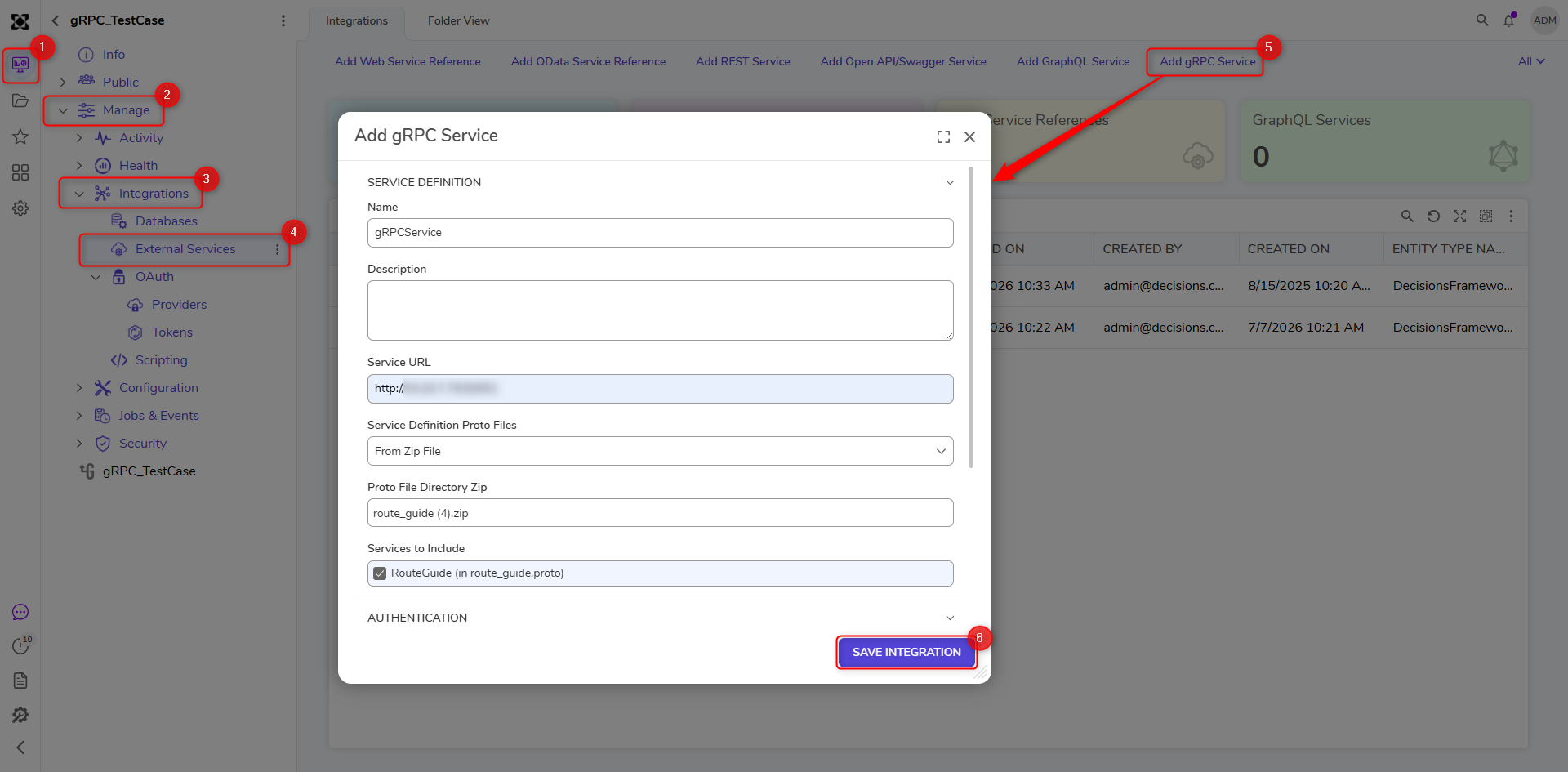
- Navigate to Project > Manage > Integrations > External Services. Click Add gRPC Service.
- Provide a name for the service, define the service URL, and upload the .proto files from a zip file. Select RouteGuide (in route_guide.proto) under Services to Include. Hit Save Integration.
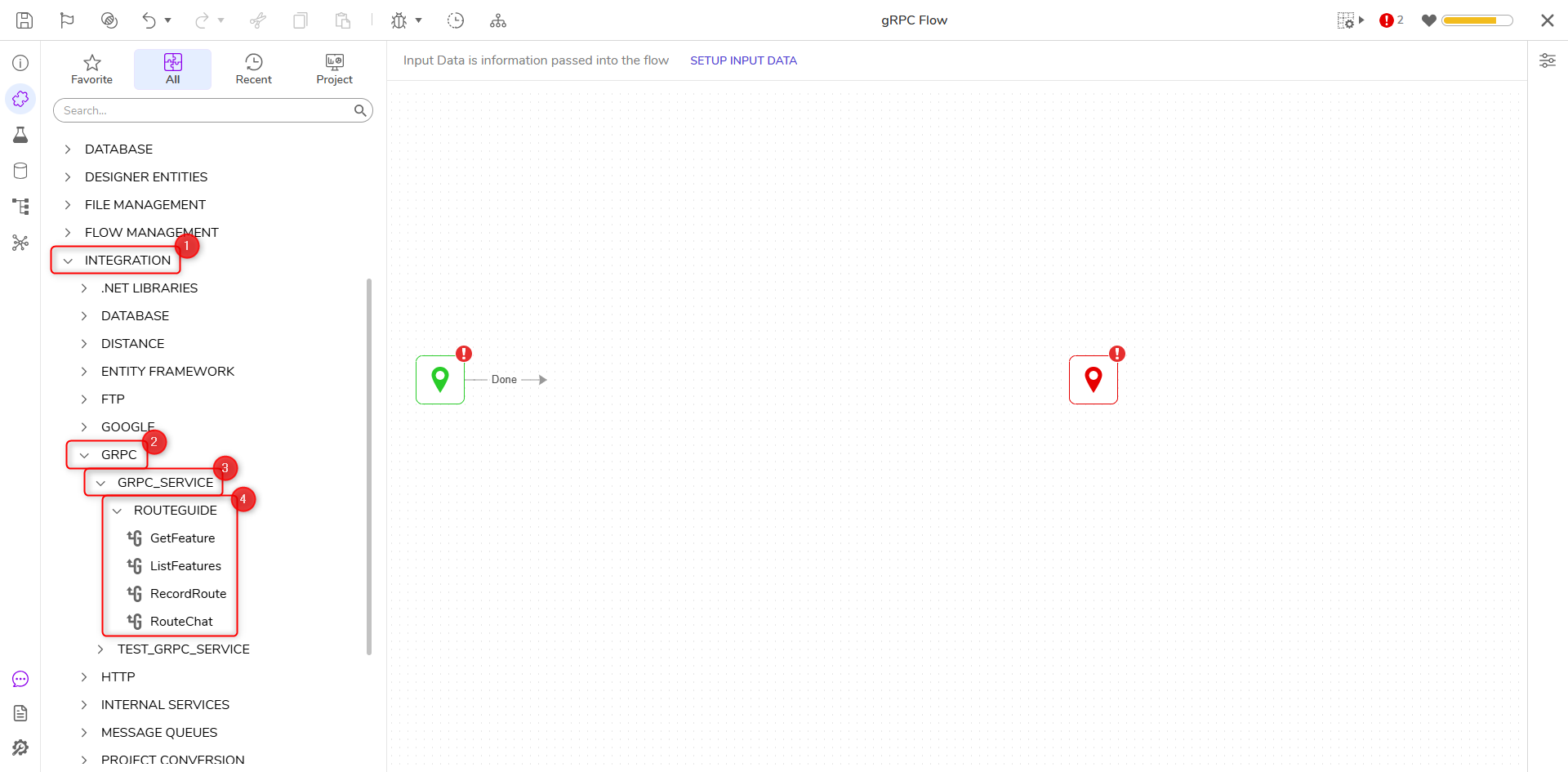
- After creating the service, go to the Designer Folder and create a Flow. Open the Toolbox and navigate to Integration > GRPC > GRPC_Service > RouteGuide. The service methods imported from the .proto file(s) will appear as steps. Drag over any steps to the workspace, and connect the step to the Start and End steps.
- Click Debug on the top action bar to review the output of each step.