---
title: "Password Encryption Setting"
slug: "password-encryption-setting"
description: "This document shows how to access and edit the password encryption settings, within the Decisions Settings.xml file. "
tags: ["password", "Encryption", "Hash"]
updated: 2023-12-05T20:28:45Z
published: 2024-05-23T08:27:58Z
canonical: "documentation.decisions.com/password-encryption-setting"
---
> ## Documentation Index
> Fetch the complete documentation index at: https://documentation.decisions.com/llms.txt
> Use this file to discover all available pages before exploring further.
# Password Encryption Setting
## Overview
Decisions allows users to enable encryption when using passwords.
## Configuration
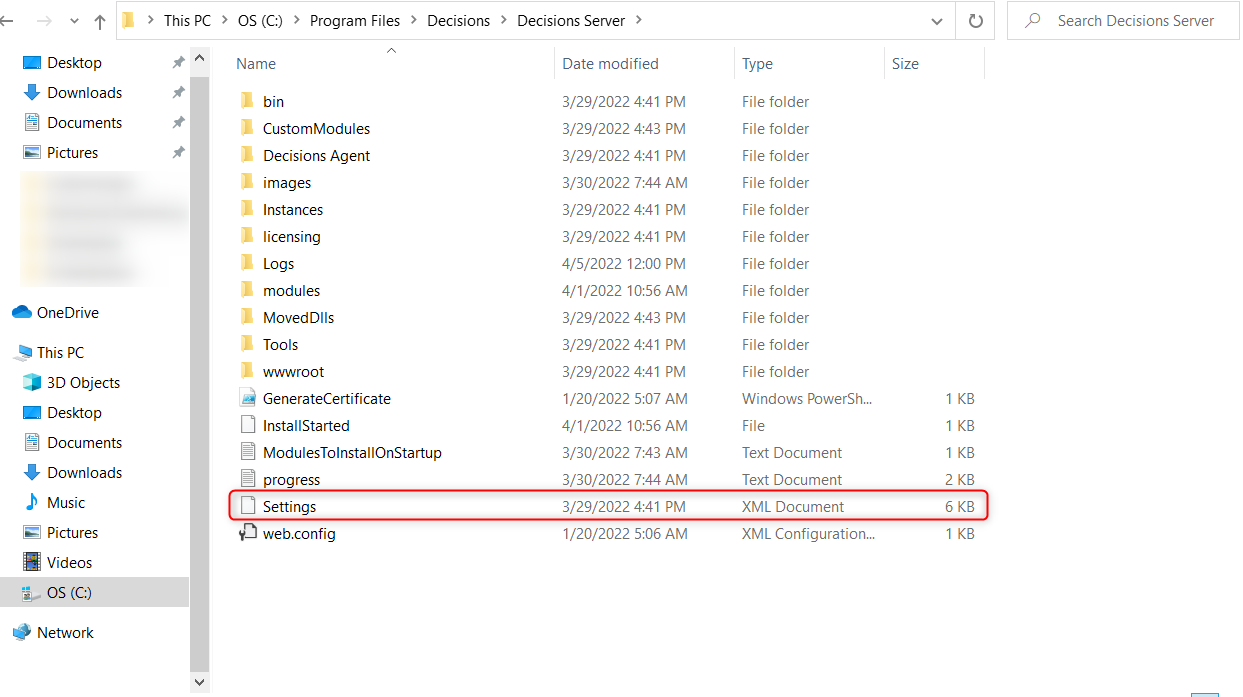
1. Navigate to **C:\Program Files\Decisions\Decisions Server** and open the **Settings.xml** file.
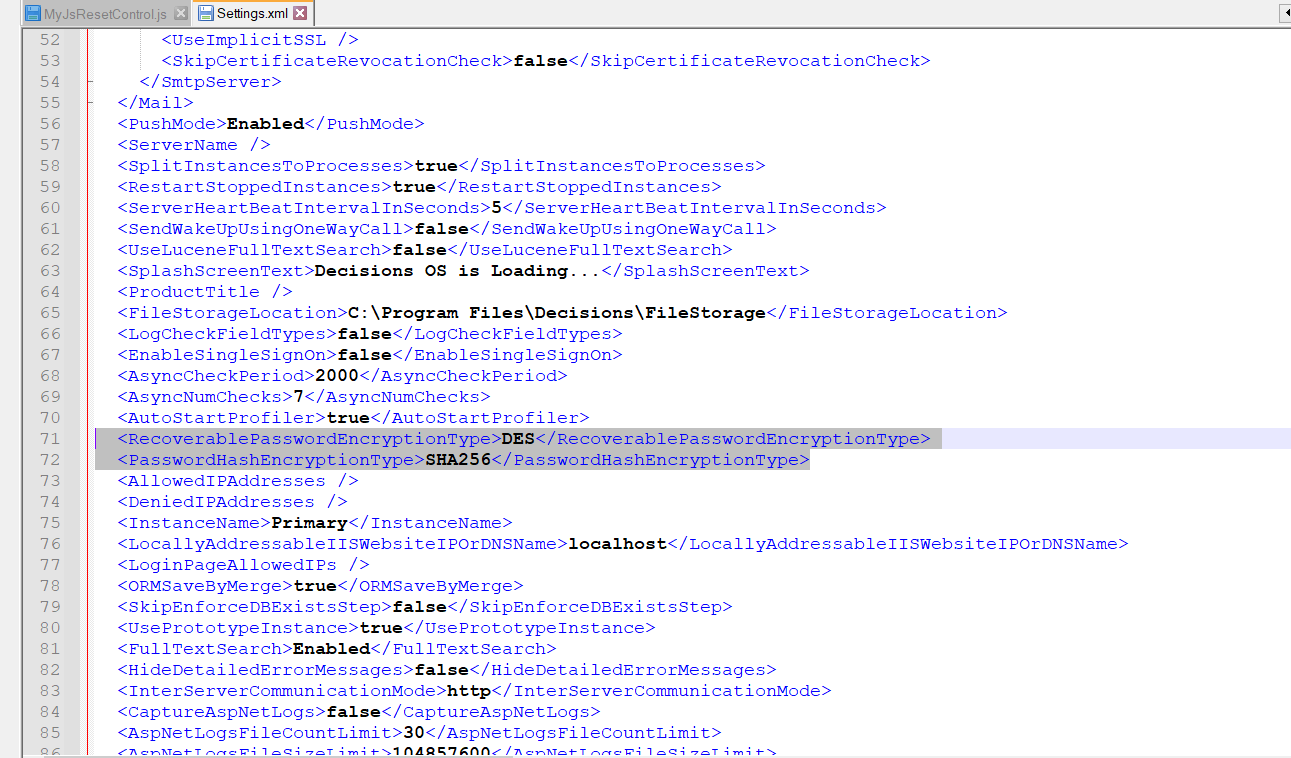
2. In the Settings.xml file, locate the options **** and ****. Enter the desired encryption options.
3. Save the file. [Restart the Decisions Application](/v9/docs/restart-decisions-application) for the changes to be applied.
---
### Password Encryption Type
The **RecoverablePasswordEncryptionType** is configured to set the Encryption Type that handles two-way encryption, which is used when information that is encrypted needs to be decrypted again. This tag accepts the following options:
- DES
- TripleDES
- Rijndael
- RC2
- Aes
Case-SensitiveThe options are case-sensitive entries. This is most notable if using **AES**, in which case, be sure to enter **Aes** if using this option.
```markup
Aes
```
### Password Hash Encryption Type
The **PasswordHashEncryptionType** is configured to set the Encryption Type that handles one-way encryption, which is known as hashing. This process uses an algorithm to encrypt a piece of data with a method that cannot be reversed to assure that the data is not altered. The options allowed are:
- MD5
- SHA1
- SHA256
- SHA384
- SHA512
```markup
MD5
```
---
For further information on Administration, visit the [Decisions Forum](https://community.decisions.com/categories/Administration).