Overview
All inbound telephony communication relies on configuring a Telephony Handler in the Portal. This Handler defines what phone numbers will be used to receive either an Interactive Voice Response (IVR) or Short Message Service (SMS) requests. It must be configured before any inbound telephony Flows can be used.
Example
This example will demonstrate how to create a Telephony Handler.
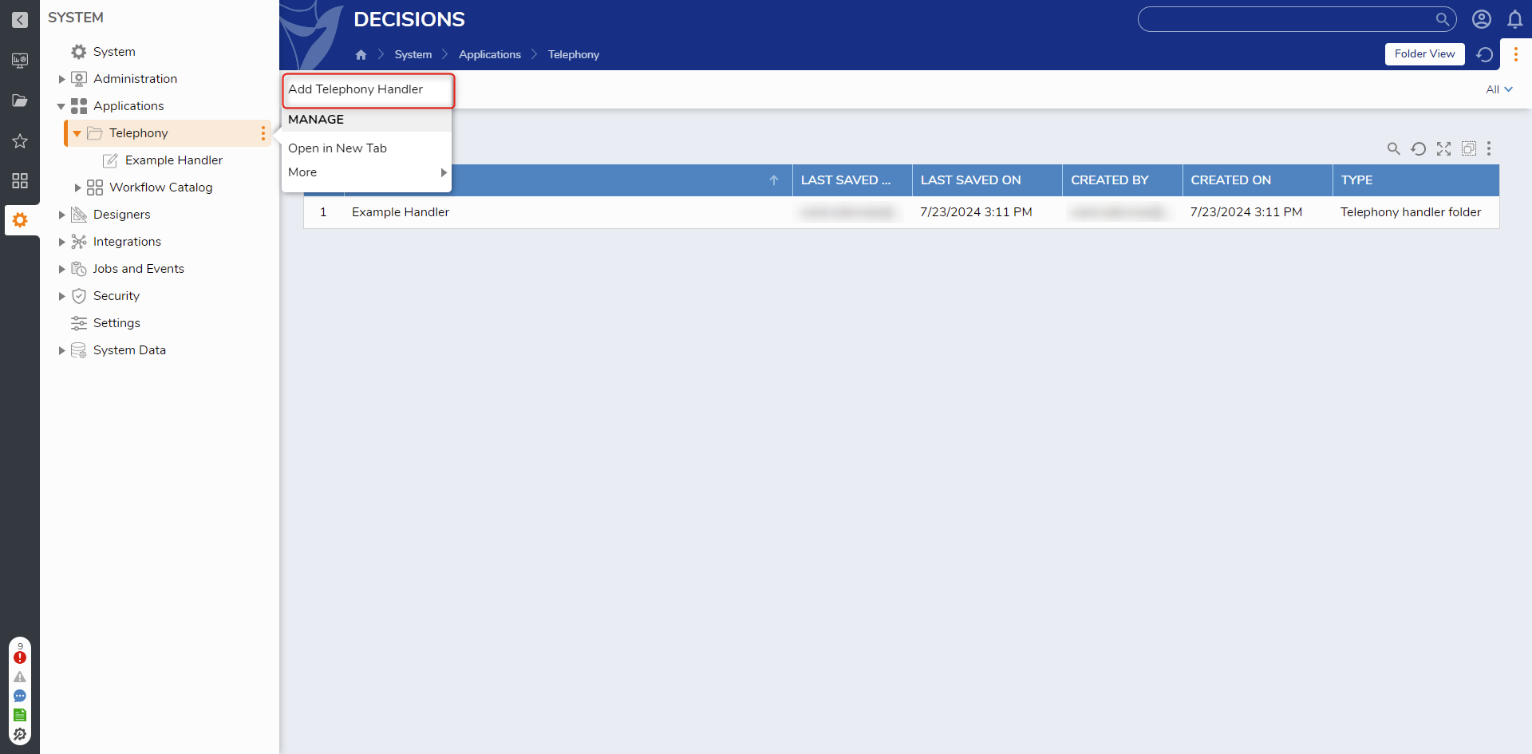
- Log in as an admin account and navigate to System > Applications > Telephony. Right-click on Telephony and select Add Telephony Handler.
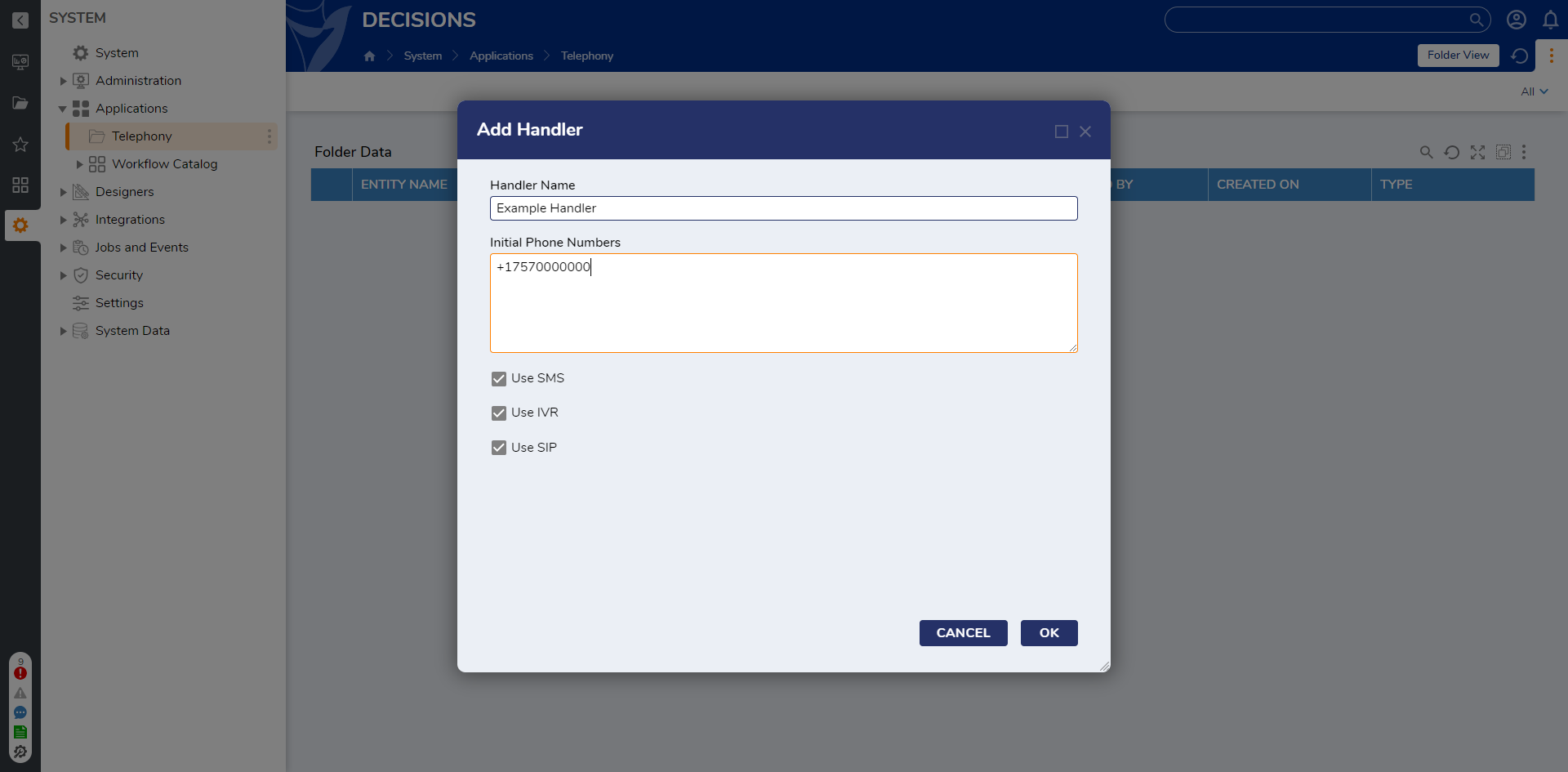
- Fill in the Handler Name and Initial Phone Numbers on the Add Handler dialog window. Then, ensure that Use SMS is checked.The number(s) entered in the Initial Phone Numbers textbox should be the phone number(s) from the telephony service that will receive SMS messages.
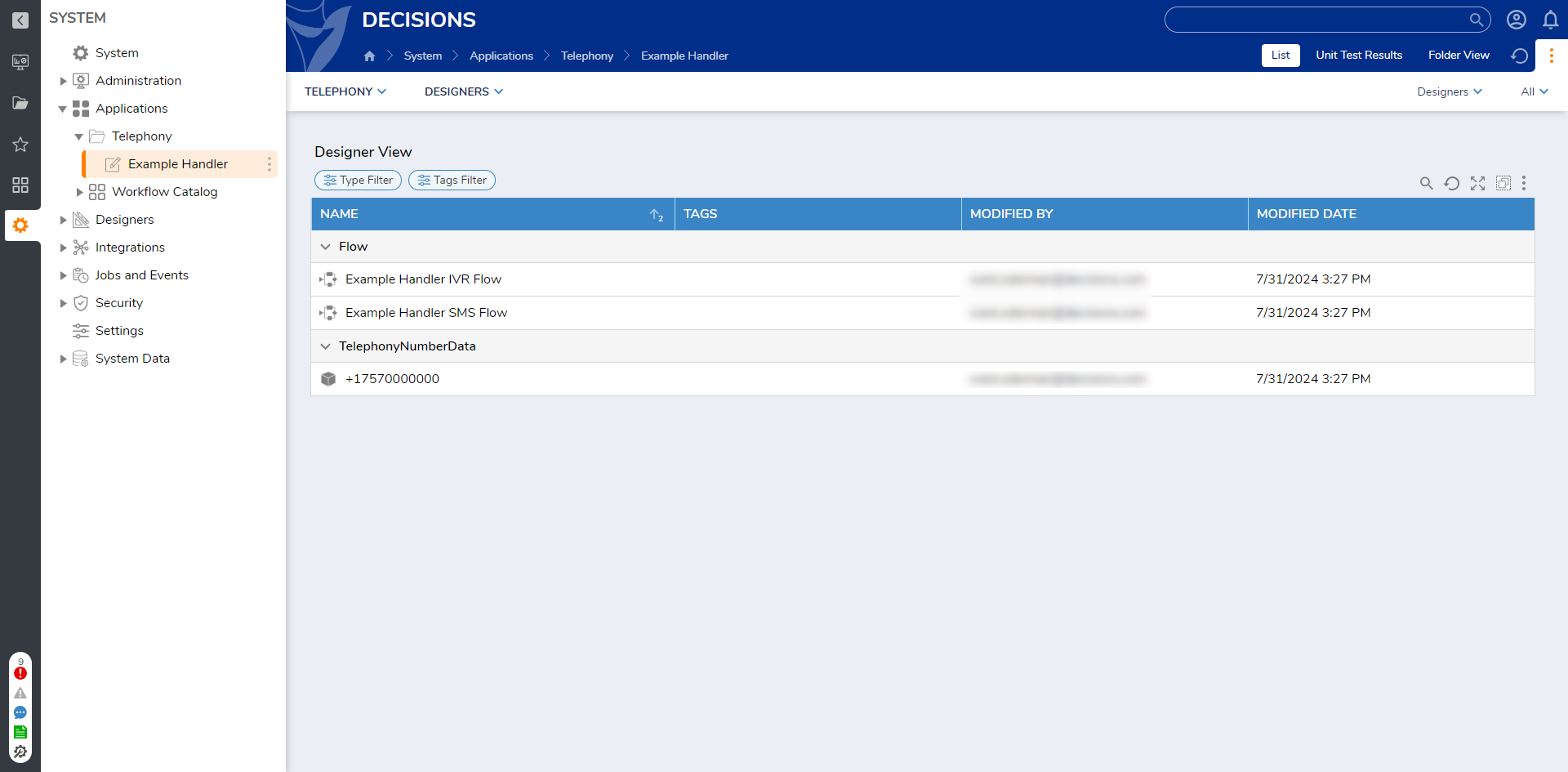
After creating a Telephony Handler, a new Folder will be created at System > Telephony > [Name of Telephony Handler]. This new Folder contains the Flows to handle both IVR and SMS requests. These Flows will run when the associated number(s) added to the Handler are called or texted. Additional numbers can be added when the Telephony button is clicked.
If SIP accounts are used, the SIP domain must be added to the handler by right-clicking the Telephony Handler name, selecting Telephony, and clicking Add SIP Domain option. Is Active will need to be checked for an active domain..png)