| Step Details |
| Introduced in Version | 9.18 |
| Last Modified in Version | -- |
| Location | Process |
The Update File Reference Entity step enables Users to update a file for an existing FileReferenceEntity. Once a FileReferenceEntity is created, the associated file remains in FileStorage, even if the FileReferenceEntity has been deleted. This step enables the file to be updated (overwritten) whenever a User uploads a new version, ensuring that the latest file is always linked to the corresponding FileReferenceEntity and preventing unused files from cluttering storage.
Considerations
Users should refer to the following articles for more information on FileReferenceEntities and File Storage:
Properties
Inputs
| Property | Description | Data Type |
|---|
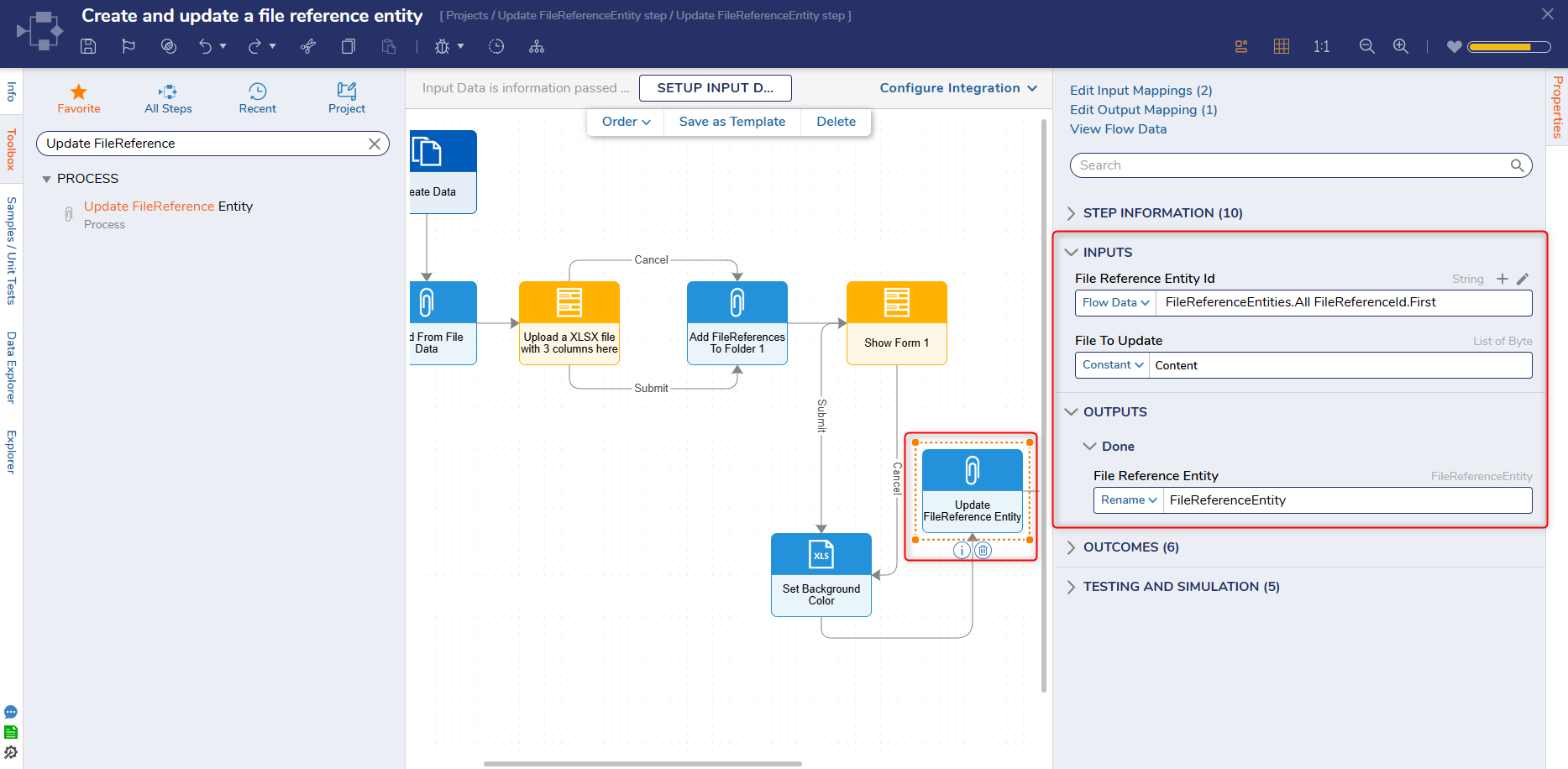
| File Reference Entity Id | Allows Users to specify the File Reference Entity Id. | String |
| File to Update | Allows Users to specify the File that will be updated. | List of Byte |
Outputs
| Property | Description | Data Type |
|---|
| File Reference Entity | This step outputs an updated File Reference Entity. | FileReferenceEntity |
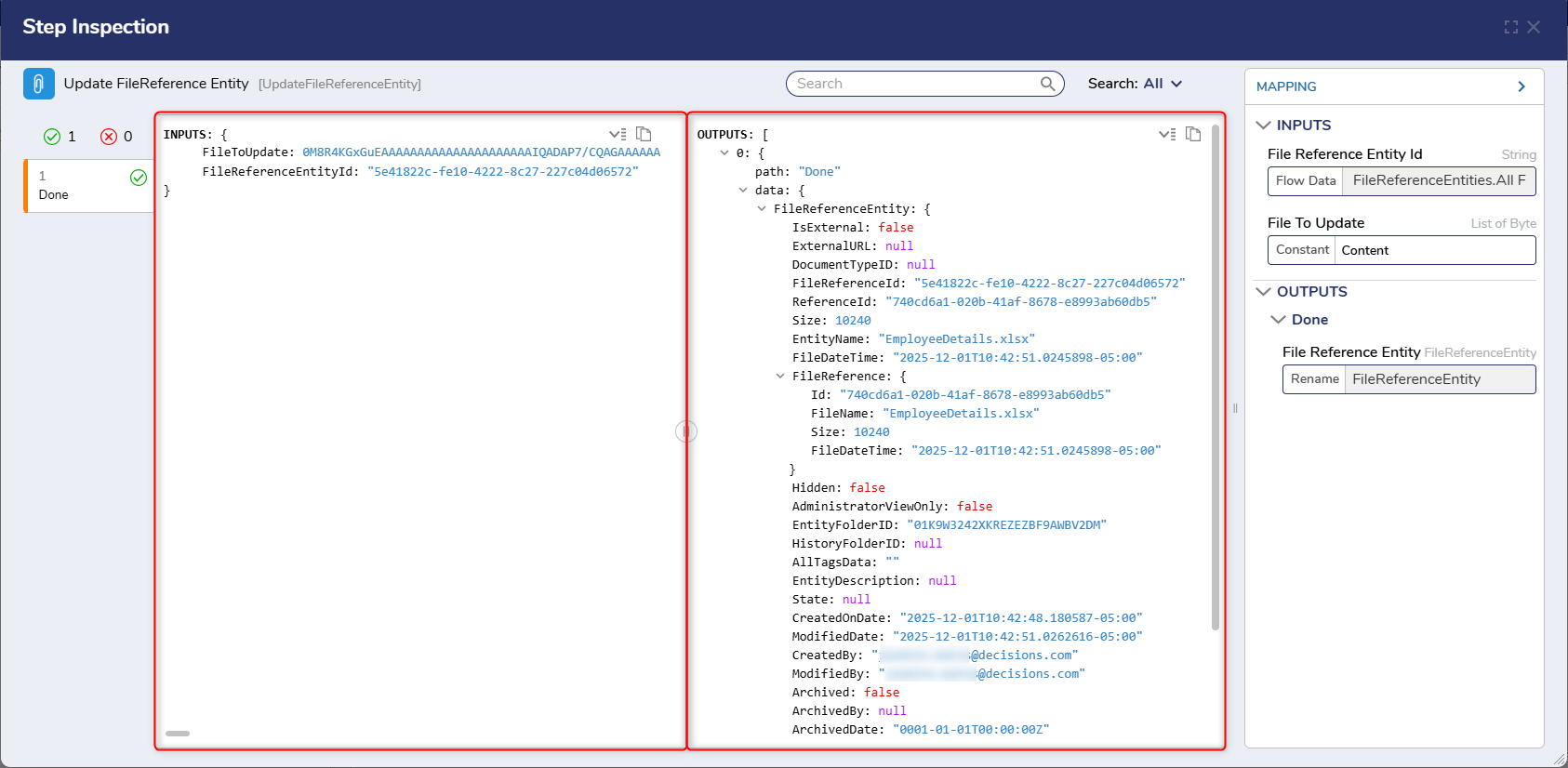
Example Inputs and Outputs
Inputs:
FileToUpdate
FileReferenceEntityId
Outputs:
data: {
FileReferenceEntity: {
IsExternal
ExternalURL
DocumentTypeID
FileReferenceId
ReferenceId
Size
EntityName
FileDateTime
FileReference: {
Id
FileName
Size
FileDateTime
}
Hidden
AdministratorViewOnly
EntityFolderID
HistoryFolderID
AllTagsData
EntityDescription
State
CreatedOnDate
ModifiedDate
CreatedBy
ModifiedBy
Archived
ArchivedBy
ArchivedDate
Deleted
DeletedBy
DeletedOn
Step Changes
| Description | Version | Date | Developer Task |
|---|
| Added new step: Update FileReference Entity. | 9.18 | December 2025 | DT-046168 |