| Step Details |
| Introduced in Version | 9.22 |
| Last Modified in Version | 9.22 |
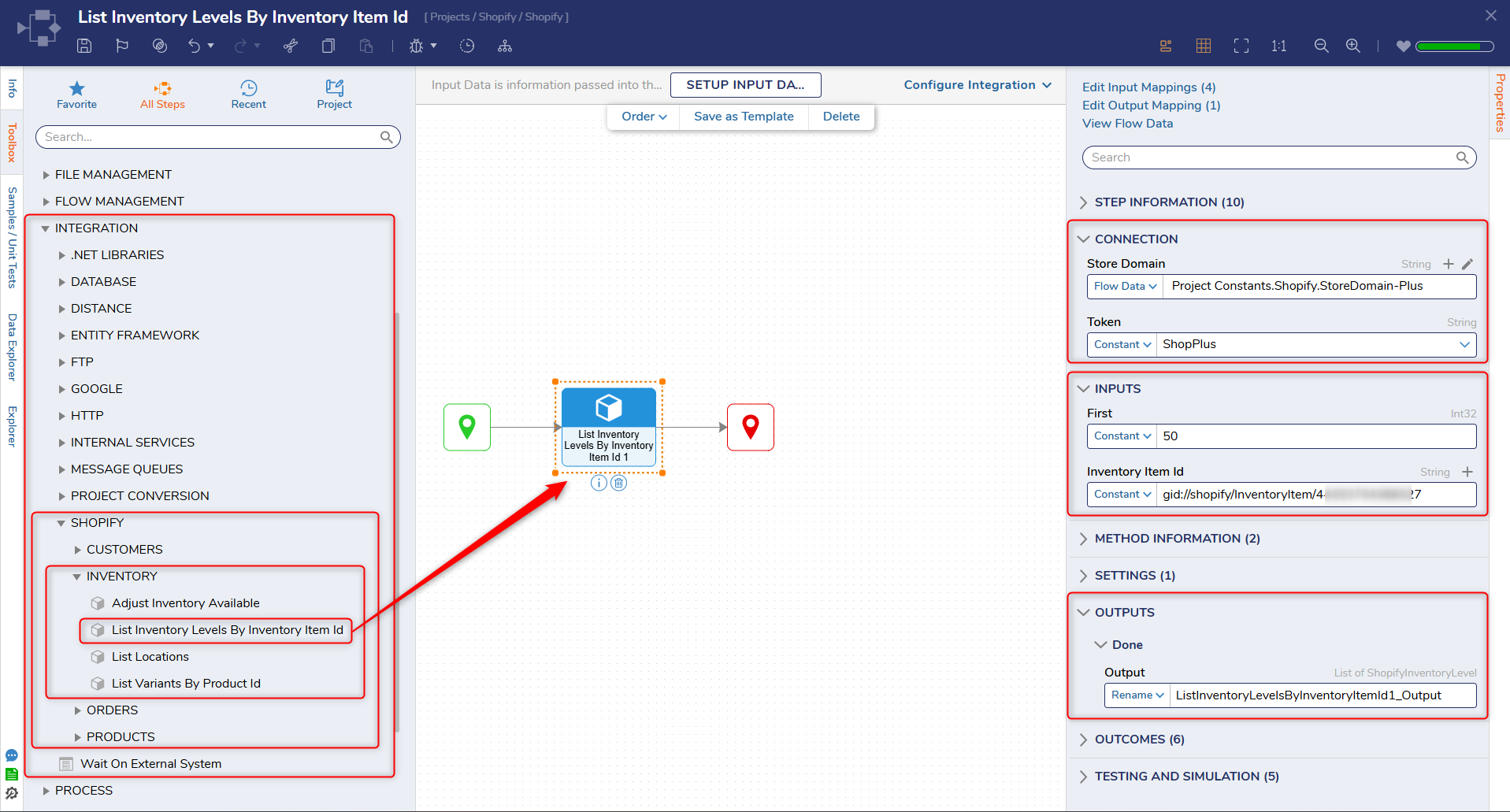
| Location | Integration > Shopify > Inventory |
The List Inventory Levels By Inventory Item Id step retrieves inventory level information for a specific inventory item across one or more locations in a Shopify store using the Shopify Admin API.
This step is commonly used when there is a need to check stock availability, monitor inventory across locations, or support fulfillment logic. It can be combined with steps such as List Locations or Adjust Inventory Available to manage and update inventory accurately.
Prerequisites
This step requires the Shopify module to be installed and a configured OAuth token with appropriate Shopify Admin API scopes (such as read_inventory).
Properties
Connection
| Property | Description | Data Type |
|---|
| Store Domain | The Shopify store domain used to construct API requests (e.g., {store-name}.myshopify.com). | String |
| Token | The access token used to authenticate requests to the Shopify Admin API. | String |
Inputs
| Property | Description | Data Type |
|---|
| First | Specifies the number of inventory level records to retrieve in a single request. | Int32 |
| Inventory Item Id | The unique identifier of the inventory item whose inventory levels are being retrieved. | String |
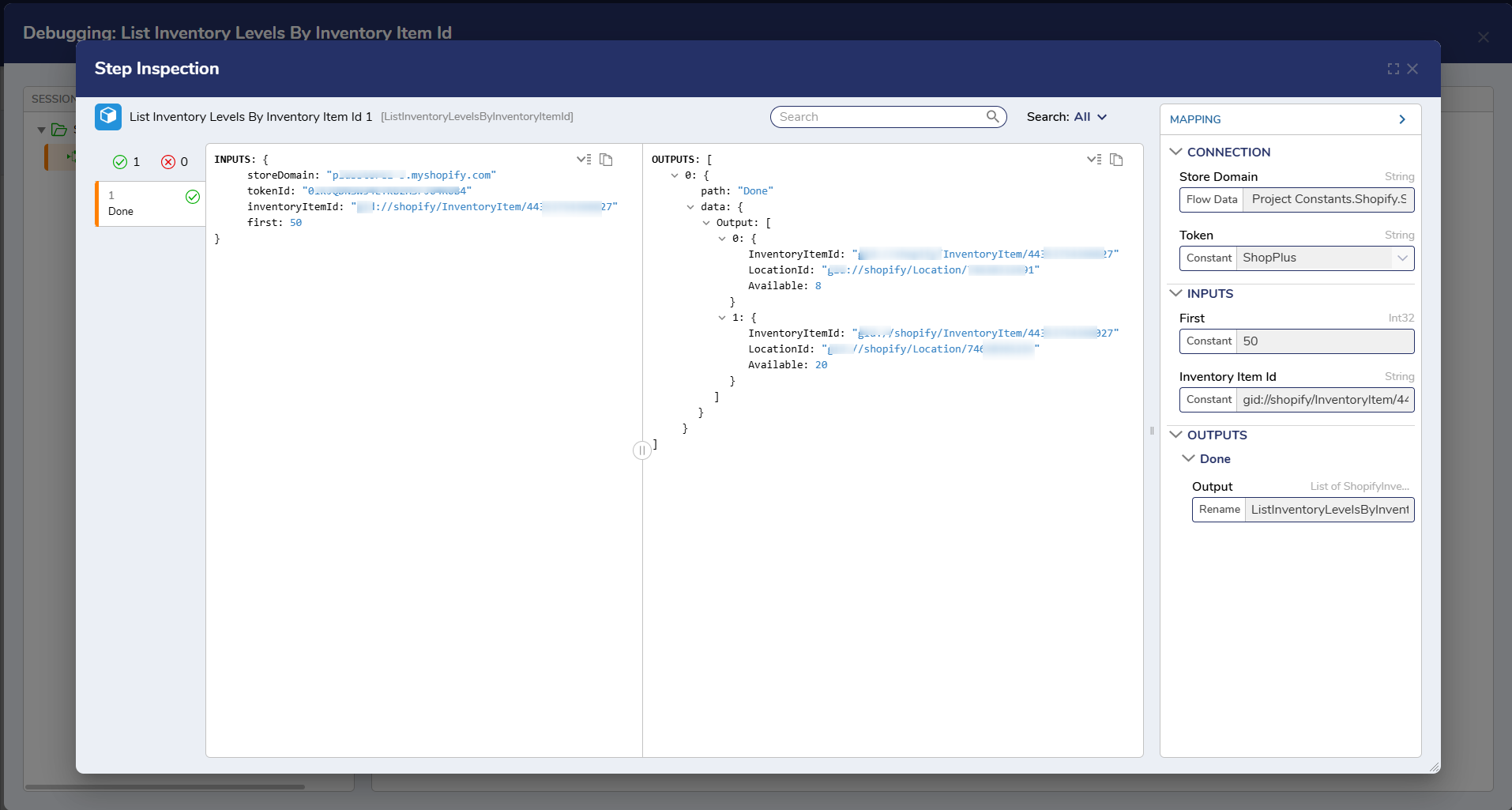
Outputs
| Property | Description | Data Type |
|---|
| Inventory Item Id | The unique identifier of the inventory item. | String |
| Location Id | The unique identifier of the location associated with the inventory level. | String |
| Available | The available inventory quantity for the specified inventory item at the location. | Int32 |
Step Changes
| Description | Version | Date | Developer Task |
|---|
| Initial release of the List Inventory Levels By Inventory Item Id step as part of the Shopify module. | 9.22 | Mar 2026 | DT-046986 |