---
title: "HTML to Word Document Step"
slug: "html-word-document-step"
tags: ["HTML", "Word"]
updated: 2025-07-09T15:26:27Z
published: 2025-07-09T15:26:27Z
canonical: "documentation.decisions.com/html-word-document-step"
---
> ## Documentation Index
> Fetch the complete documentation index at: https://documentation.decisions.com/llms.txt
> Use this file to discover all available pages before exploring further.
# HTML to Word Document Step
| ## Step Details |
| --- |
| **Introduced in Version** | --- |
| **Modified in Version** | --- |
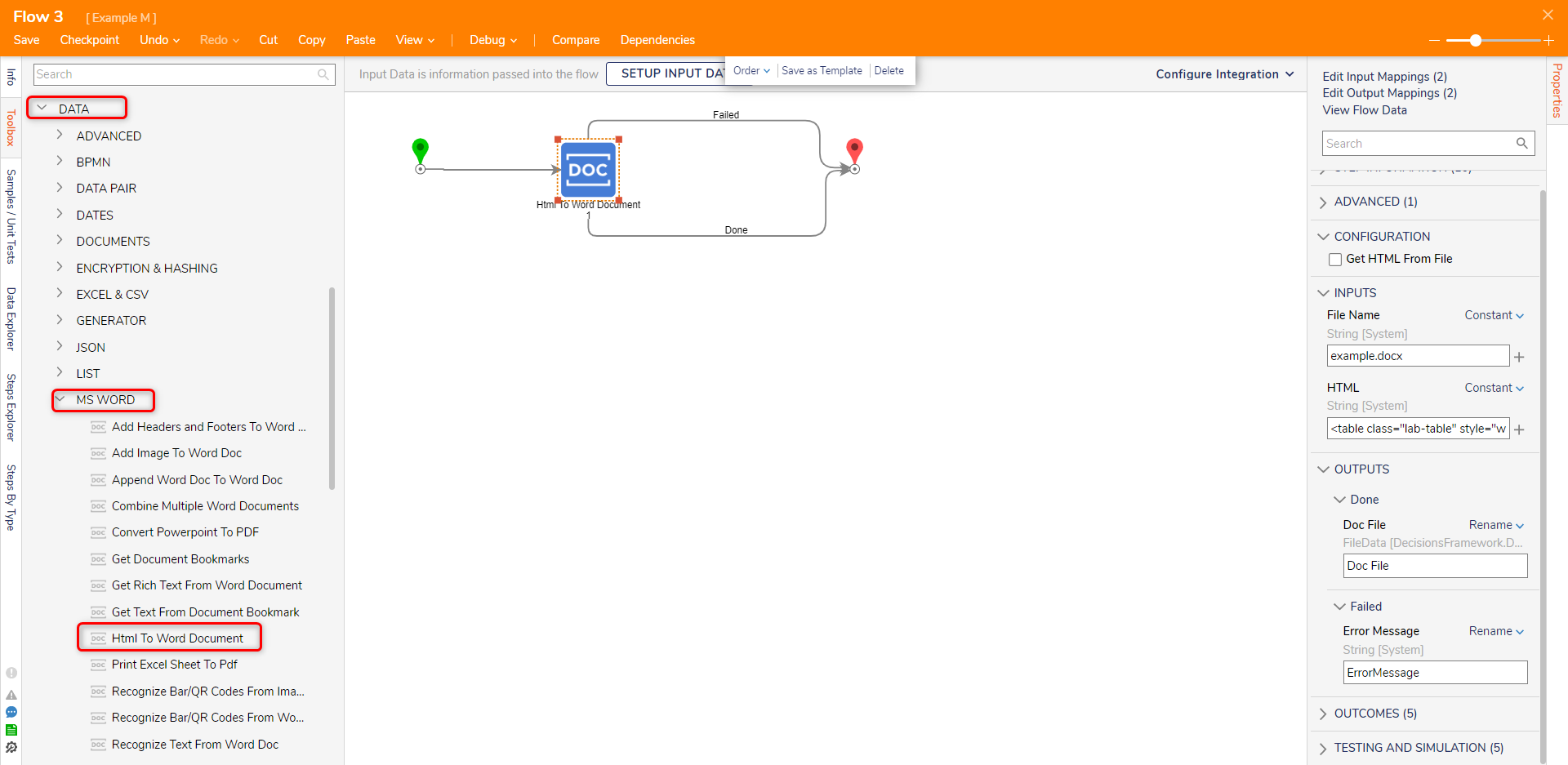
| **Location** | Data > MS Word |
The **HTML to Word Document** step converts HTML input into a Microsoft Word document.
---
## Properties
#### Configuration
| Property | Description | Data Type |
| --- | --- | --- |
| Get HTML From File | Allows the user to use an HTML file | --- |
#### Inputs
| Property | Description | Data Type |
| --- | --- | --- |
| File Name | The file name for the Microsoft Word document | String |
| HTML | HTML string to convert into a Word document | String |
#### Outputs
| Property | Description | Data Type |
| --- | --- | --- |
| Done |
| | Doc File | The Microsoft Word document file | File Data |
| Failed |
| | Error Message | Error message displayed if the HTML is not converted into a Microsoft Word document | String |
---
## Example
The following HTML code will be used in the example:
```markup
HTML to Word DocumentMy First PageI am small - size 10
I am medium - size 20
I am large- size 50
```
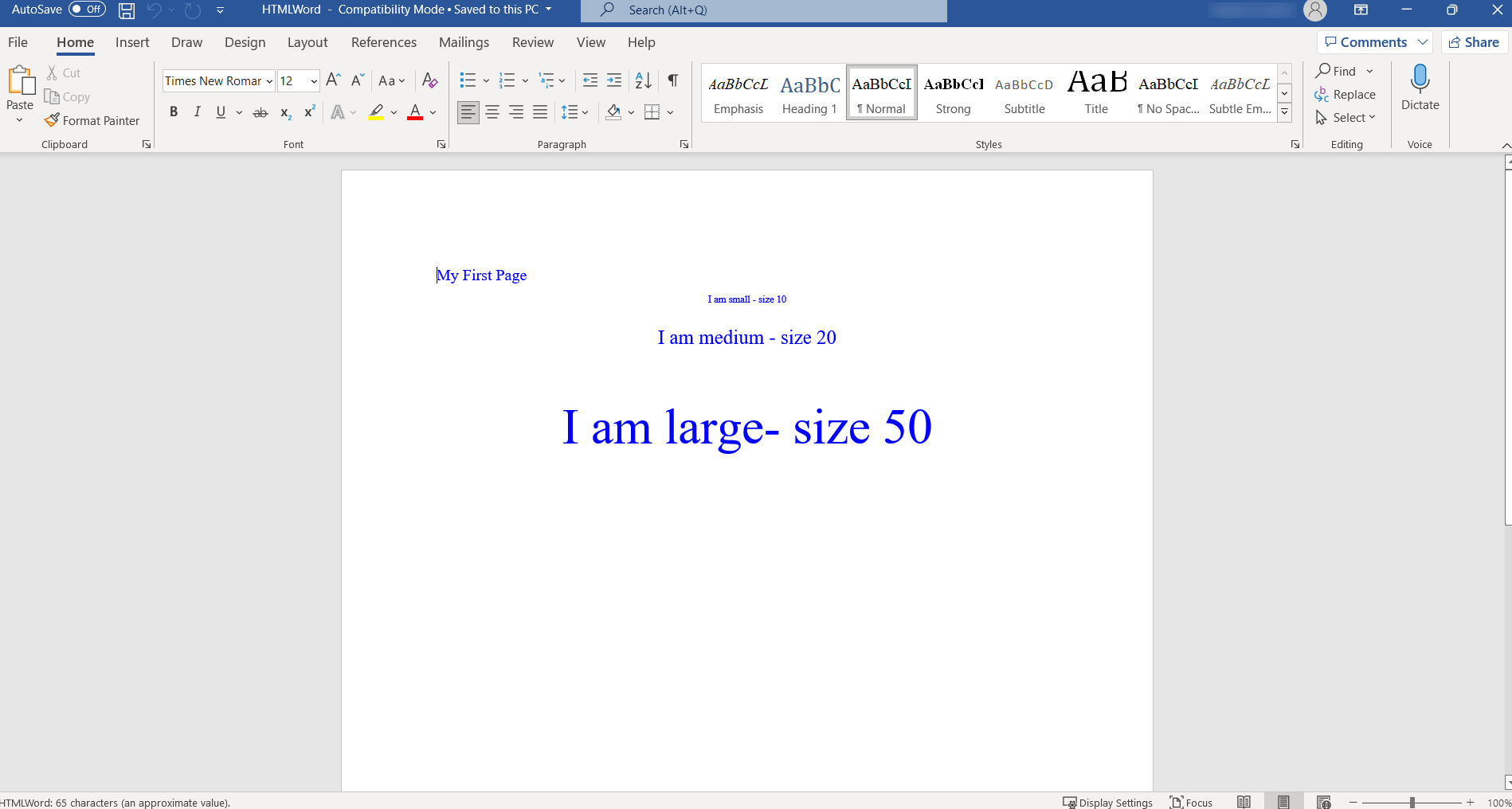
In the above HTML document example, font sizes have been defined as 10px, 20px, and 50px. Microsoft Word measures size using "pt" instead of "px", this will result in a smaller font size within the document upon conversion. If an exact font size is desired when converting an HTML document to a Word document, the font size attribute should use "pt" instead of "px".
1. In a Designer Project, click CREATE FLOW to create a new [Flow](https://documentation.decisions.com/v9/docs/creating-your-first-flow-2).
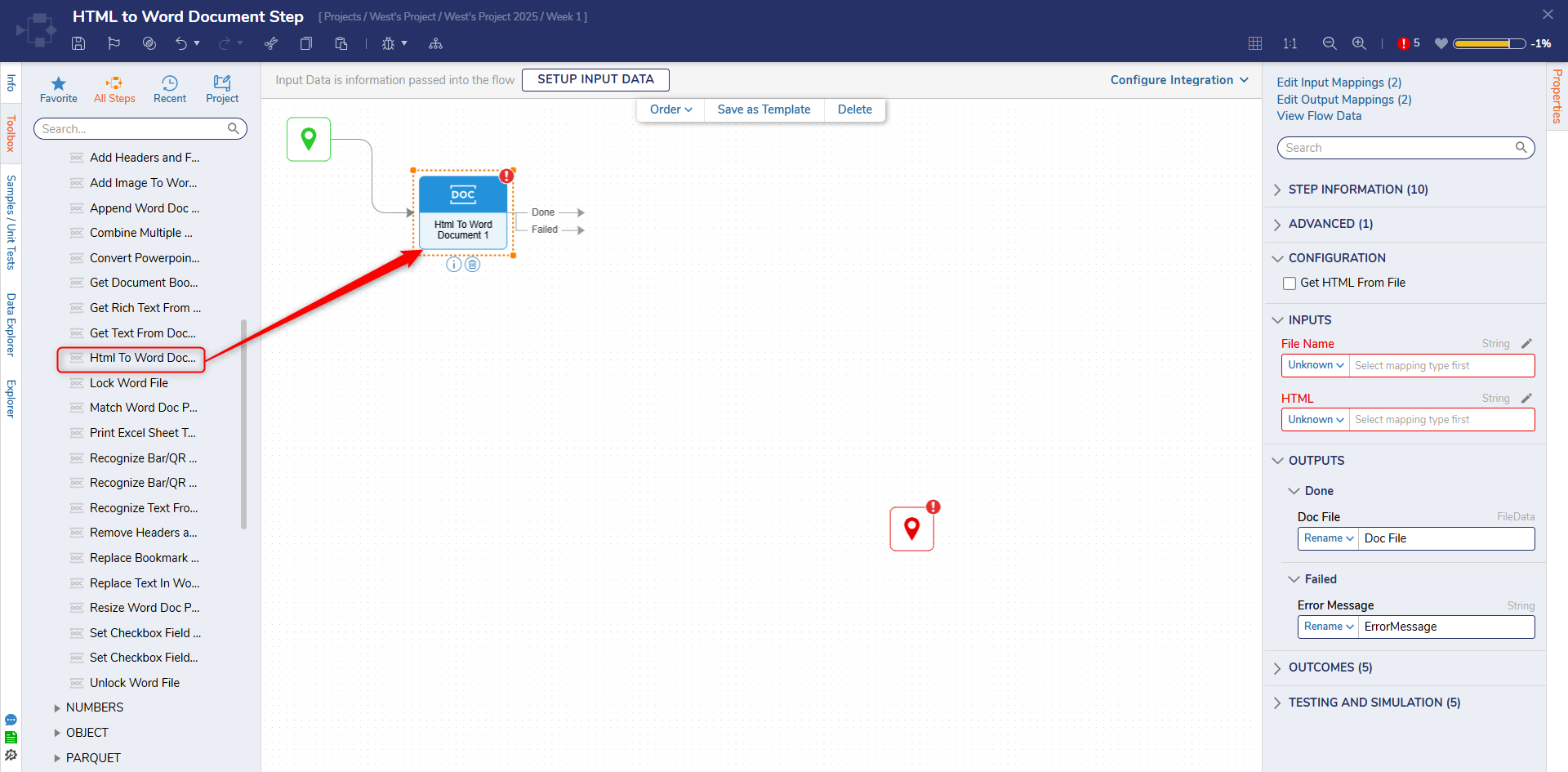
2. In the Toolbox panel, navigate to **DATA > MS WORD** category, drag an **Html to Word Document** step to the workspace and connect it to the **Start** step.
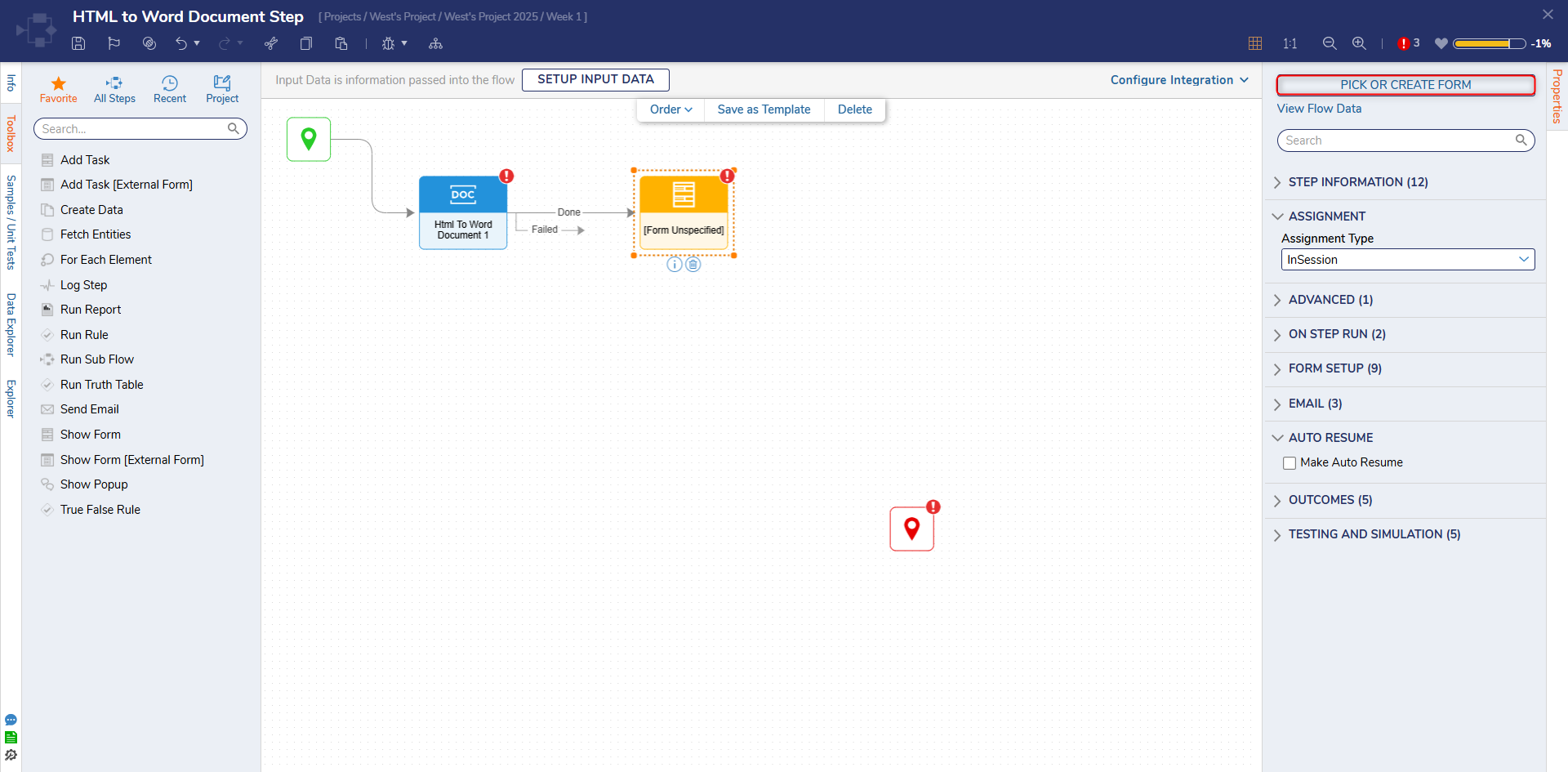
3. Attach a **Show Form** step from the Toolbox panel to the **Done** outcome path of the **Html to Word Document** step. In the Properties panel, click PICK OR CREATE FORM and create a new Form.
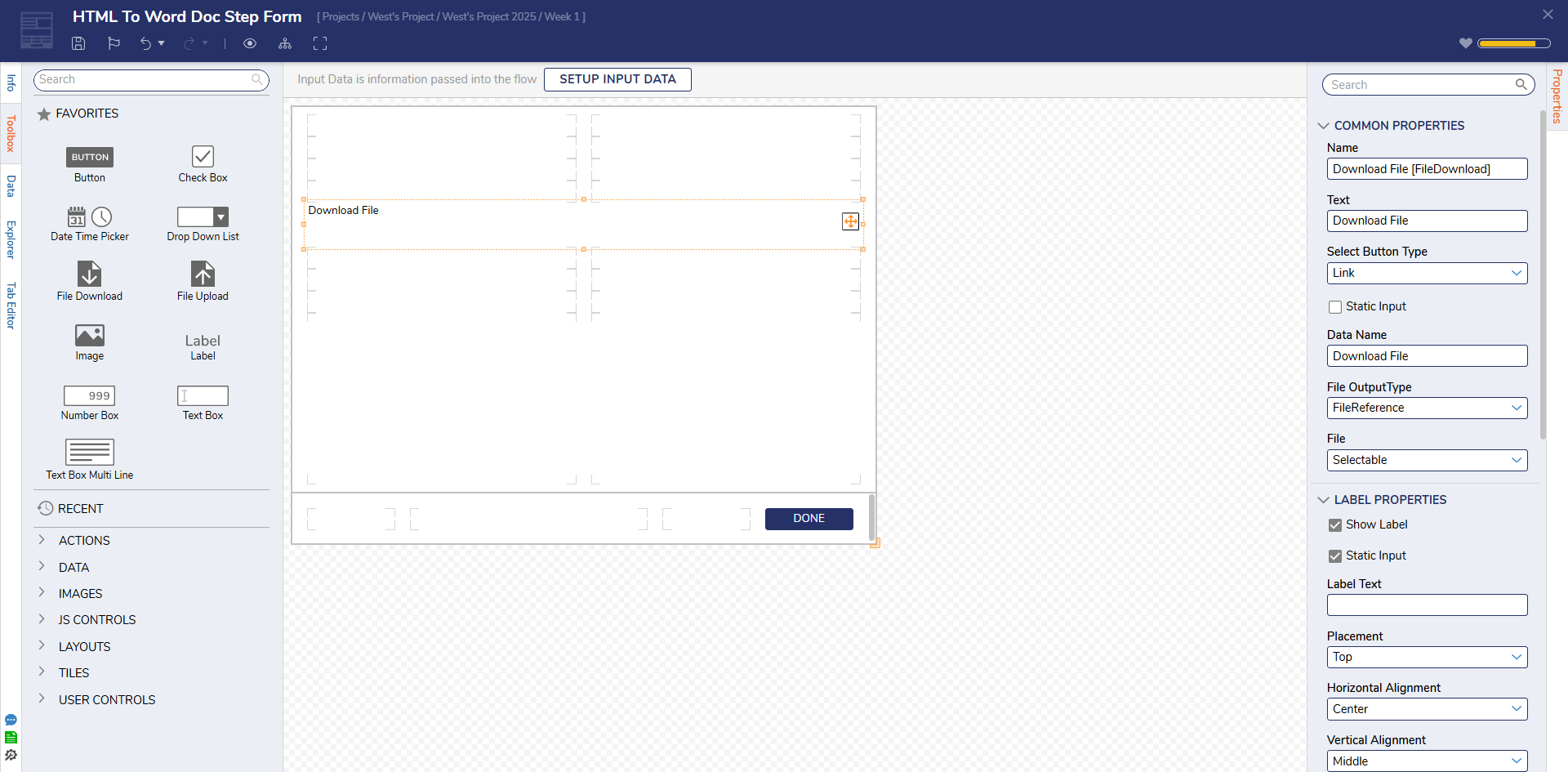
4. Configure the Form to have a **File Download** (OutputFileDocument) and a **Button** component. Click **Save** and close the Form Designer.
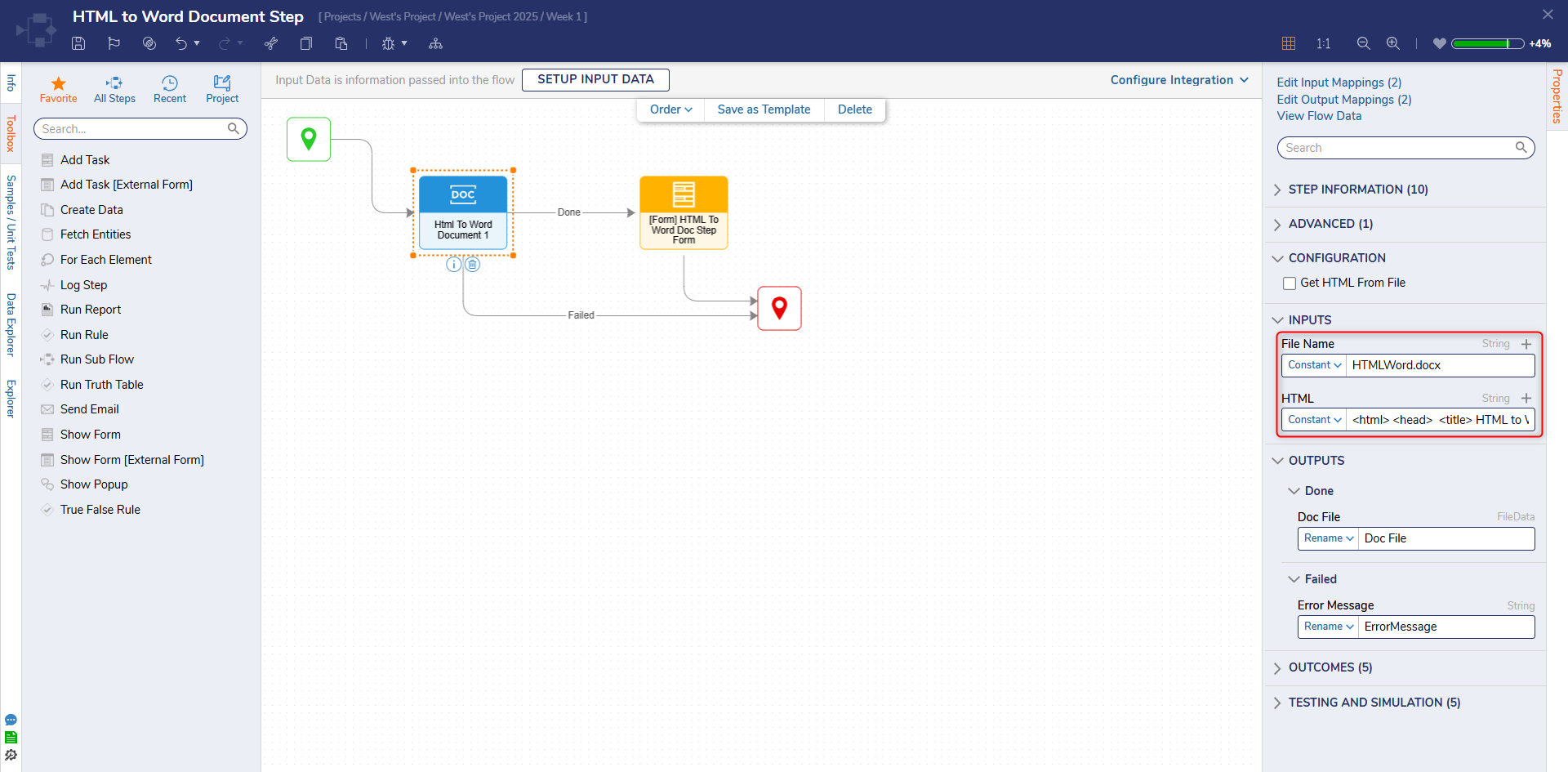
5. Connect the **Failed** path and the Done path to the **End** step. Select the HTML to Word Document step. On the Properties panel, enter "HTMLWord.docx" in the **File Name** field and paste the HTML code in the **HTML** field.
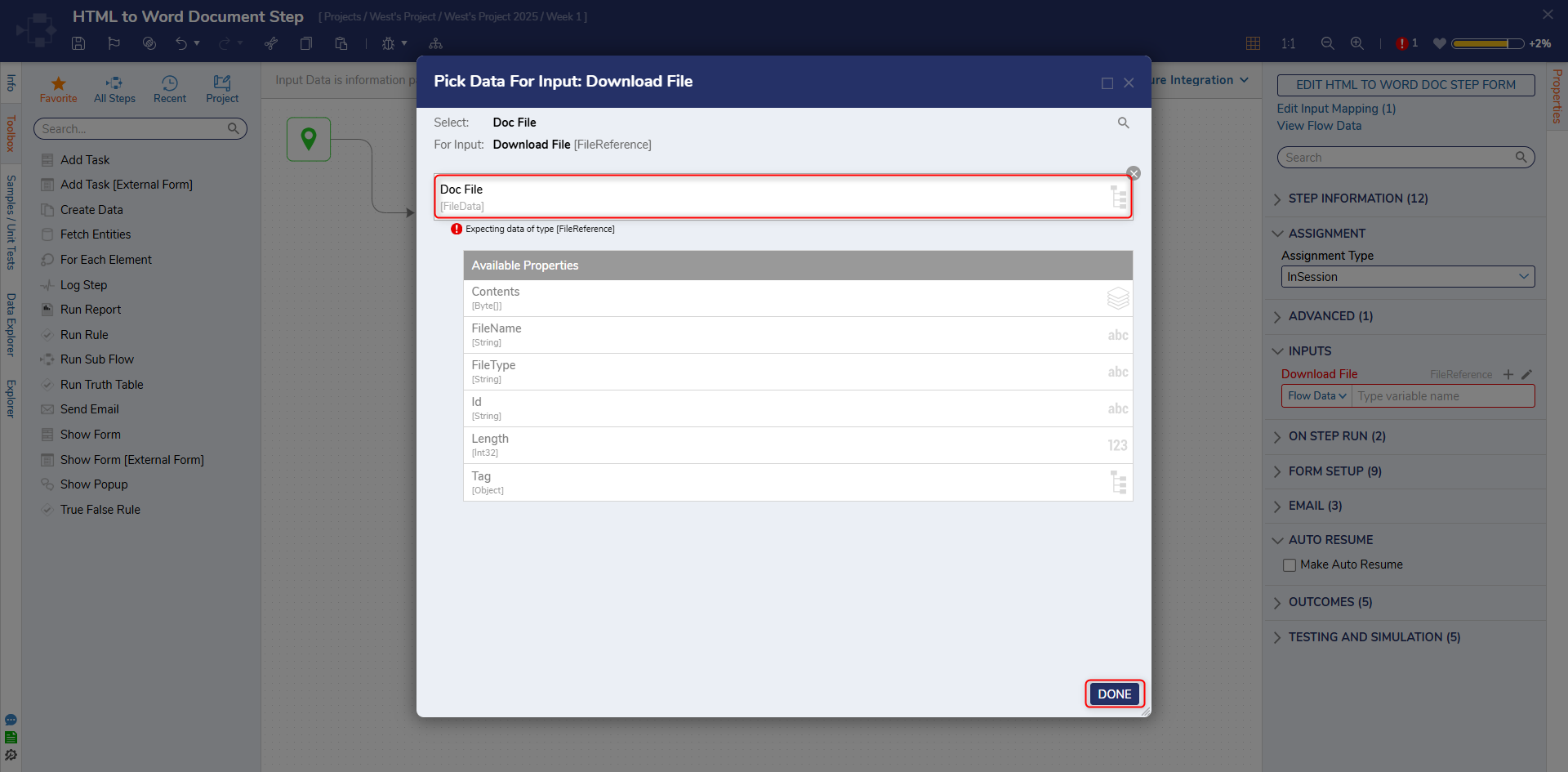
6. Select the Show Form step and change the input mapping for the **Output File Document** field from **Unknown** to **Select From Flow**. Select **Doc File** and click DONE.
7. Click Save to save changes to the Flow.
## Debug
1. Select **Debug** from the top action bar.
2. Click START DEBUGGING.
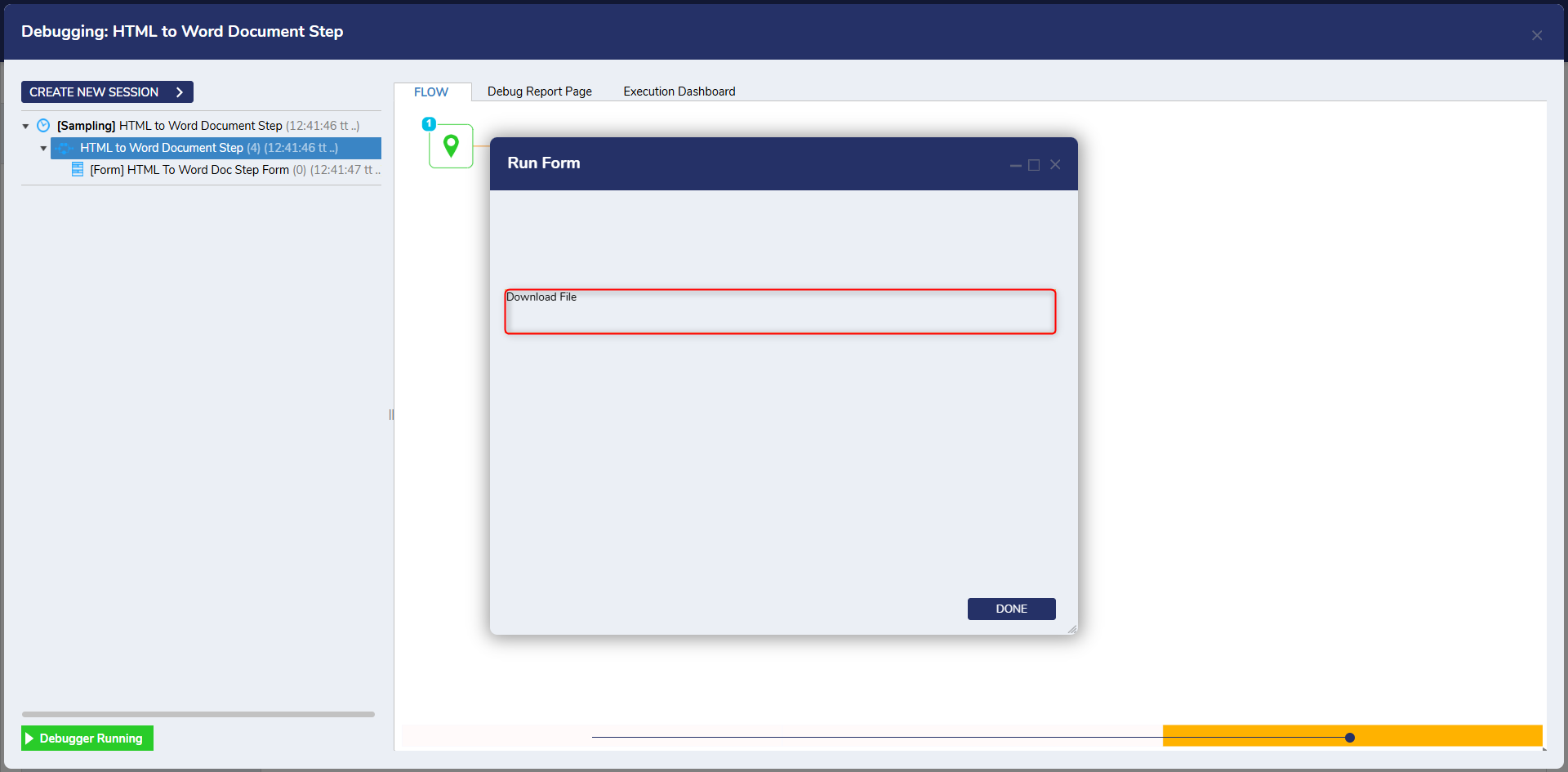
3. Click **Download File.**
4. After the file downloads select it to open.
---
Related Information
Forum Posts: [Creating a Word Document From Flow](https://community.decisions.com/discussion/2874/creating-a-word-document-from-flow) [How To Replace File Name For “Replace Text In Word](https://community.decisions.com/discussion/3232/how-to-replace-file-name-for-replace-text-in-word)
## Related
- [Append HTML Line Steps](/append-html-line-step.md)
- [Appending Word Documents](/appending-word-documents.md)
- [Adding Header/Footer to Word Documents](/adding-headerfooter-to-word-documents.md)
- [Replace Text in a Word Document](/replace-bookmarks-text.md)