Step Details |
| Introduced in Version | 9.25.0 |
| Last Modified in Version | 9.25.0 |
| Location | Integration > Microsoft Teams |
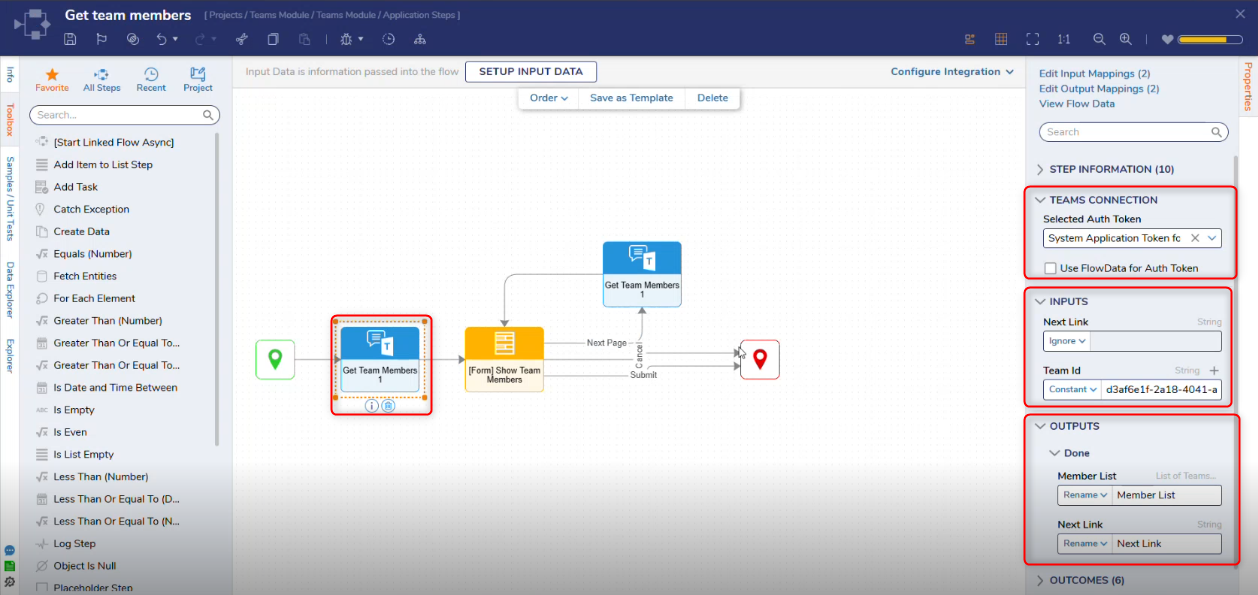
The Get Team Members step retrieves the list of members associated with a specified Microsoft Team. The step uses the configured Microsoft 365 authentication token to access team membership information based on the permissions assigned in Azure.
Teams Connection
| Property | Description | Data Type |
|---|
| Selected Auth Token | Selects the Microsoft 365 authentication token used to connect to Microsoft Teams. The token must have permission to read team membership information. | Dropdown |
| Use FlowData for Auth Token | When enabled, it allows the authentication token to be provided dynamically via Flow data rather than selecting a predefined token. | Boolean |
Inputs
| Property | Description | Data Type |
|---|
| Team Id | Specifies the unique identifier of the Microsoft Team whose members will be retrieved. | String |
| Next Link | Indicates the URL or reference used to retrieve the next page of results when data is returned in multiple pages. | String |
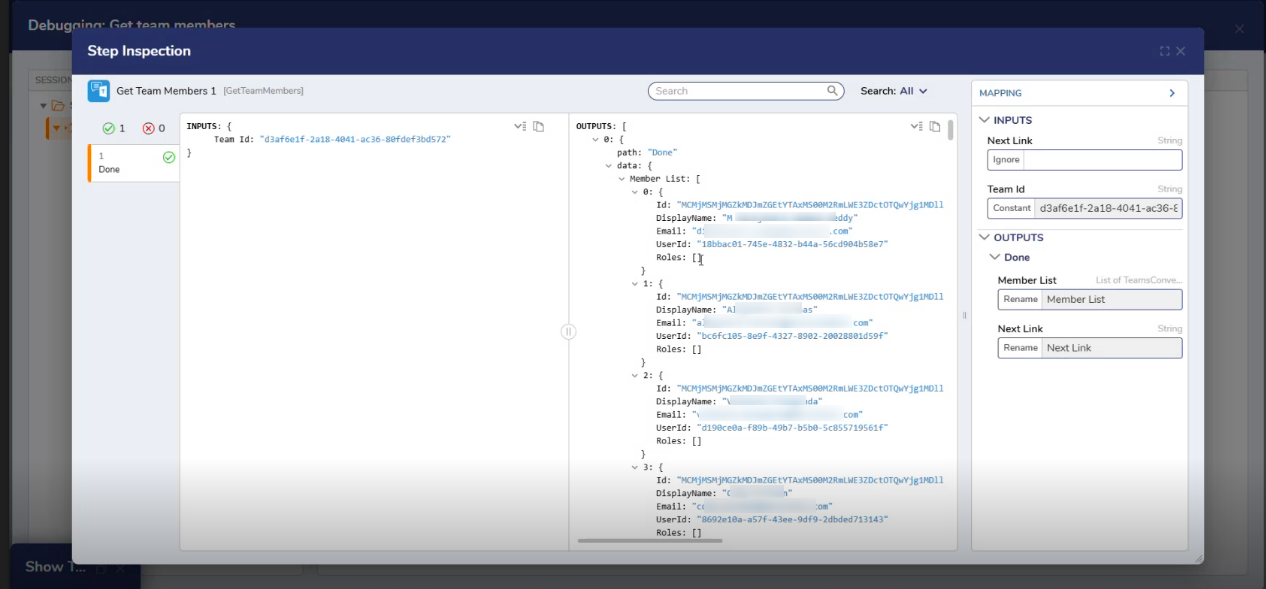
Outputs
| Property | Description | Data Type |
|---|
| Members List | Returns a list of users who are members of the specified Microsoft Team. | List of TeamsConversationMember |
| Next Link | Indicates the URL or reference used to retrieve the next page of results when data is returned in multiple pages. | String |
Step Changes
| Description | Version | Date | Developer Task |
|---|
| The Get Team Members step was introduced. | 9.25 | May 2026 | DT-046397 |