Step Details
|
| Introduced in Version | 9.21 |
| Last Modified in Version | -- |
| Location | Data > Images |
The Get Image Dimensions step assists Users with formatting images correctly in a document. This will enable Users to know the dimensions of an image before adding it to a Word or PDF document.
Properties
Inputs
| Property | Description | Data Type |
|---|
| Image File | The string to break into a substring. | FileData |
Outputs
| Property | Description | Data Type |
|---|
| GetImageDimensions | The part of the string that was extracted. | ImageDimensions |
.png)
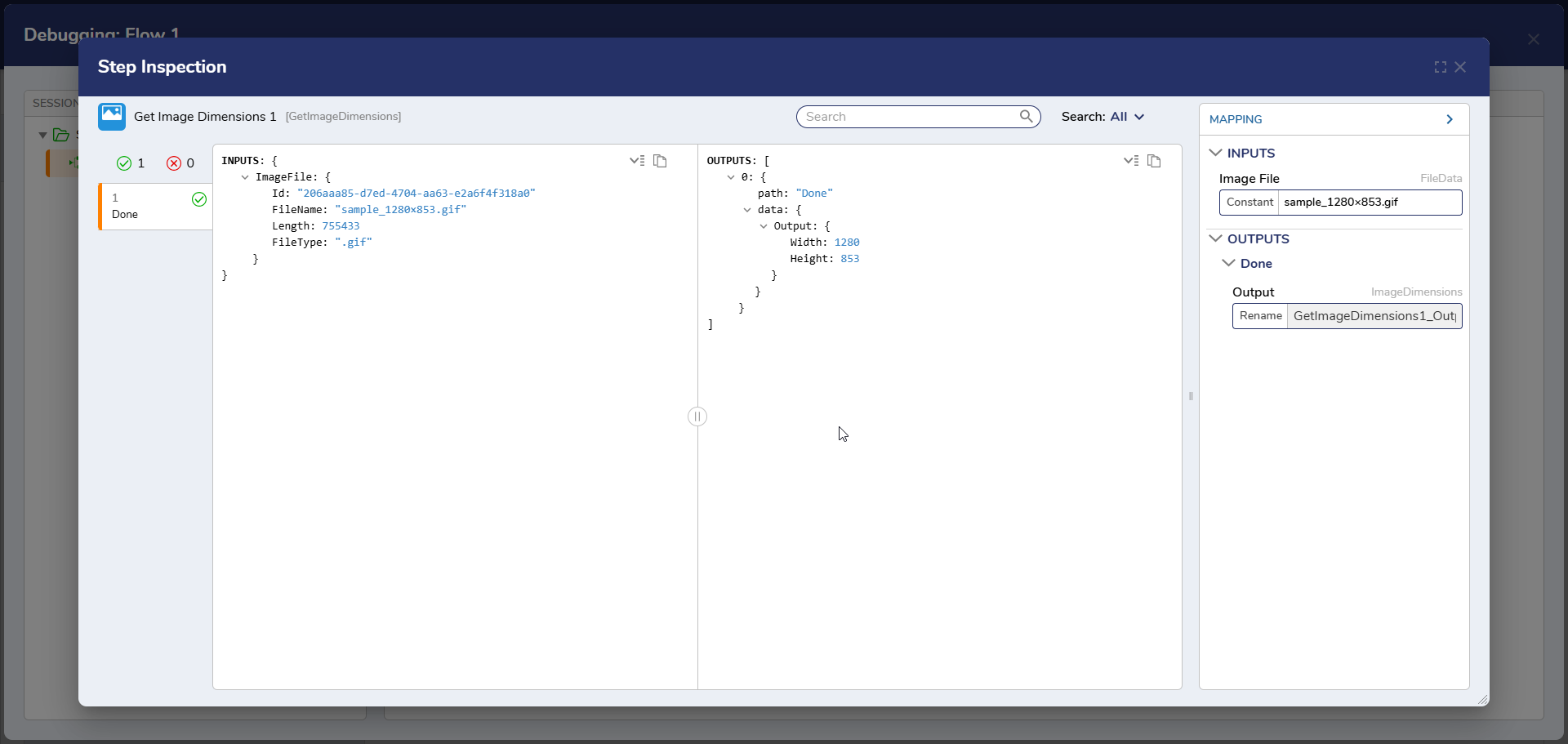
Example Inputs and Outputs
Inputs: {
ImageFile (FileData): {
Id:
FileName:
Length:
FileType

Outputs: {
0: {
path: "Done"
data: {
Output (ImageDimensions): {
Width:
Height:
Step Changes
| Description | Version | Date | Developer Task |
|---|
| A new step has been added to the Flow toolbox named Get Image Dimensions. | 9.21 | March 2025 | [DT-044344] |