Step Details | |
| Introduced in Version | 9.24.0 |
| Modified in Version | 9.24.0 |
| Location | PGP Module |
The Encrypt File Reference step encrypts a file using File Reference data. This step provides the same functionality as the Encrypt File step, but works with file references instead of loading the file as FileData.
This step is useful when working with large files or when a Flow needs to encrypt a file that is stored and referenced without loading the entire file into memory.
This step requires GPG to be installed on the system. GPG can be used to generate and export the key files used by this step.
In many environments, the public key is provided by the receiving organization’s IT operations or security team. The matching private key is typically kept by that organization and used only on the system responsible for decrypting the file.
Properties
Inputs
| Property | Description | Data Type |
|---|---|---|
| Binary | Defines whether the output file is encrypted as bytes or raw text/ascii | Boolean |
| File | The file reference for the file to encrypt. | File Reference |
| Internal File Name | Specifies the filename and file type extension of the file when decrypting the file (i.e., text.pdf). | String |
| Output File Name | Specifies the file name and file type extension of the encrypted file (i.e., newFile.pdf) | String |
| Public Key | The PGP public key file used to encrypt the file. This key can be generated by using GPG or provided by the intended recipient. | FileData |
Outputs
| Property | Description | Data Type |
|---|---|---|
| Output | Outputs the encrypted file as a file reference. | String |
Example Inputs and Outputs
| Binary | File | Internal File Name | Output File Name | Public Key | Output |
|---|---|---|---|---|---|
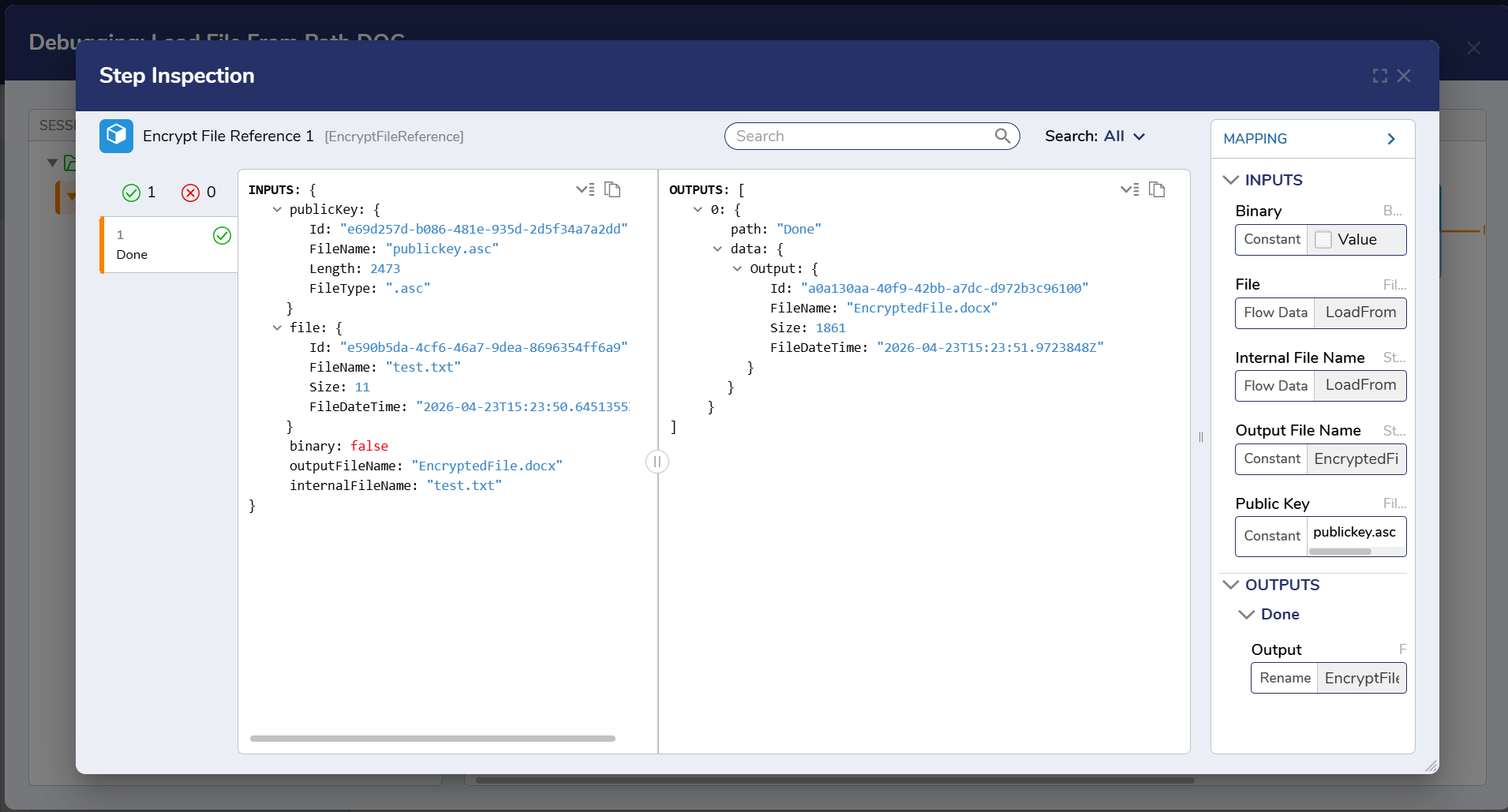
| False | Content | test.txt | EncryptedFile.docx | publickey.asc | Id: "7ed6ec53-4706-46fc-8e46-db4ed672fff6" FileName: "EncryptedFile.docx" Size: 1861 FileDateTime: "2026-04-23T15:32:56.7641017Z" |
Example
In this example, a Flow encrypts a file using a file reference before the file is sent to an external system.
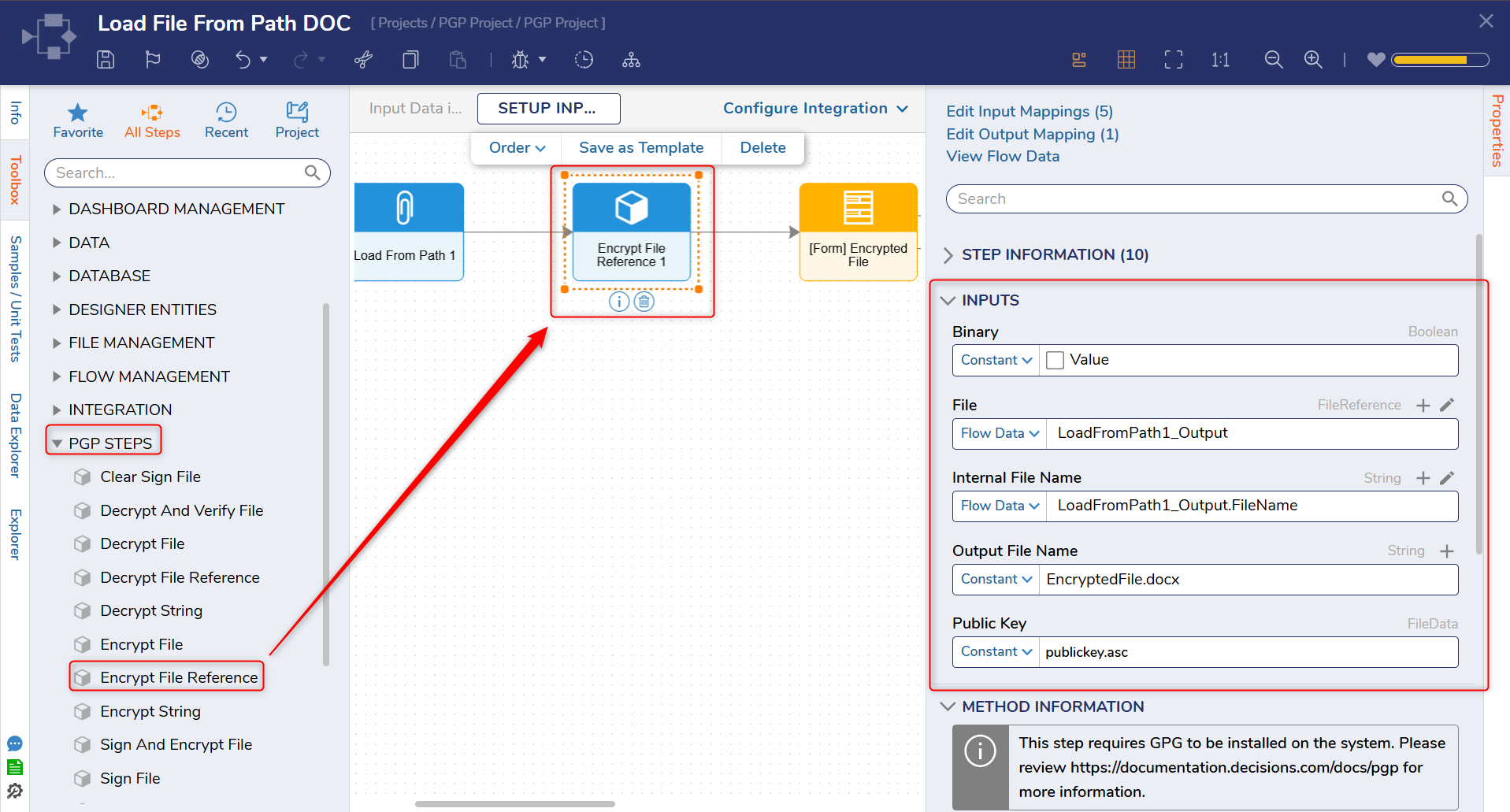
- In the Flow Designer, add the Encrypt File Reference step from the PGP steps available in the Toolbox.
- Map the File Reference for the file that should be encrypted.
- Configure the remaining properties in the same way as the Encrypt File step.
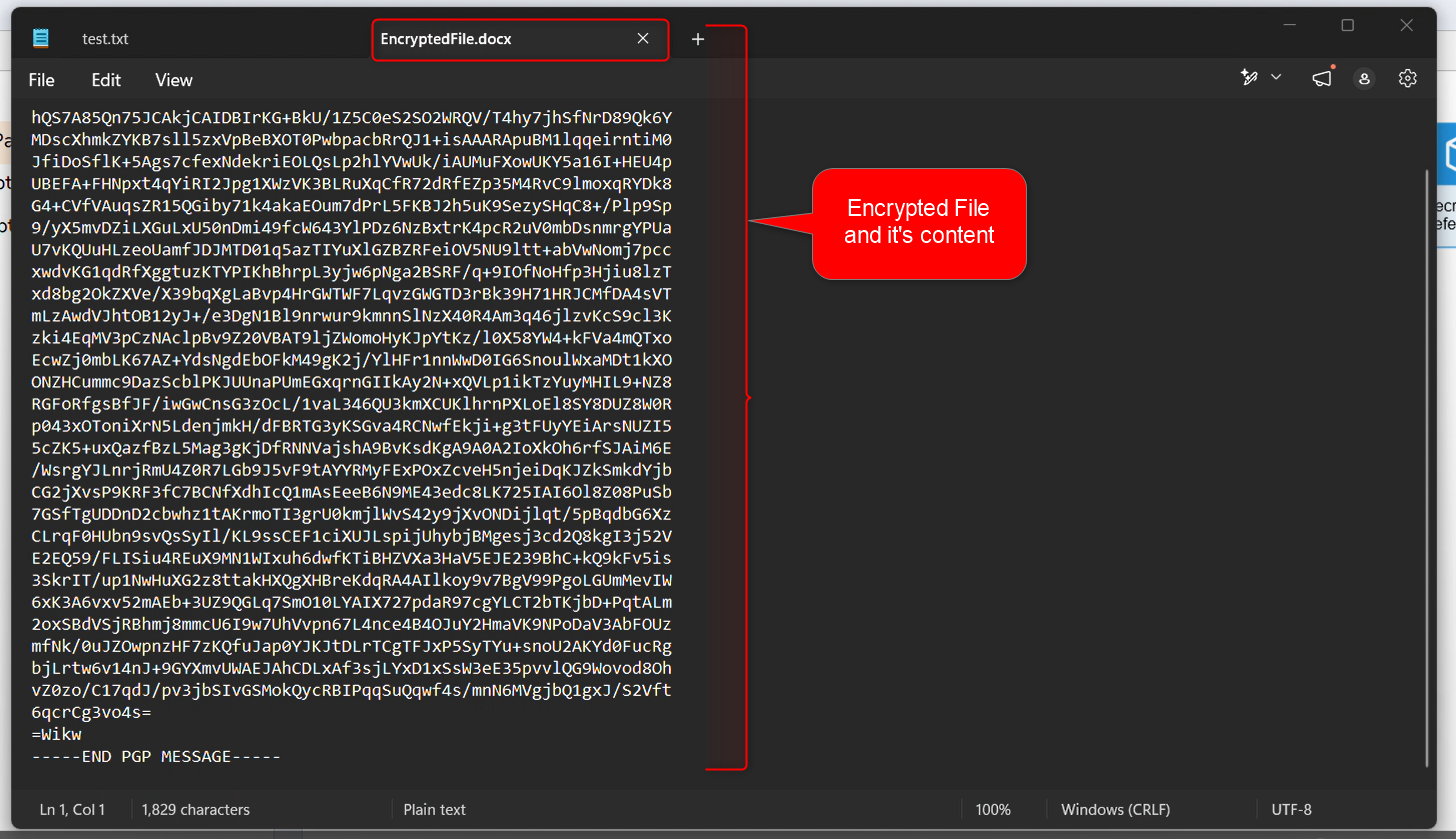
- When the Flow runs, the file is encrypted and returned as a file reference.
The table below shows the encryption setup and results.
Before (source file reference), Process (public key selection and encryption configuration), and After (the encrypted output file).
| Before Encryption | Process | After Encryption |
|---|---|---|
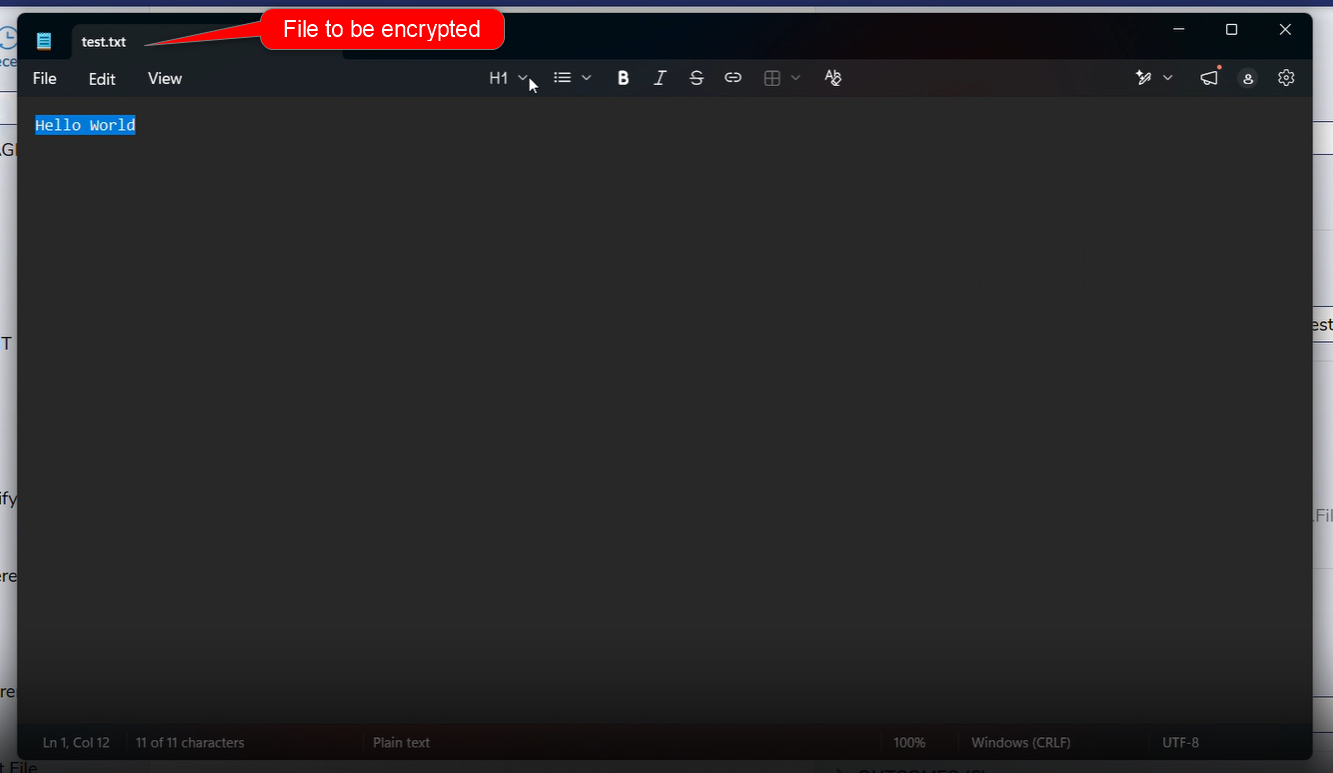 |   |  |
Step Changes
| Description | Version | Date | Developer Task |
|---|---|---|---|
| New steps have been added to the PGP Module. | 9.24 | April 2026 | [DT-047092] |
Documentation:
PGP Module
GnuPG
Forum Posts:
Error While Encrypting A File Using PGP
PGP Issues With Decrypting Using Private Key