| Step Details |
| -- |
| Last Modified in Version | 9.29 |
| Location | System > Advanced > Studio |
Create Rule Set generates a Rule Set and provides the Rule Set ID as the Output.
Properties
Configuration
| Property | Description | Data Type |
|---|
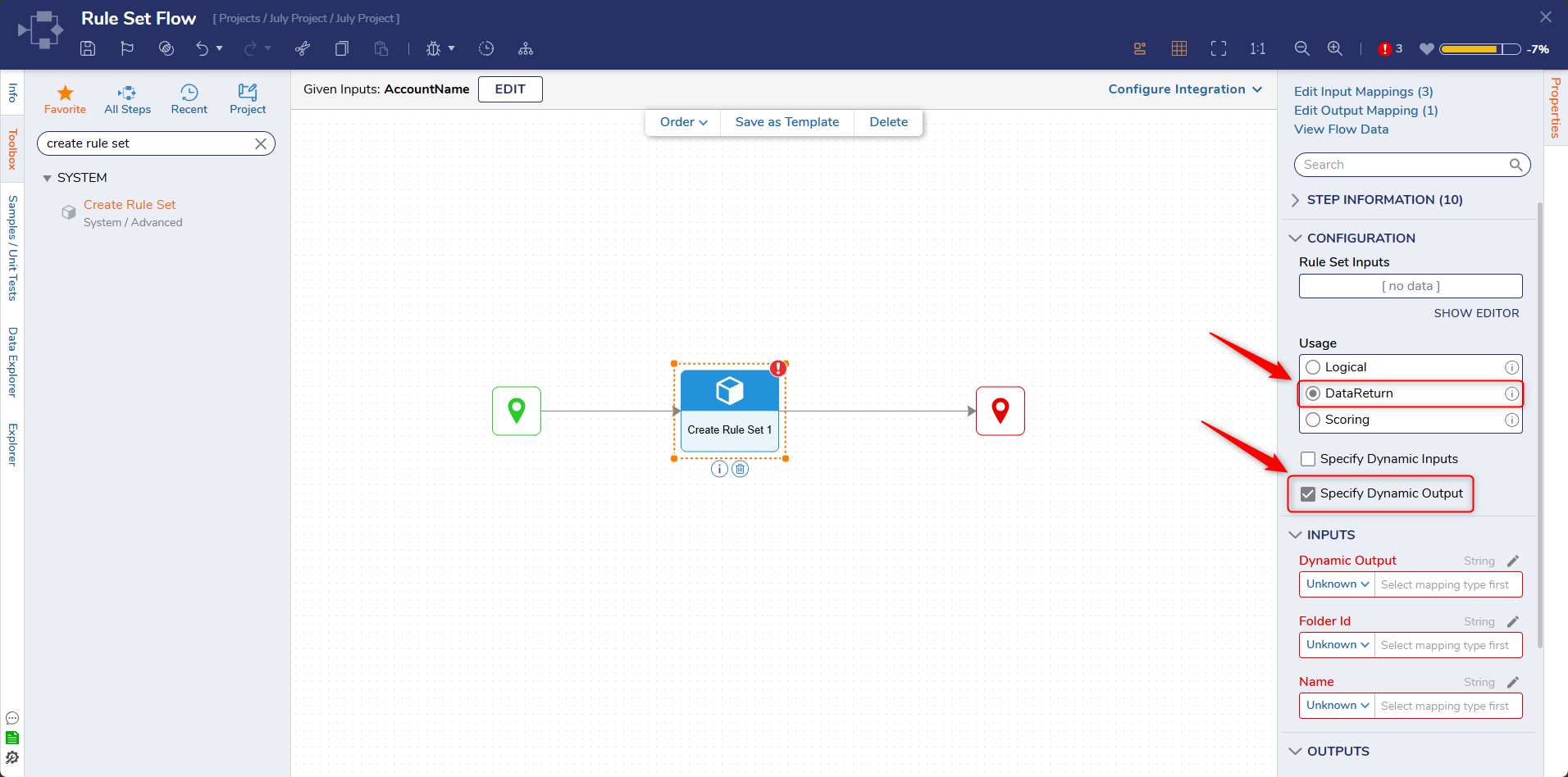
| Usage | Allows Users to specify the usage type. | Boolean |
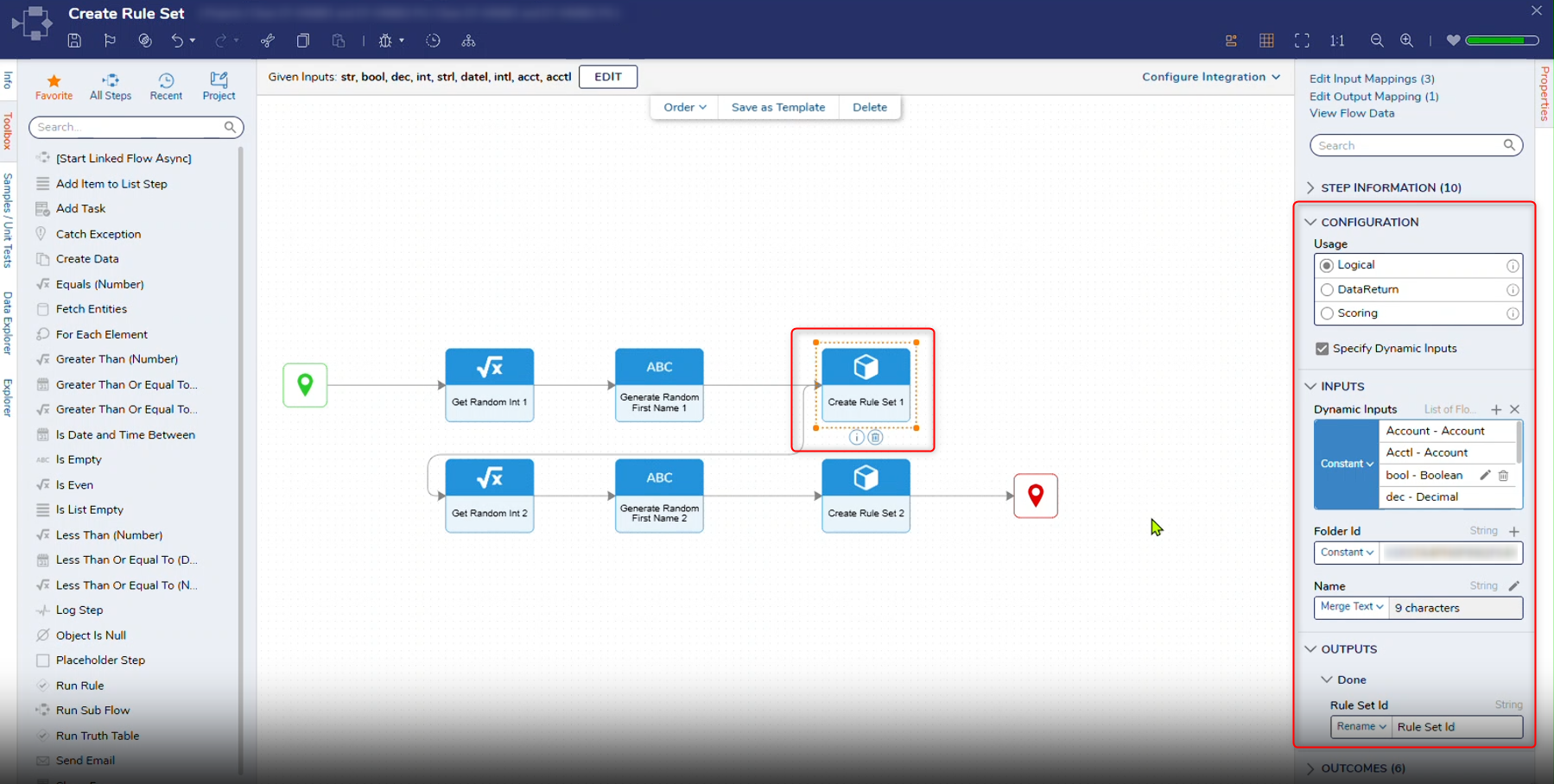
| Specify Dynamic Inputs (For 9.29+) | Allows Users to set the Input as dynamic. | Boolean |
| Specify Dynamic Output (For 9.29+) | Allows Users to set the Output as dynamic. | Boolean |
Inputs
| Property | Description | Data Type |
|---|
| Dynamic Inputs | When the Dynamic Input checkbox is selected, this field will display, enabling Users to specify a list of Dynamic Inputs. | -- |
| Folder Id | Enables Users to specify the Folder ID | String |
| Name | Enables Users to specify the name of the Rule Set. | String |
Outputs
| Property | Description | Data Type |
|---|
| Dynamic Output | When the 'Specify Dynamic Input' toggle is on and the Usage type option is set to DataReturn, this field will display, enabling Users to specify the Dynamic Output Return Type for the Rule Set. |
|
| Unit Test | Outputs the created Rule Set ID. | String |
Example Inputs and Outputs
Inputs:


      "Name":
      "Type":
      "IsList":
      "Description":
    },
    {
      "Name":
      "Type":
      "IsList":
      "Description":
    },
    {
      "Name":
      "Type":
      "IsList":
      "Description":
    },
    {
      "Name":
      "Type":
      "IsList":
      "Description":
    },
    {
      "Name":
      "Type":
      "IsList":
      "Description":
    },
    {
      "Name":
      "Type":
      "IsList":
      "Description":
    },
    {
      "Name":
      "Type":
      "IsList":
      "Description":
    }
  ]
}

Outputs:

[
  {
    "path": "Done",
    "data": {
      "Rule Set Id":
    }
  }
]
.png)
Step Changes
| Description | Version | Date | Developer Task |
|---|
| Added a new property called "Specify Dynamic Inputs" to the Create Rule Set Step that allows Inputs to be dynamic. | 9.29 | July 2026 | [DT-046882] |
| Added a new property called "Specify Dynamic Outputs" to the Create Rule Set step. | 9.29 | July 2026 | [DT-047346] |