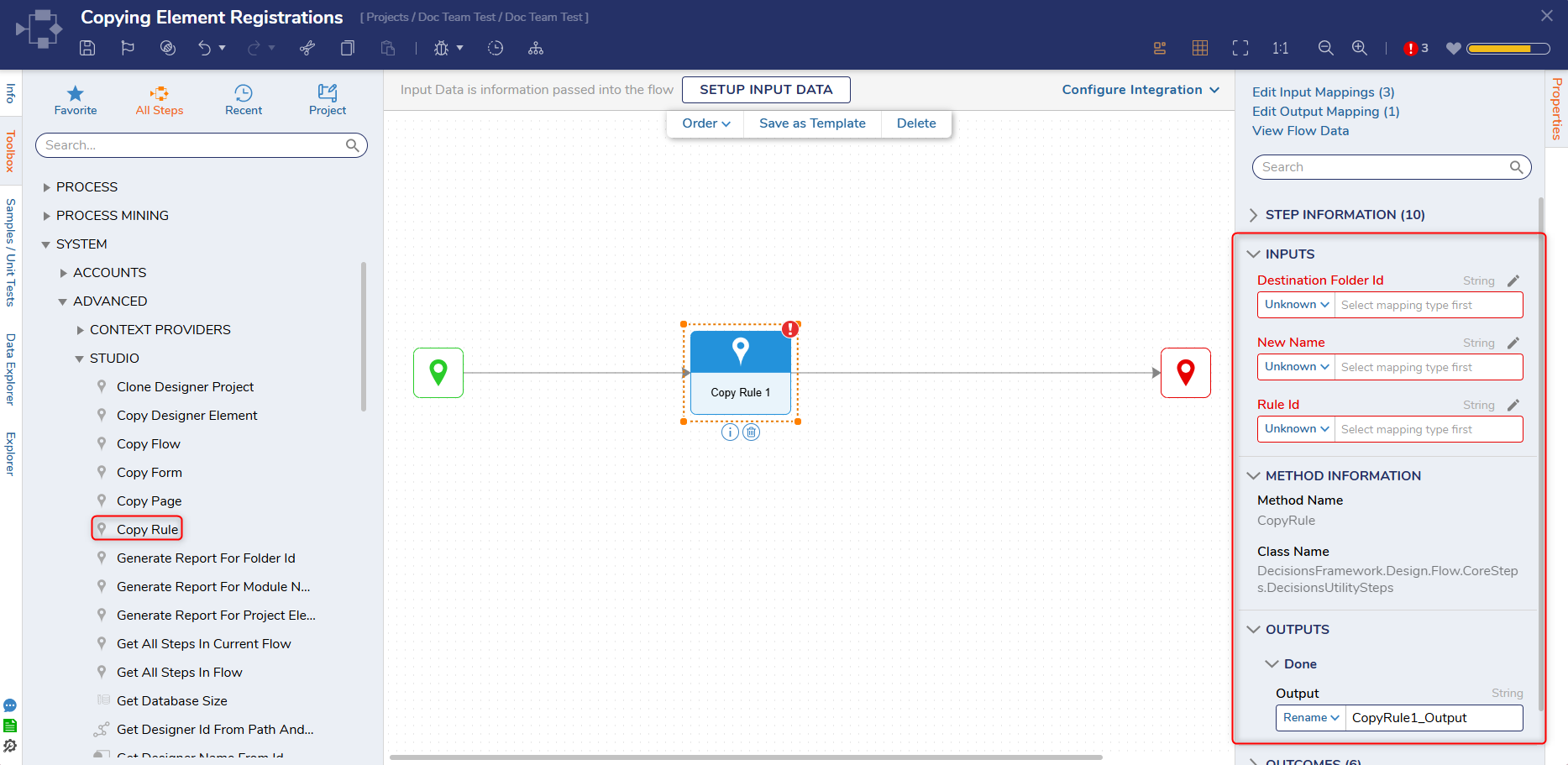
Step Details
|
| Introduced in Version | 9.32, 10.3 |
| Last Modified in Version | --- |
| Location | Advanced > Studio |
The Copy Designer Element Step allows Users to duplicate a Rule. The step utilizes a Rule ID Input to determine which Rule to copy, the New Name Input to determine the Rule's name, and the Destination Folder ID Input to determine where the Rule will be copied. Once run, the step outputs the newly created Rule ID and copies the Rule into the designated Folder.
Considerations
For ID properties, such as FlowID, Users cannot manually enter a value when the property is set to Constant. Instead, select the + icon to open the picker dialog and choose the required entity.
Properties
Inputs
| Property | Description | Data Type |
|---|
Destination Folder ID
| Allows Users to specify the Folder ID for where the Rule will be copied to.
| String |
| New Name | Allows Users to specify a new name for the Rule.
| String |
| Rule ID | Allows Users to specify the desired Rule ID. | String |
Outputs
| Property | Description | Data Type |
|---|
CopyRule1_Output
| Copies the specified Rule to the specified Destination Folder.
| String |