Step Details
|
| Introduced in Version | 9.32, 10.3 |
| Last Modified in Version | --- |
| Location | Advanced > Studio |
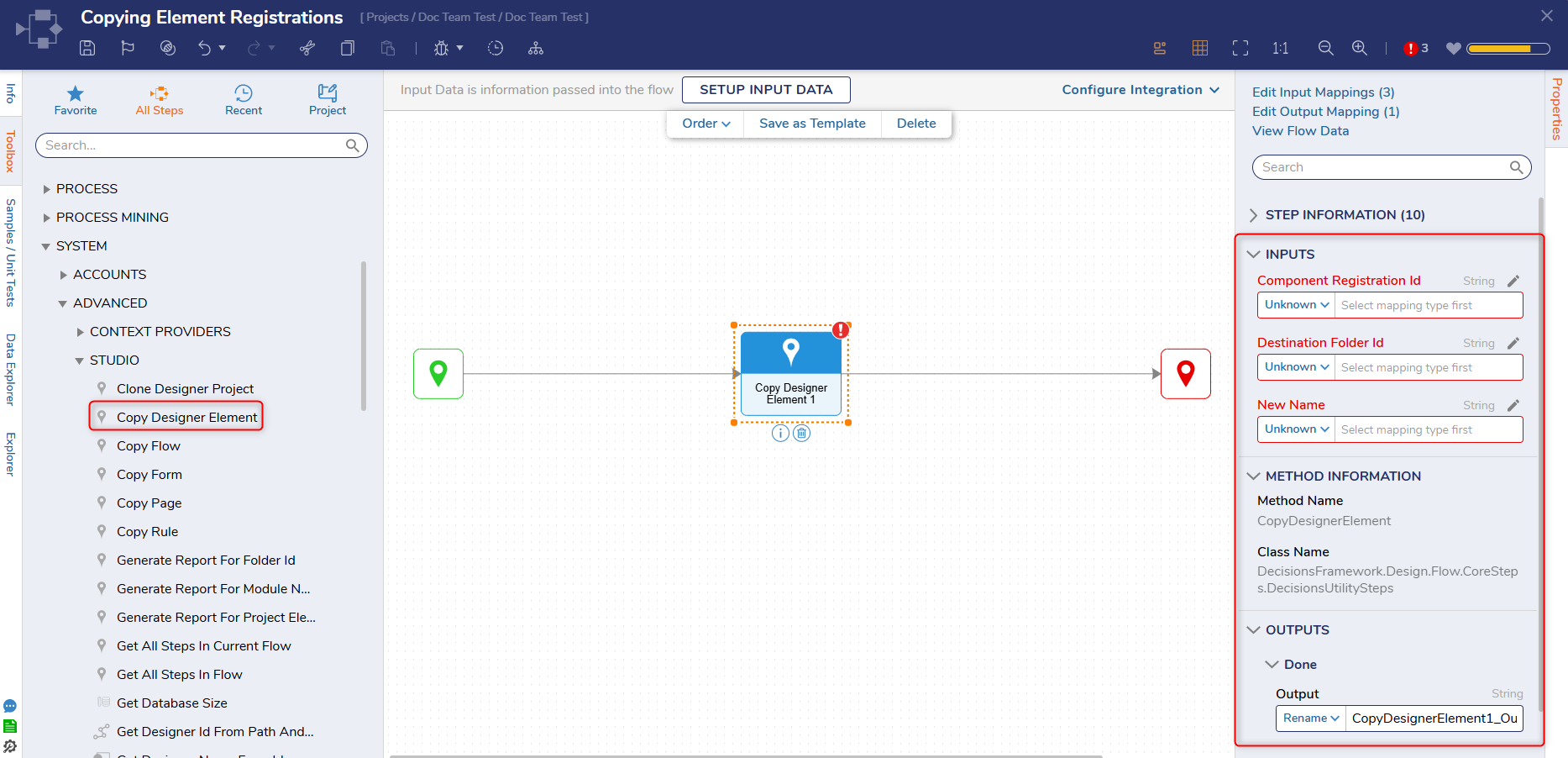
The Copy Designer Element step allows Users to duplicate a Designer Element. Since the Designer Element ID can be entered directly, this step is useful when duplicating known Designer Elements programmatically or during migration and setup scenarios.
Considerations
The Copy Designer Element step requires users to manually enter the ID of the element to copy, as no element picker is available.
Properties
Inputs
| Property | Description | Data Type |
|---|
| Component Registration Id | Allows Users to specify the Registration Id for the desired designer element. | String |
| Destination Folder Id | Allows Users to specify the Folder Id for where the Designer Element will be copied to. | String |
| New Name | Allows Users to specify a new name for the Designer Element. | String |
Outputs
| Property | Description | Data Type |
|---|
CopyDesignerElement1_Output
| Copies the specified Designer Element to the specified Destination Folder. | String |