Convert Spreadsheet to XLSX
- Published on Aug 31, 2026
| Step Details |
| Introduced in Version | 10.2 |
| Last Modified in Version | -- |
| Location | Data > Excel |
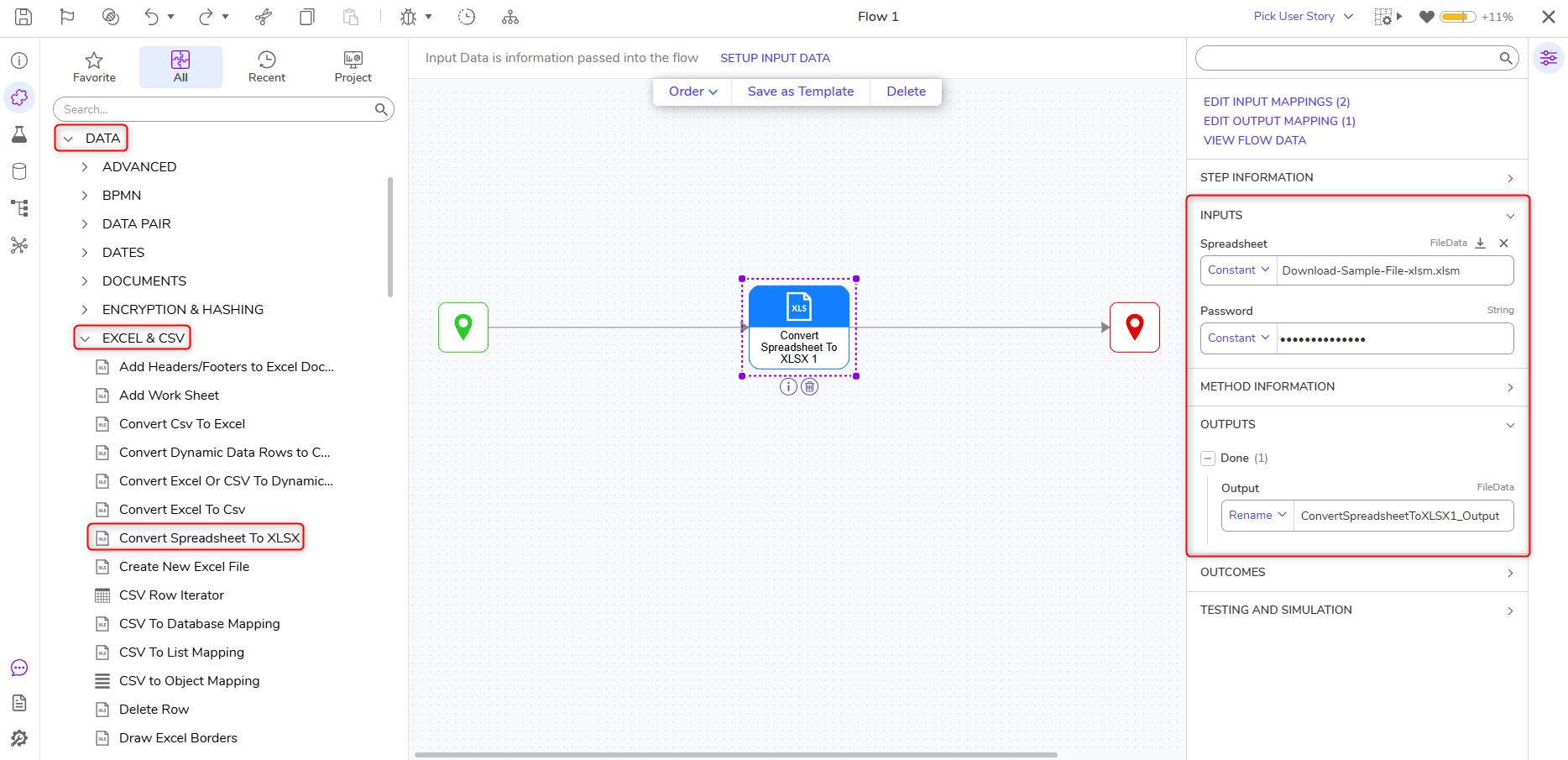
The ConvertSpreadsheetToXlsx step converts XLS, XLSM, XLSB, and XLSX files to XLSX format so other Excel steps are able to read the file.
Considerations
- This source format is detected from the file contents, not from its extension.
- VBA macros in a macro-enabled workbook are not preserved in the XLSX output.
- The output is generated unprotected. Enable Lock Excel File to protect the workbook.
Properties
Inputs
| Property | Description | Data Type |
|---|
| Spreadsheet | Enables Users to specify an Excel file. This file must be one of the following formats: | Filedata |
| Password | Specifies the logged-in User's password. | String |
Outputs
| Property | Description | Data Type |
|---|
| ConvertSpreadsheetToXLSX1_Output | Converts specified file to XLSX. | FileData |
Example Inputs and Outputs
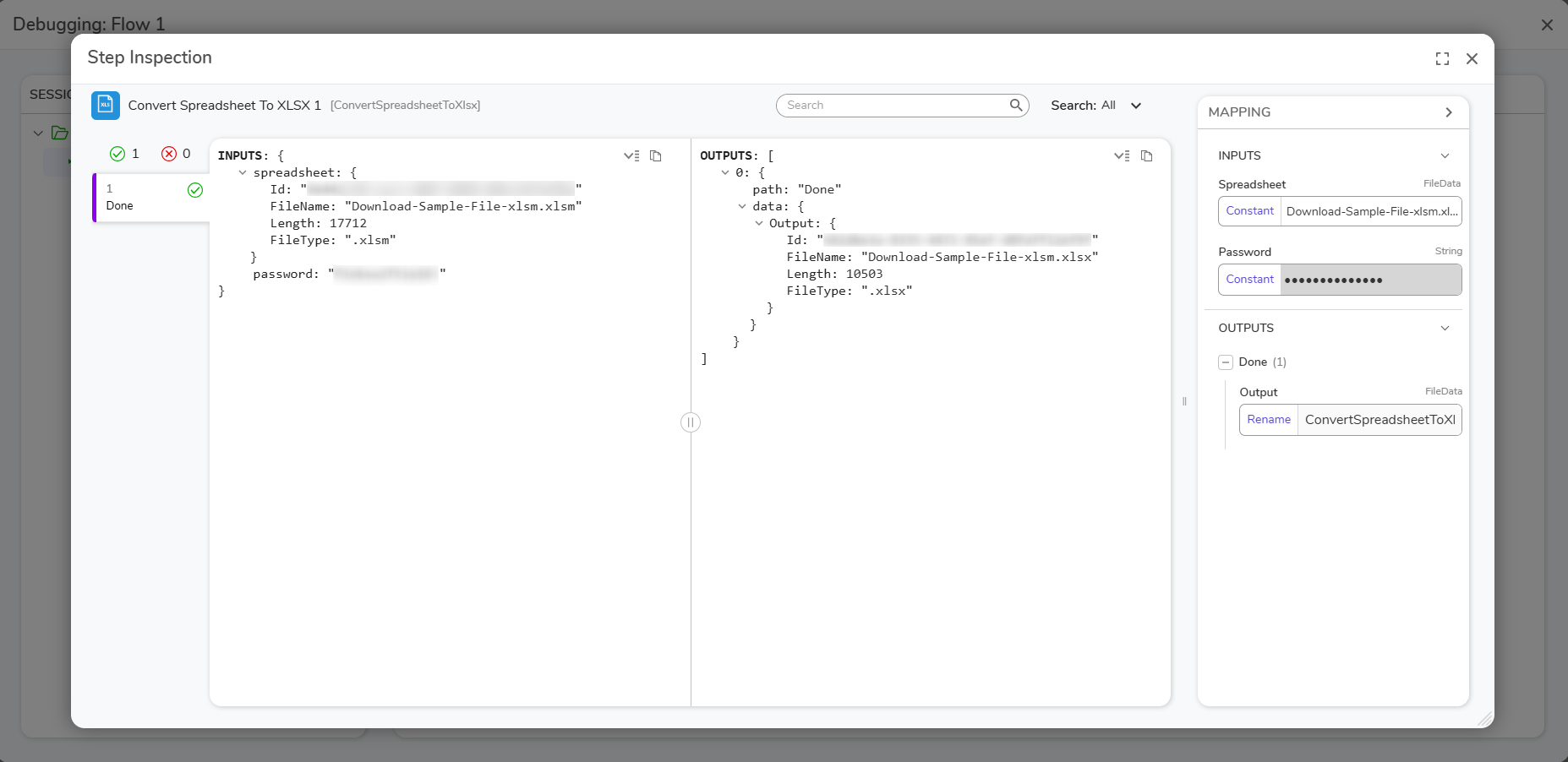
INPUTS: {
spreadsheet: {
Id:
FileName:
Length:
FileType:
}
password:
}

OUTPUTS: [
0: {
path: "Done"
data: {
Output: {
Id:
Filename:
Length:
FileType:
Was this article helpful?