Step Details |
| Introduced in Version | 7.10.0 |
| Last Modified in Version | 10.0 |
| Location | Data > Documents |
Users can use the Convert Document or Convert Document To HTML step to convert FileData input from Word, PDF, or Excel Files. The Convert Document step converts the file into either Word, PDF, or Excel, but the Convert Document to HTML step will only output the document in HTML.
Both steps will convert the document, and its default, Output, save location is C:\Program Files\Decisions\FileStorage\Primary\temp\.
Convert Document Step Properties
Inputs
| Property | Description | Data Type |
|---|
| Document | Document to convert | FileData |
Outputs
| Property | Description | Data Type |
|---|
| Error | Error Message | String |
| Success | Converted Document | FileData |
Settings
| Property | Description | Data Type |
|---|
| ConvertFromType | The file extension of the input file. | -- |
| ConvertToType | File extension to convert the file to. | -- |
Convert to Word Settings (v9.16+)
| Property | Description | Data Type |
|---|
Specify Image Resolution
| This property allows Users to set the image resolution in DPI (dots per inch) and will only appear if the ConvertToType property is set to Word.
| Boolean |

.png)
Convert to Word Settings (v9.16+)
Convert Document to HTML Step Properties
| Settings Name | Description | Type |
|---|
Convert From Type
| The file extension of the input file.
| Boolean |
Output With Images Embedded
| Embeds images from the source document in the generated HTML instead of saving them as external files.
| Boolean |
Output With Responsive Layout (For 9.29+)
| When enabled for Word document conversions, the generated HTML reflows to fit the browser viewport instead of preserving fixed page dimensions. This option should be used with Output With Images Embedded enabled when the document contains embedded images.
| Boolean |
Inputs
| Property | Description | Data Type |
|---|
| Document | Document to convert | FileData |
Outputs
| Property | Description | Data Type |
|---|
| Error | Error Message | String |
| Success | Converted Document | FileData |
Settings
| Property | Description | Data Type |
|---|
| ConvertFromType | The file extension of the input file | --- |
| OutputWithImagesEmbedded | Embeds images that are in the document when converted to HTML | --- |

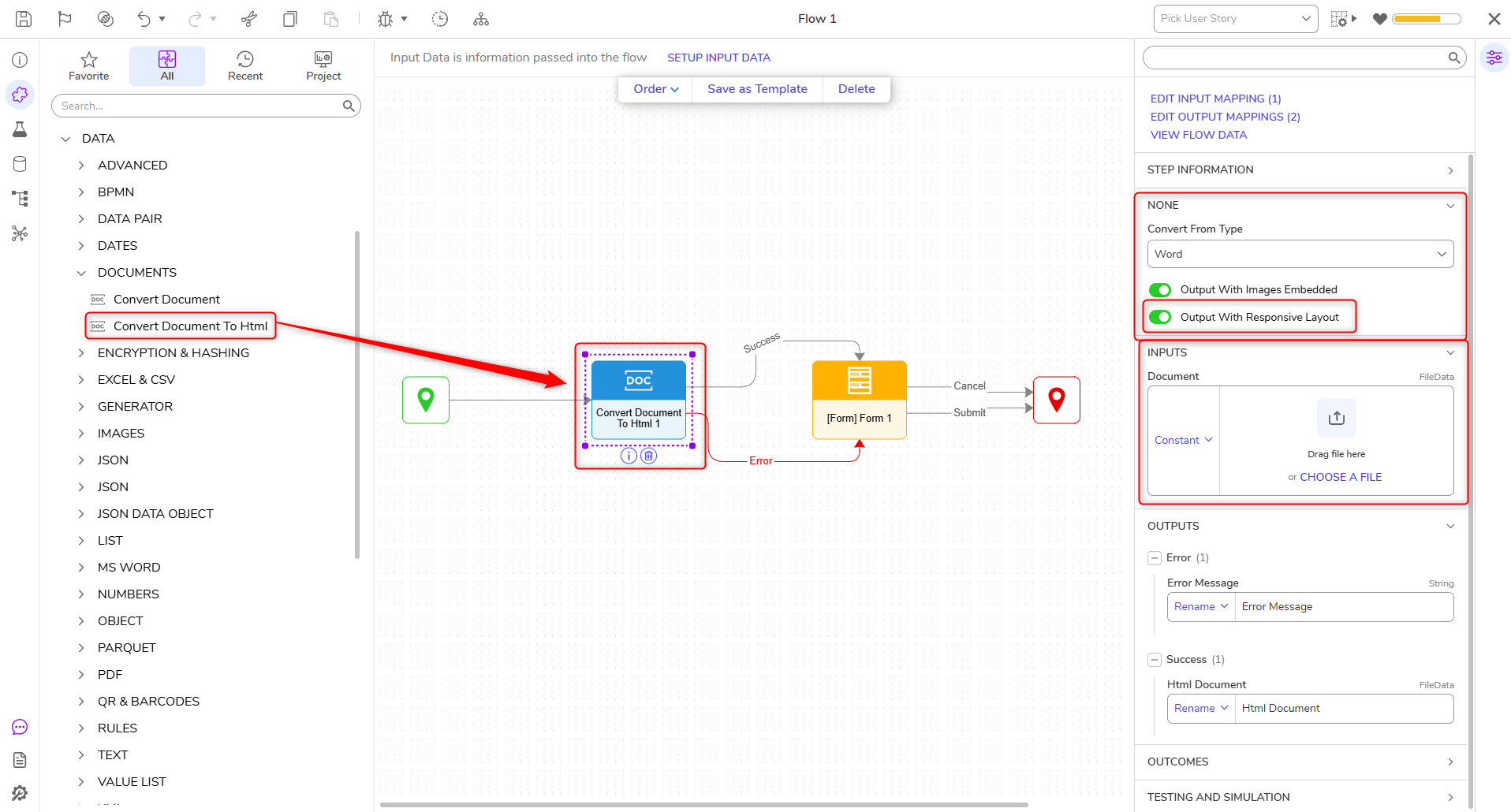 Output with Responsive Layout Property, added for v9.29+
Step Changes
| Description | Version | Date | Developer Task |
|---|
A new property called 'Specify Image Resolution' has been added. This property will only appear if the ConverttoType property is set to Word. This property allows Users to set the image resolution in DPI(dots per inch).
| 9.16 | October 2025 | {DT-045814} |
Added a new Output With Responsive Layout option to the Convert Document to HTML step. When enabled on a Word conversion with Output With Images Embedded turned on, the resulting HTML reflows to fit the browser viewport instead of preserving fixed page dimensions.
| 9.29 | July 2026 | {DT-047683} |