Overview
The SAP Connector enables Users to create, read, update, and delete data in SAP directly from the Decisions platform. It leverages the Decisions Microsoft .NET SDK in conjunction with SAP’s .NET SDK framework to build an integrated Decisions module, allowing seamless interaction with SAP as the system of record.
From a development perspective, the connector provides SAP-specific steps with standardized inputs and outputs for each connection, simplifying implementation and integration within flows.
Installation
The SAP Connector follows the standard process for installing features in the Decisions Platform. Please refer to Installing Modules for further instructions. Users should note that a valid license is required to install the SAP Connector, which will be installed as a Custom Module. 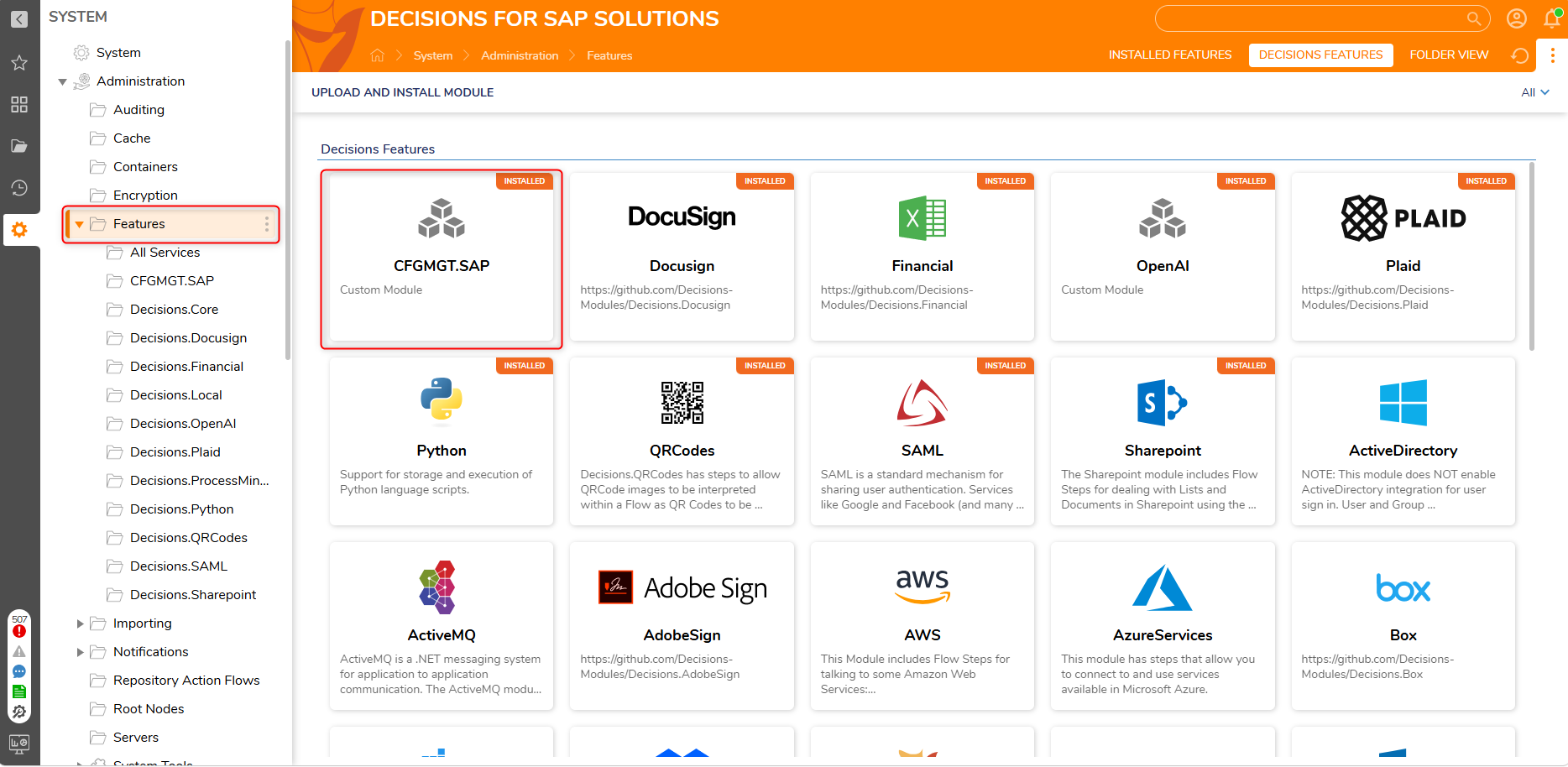
Implementation
Connecting to SAP from the Decisions platform can be accomplished by the following steps:
- Establish an SAP connection.
- Get Definition of Remote Function Call (Remote Function Modules or BAPI’s).
- Create a Corresponding Decisions Step for Each Remote Function Module.
- Define Run Function Modules (RFMs) in the Decisions Platform.
Establish a SAP Connection
Users can navigate to SAP Settings within the SAP Module to map to the SAP server. The SAP Module supports multiple SAP servers as well as ECC and S/4HANA installations. Developers can define the environments that will be utilized within the SAP Settings.
.png)
To connect to SAP, Users must utilize the Get Connection Step in a Flow.
This step accepts the SAP server name, username, and password, and maps these inputs to the step’s output, enabling the SAP .NET SDK to establish a connection to SAP.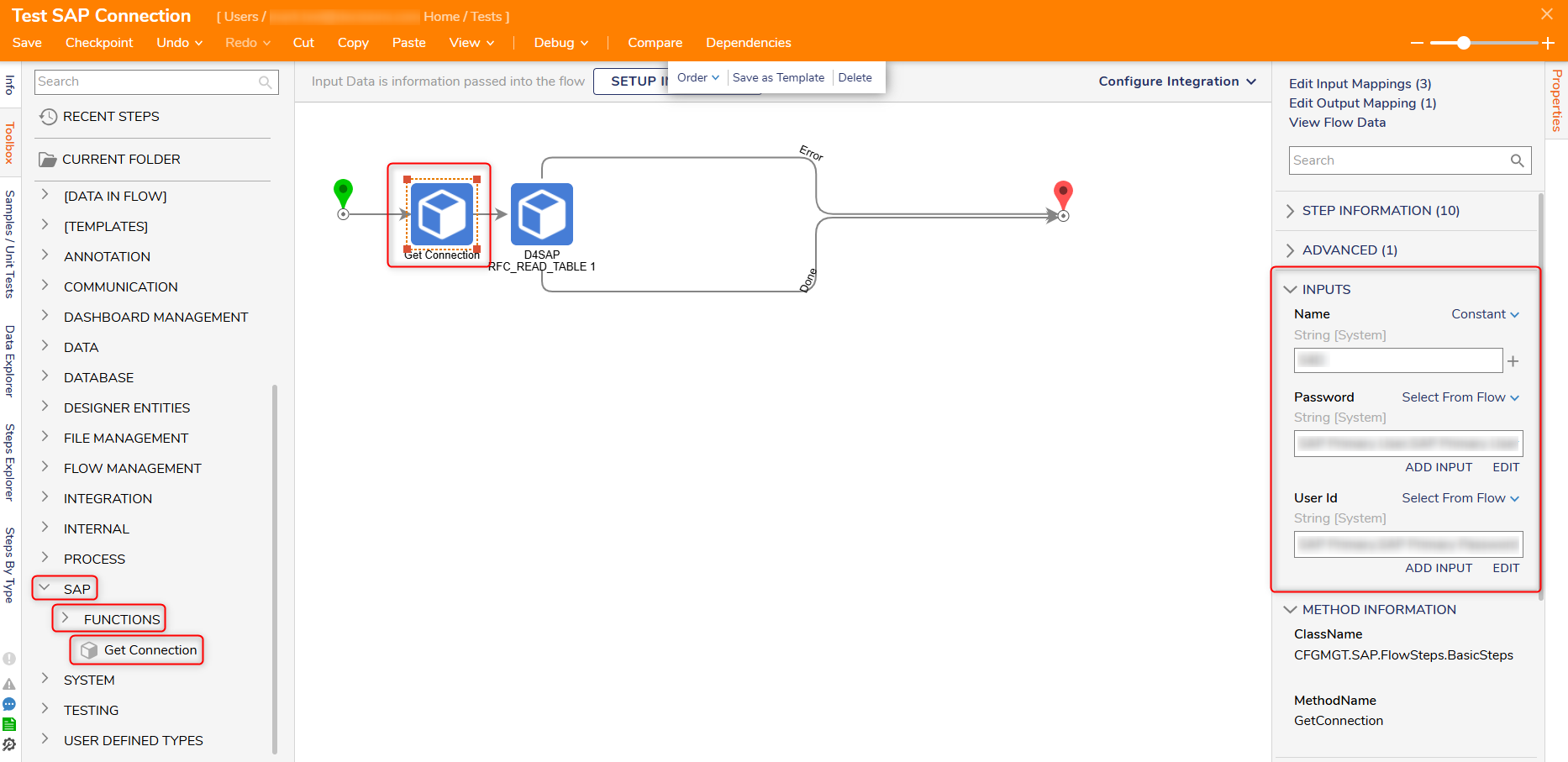
Get Definition of Remote Function Call
The SAP Module allows Users to utilize any RFM that is in the SAP system, including custom RFMs, with the following steps:
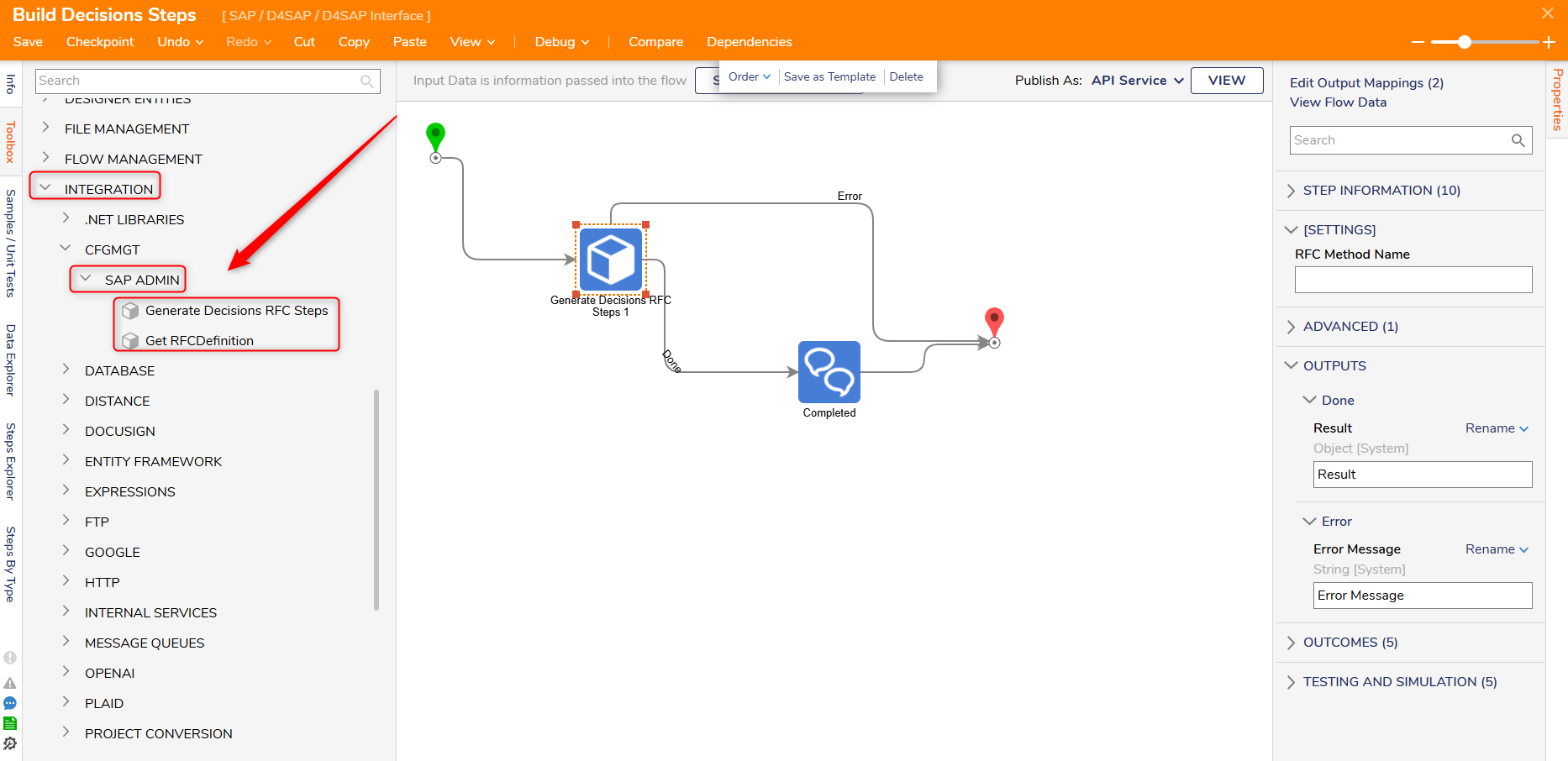
- Get RFC Definition Step: The Get RFC Definition step takes in the name of the RFM and SAP Connection, connects to SAP, and navigates through the RFM definition to retrieve the inputs and outputs for each RFM. This data is then saved in the Decisions database.
- Generate Decisions RFC Steps: This Step analyzes the data saved in the Decisions database and creates Decisions steps for each individual RFM in the database. This action will organize a list of steps that represent the RFMs available for use in the Decisions platform.
Define Run Function Modules (RFMs) in the Decisions Platform.
RFMs defined in the Decisions platform can be utilized with an RFM custom step.
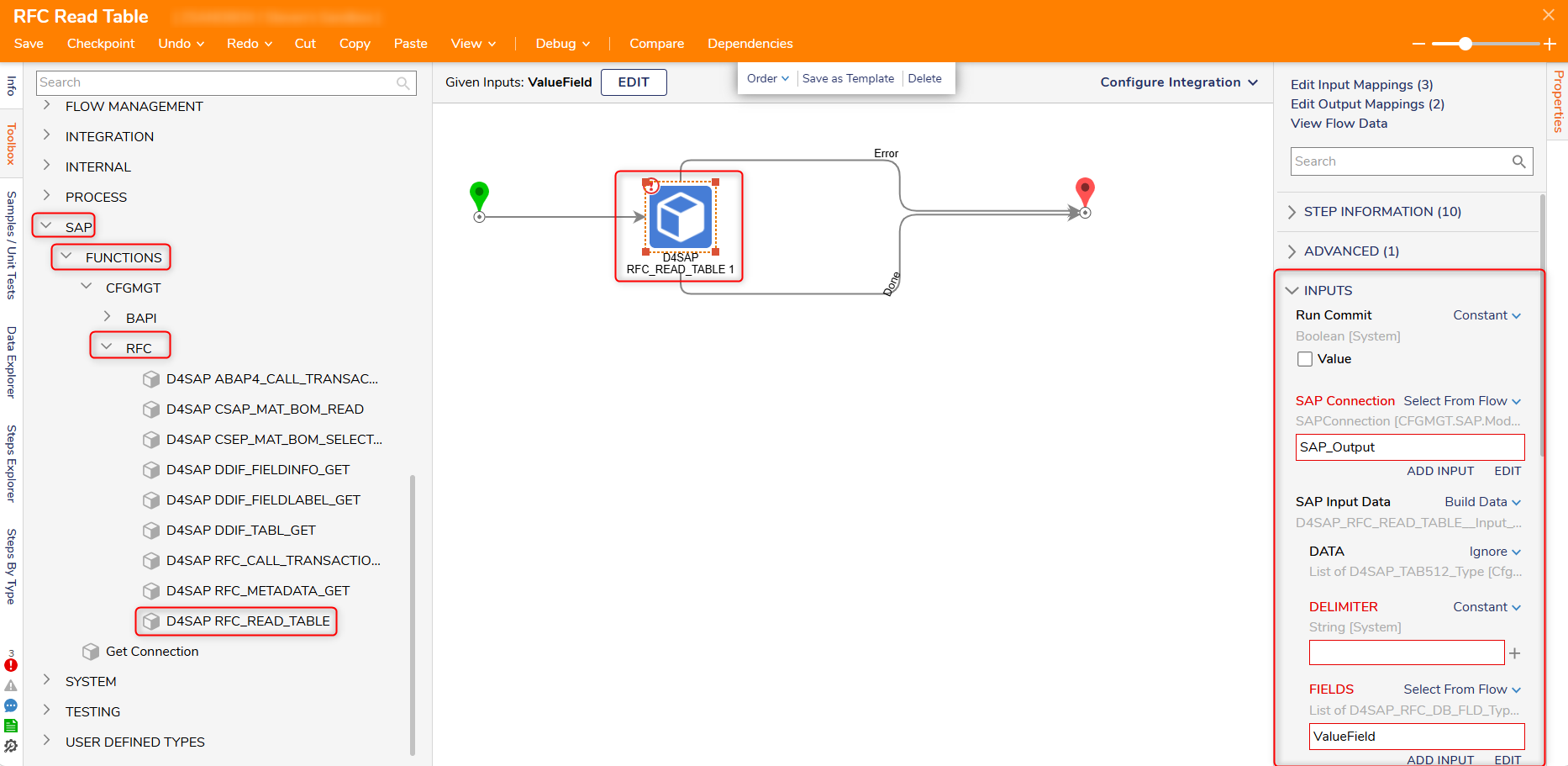
The image below displays a SAP RFM_Read_Table step with inputs that designate if the SAP BAPI commit step is required, map the SAP connection (from the SAP Connection step), and then map inputs for the fields under the SAP Input Data object. All fields in the SAP Input Data must match the structure of the SAP RFM Structure and tables to successfully map the RFM.