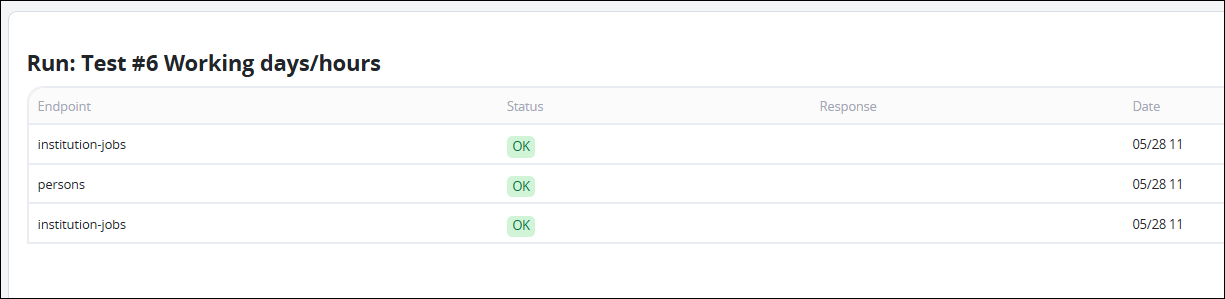
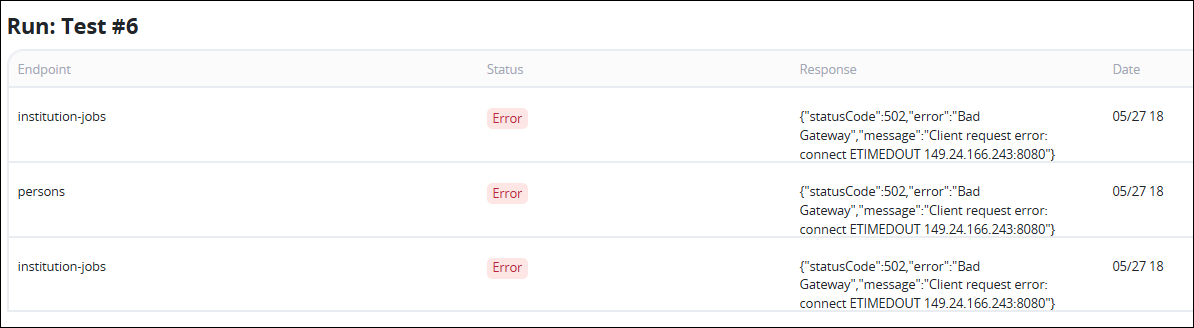
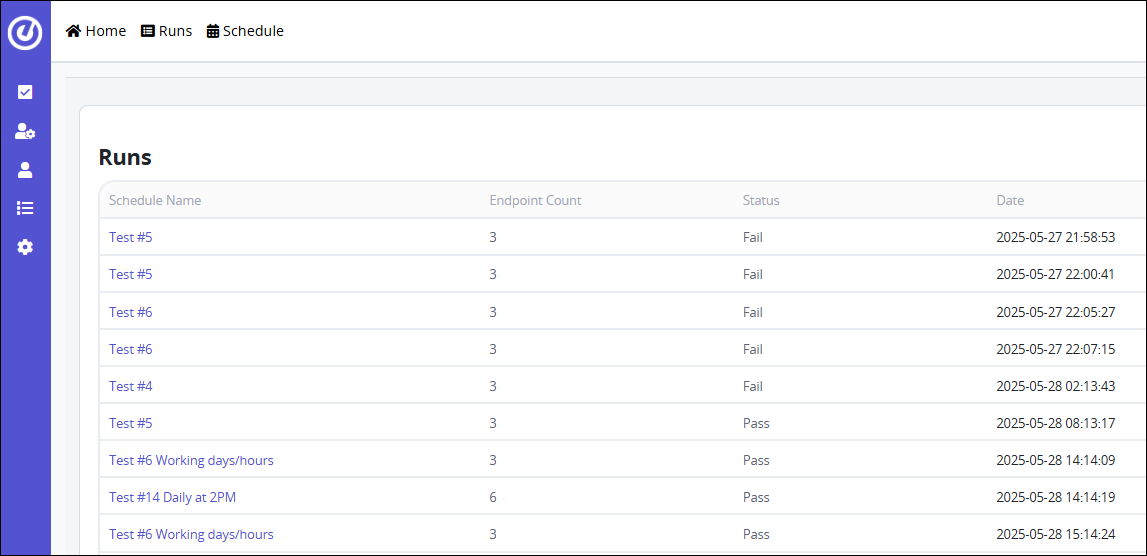
The Runs page lists the results of each scheduled health check performed on your configured Ethos API endpoints. This page is useful for understanding when checks were run, how many endpoints were tested, and whether the results were successful or failed.
Column | Description |
|---|---|
Schedule Name | Name of the monitoring schedule that triggered the run. Clickable to drill down into the results of that specific run. |
Endpoint Count | Number of API endpoints included in this health check. |
Status | Result of the run. Either:
|
Date | The timestamp when the health check was performed. Useful for correlating issues with external events or user reports. |
View Details of a Health Check
Clicking the Schedule Name opens a detailed view of that individual run. In this detail view, you can expect to find:
The name of the Endpoint
Its current status
A detailed response showing the exact error (if any)
Time of the health check