Upload Courses
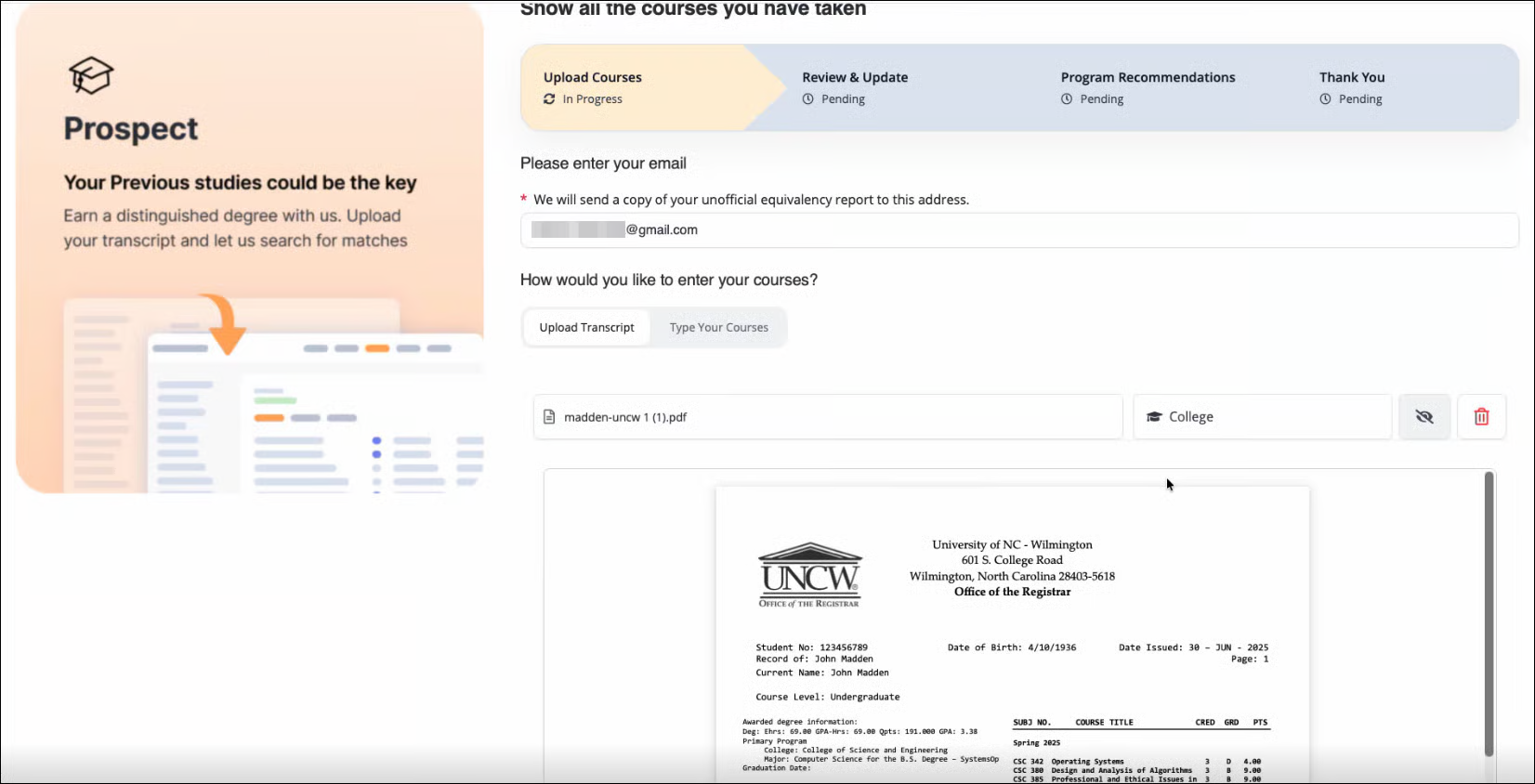
Students begin the Prospect Premium process by uploading a college transcript for evaluation through a web entry form.
Enter an email address.
Upload a college transcript.
Click Continue.
Wait while transcript information is extracted and course data is processed.
After processing is complete, the transcript is available for review.
Review and Update Courses
The Transfer Credit Officer (TCO) reviews the extracted transcript information before recommendations are generated.
The transcript review page displays.
Enter the institution from which the transcript was received. The institution information is then used to process and apply any available articulation mappings.
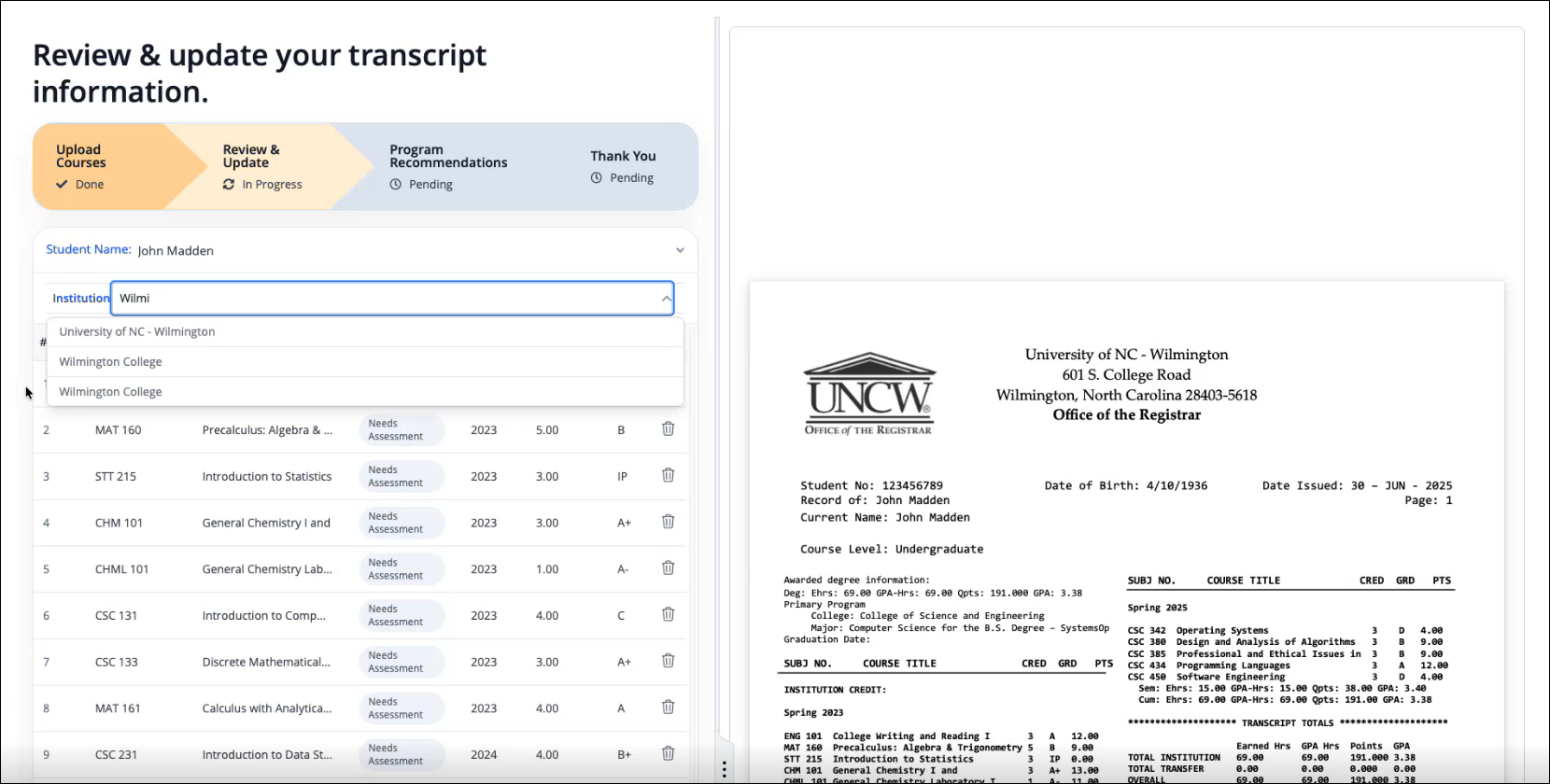
Review the extracted courses.
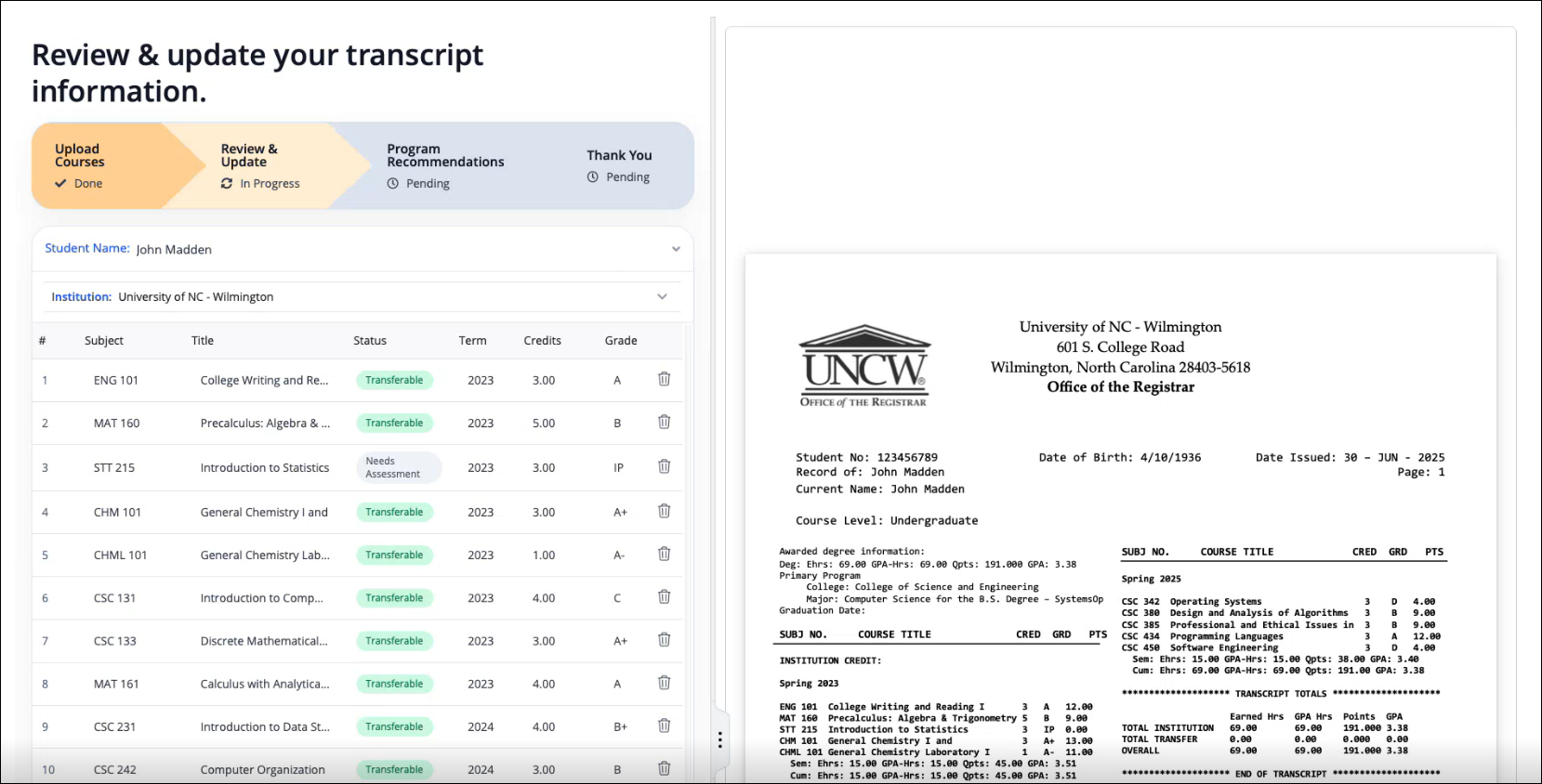
Verify courses identified from the transcript.
Review courses marked for additional assessment.
Click Add course to add missing courses, if necessary.
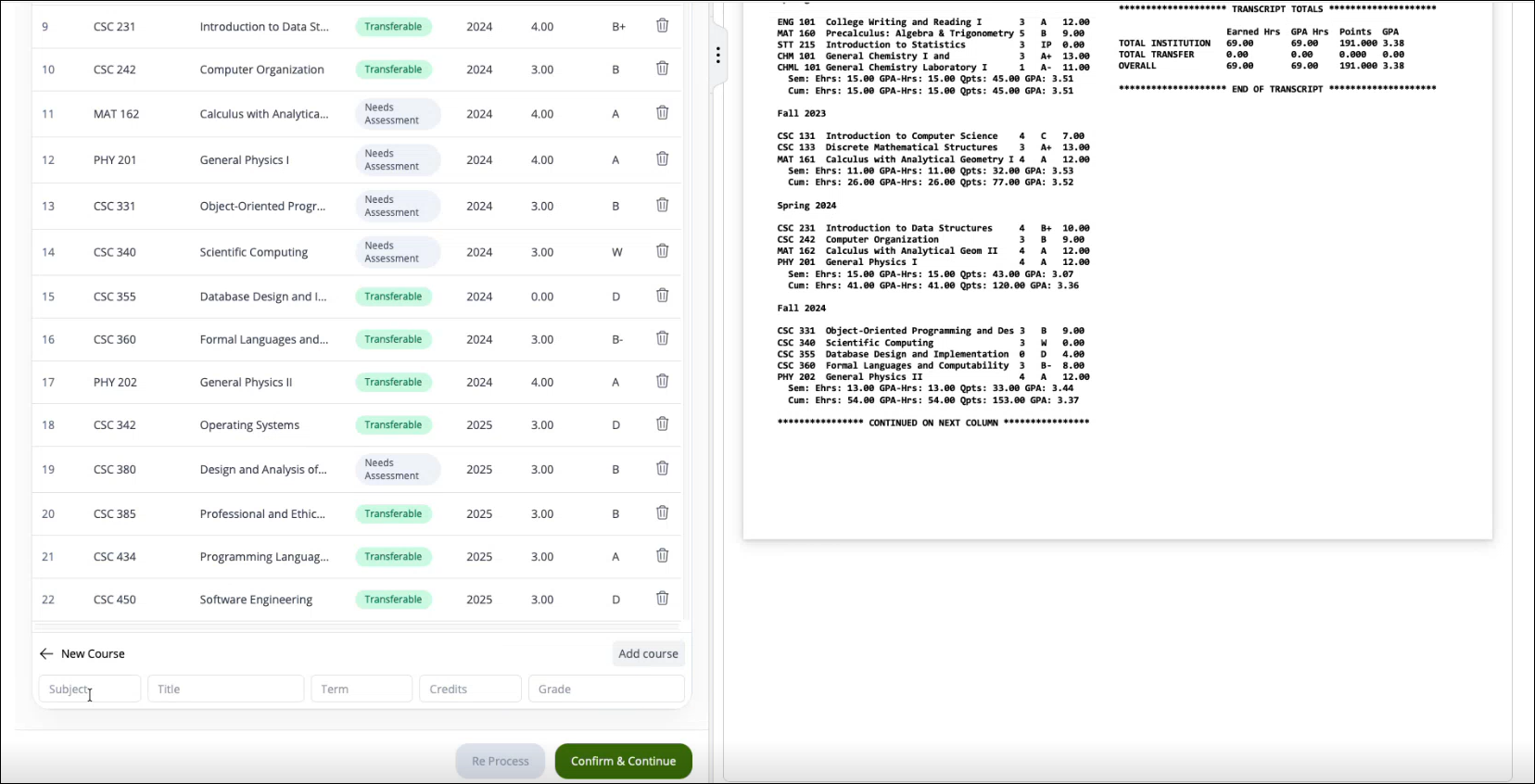
Update course details such as:
Subject
Course Title
Credits
Grade
Click Confirm and Continue.
Once confirmed, Prospect Premium generates personalized program recommendations.
Program Recommendations
Prospect Premium analyzes the student's transcript and presents recommended academic programs based on course equivalencies, transferable credits, and overall program alignment.
Review Recommended Programs
Open the Recommended for You page.
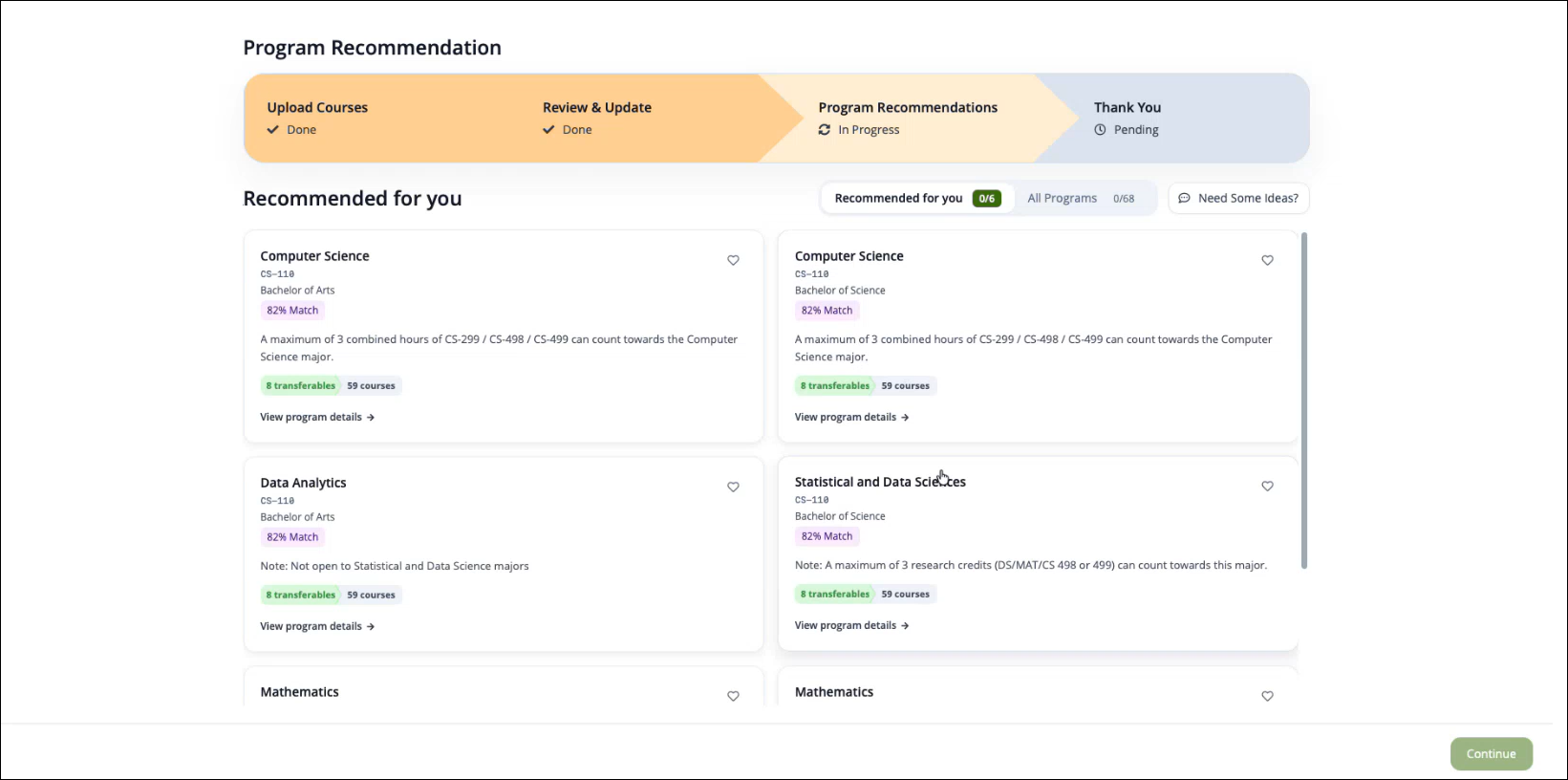
Review each tile that displays a recommended program:
Match percentage
Recommendation summary
Transferable course matches
Click the program tile or View program details to view detailed program information.
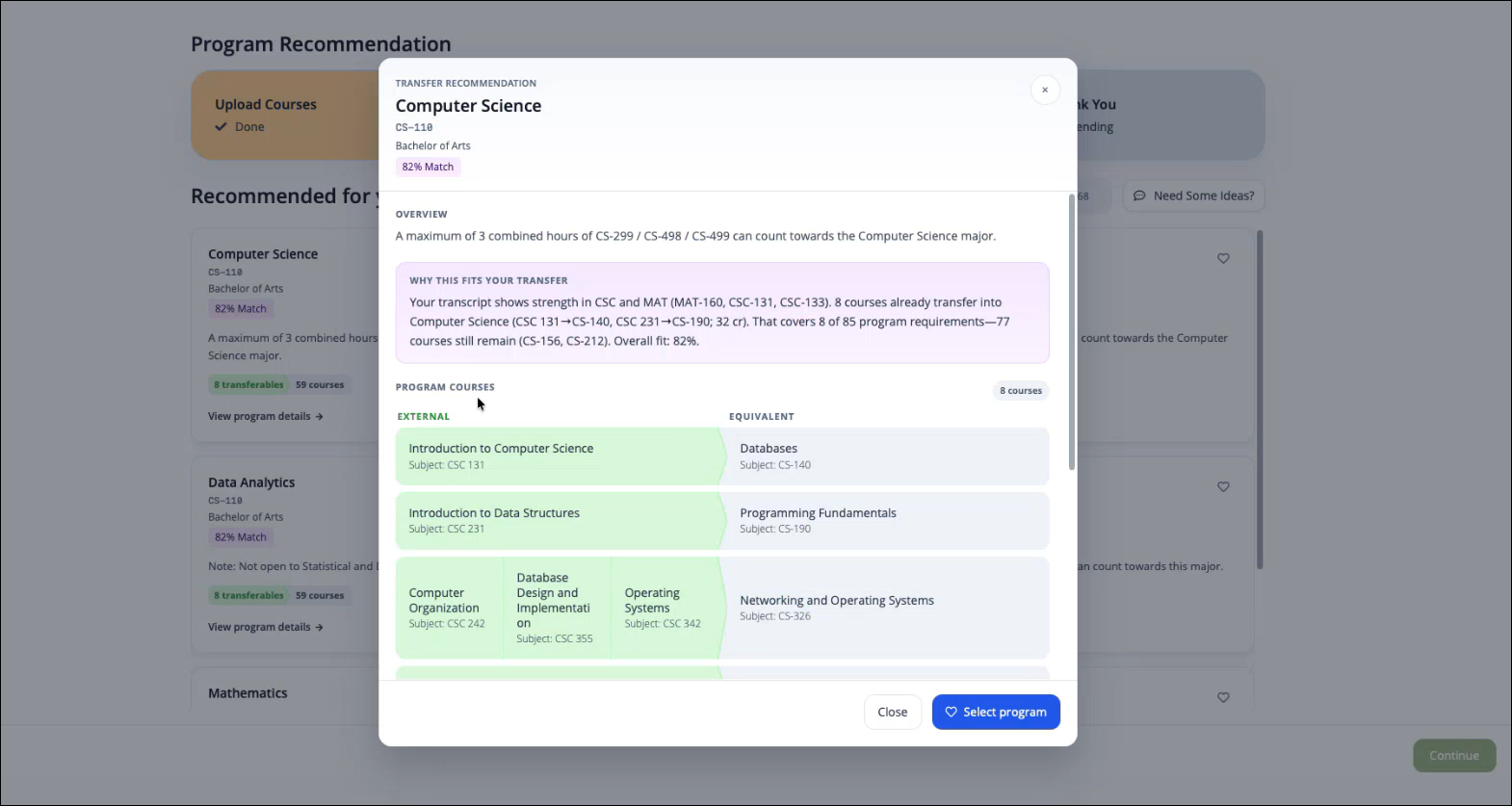
The Recommended for You list uses AI to compare a student's academic history against the institution's available academic programs. The recommendation process begins after transcript data has been reviewed and course information has been confirmed.
Reviews the courses extracted from the student's transcript.
Identifies courses that may transfer to the institution.
Compares transferable coursework against program requirements in the institution's academic catalog.
Evaluates the similarity between the student's academic background and available academic programs.
Calculates a program match score based on factors such as course equivalencies and overall academic alignment.
Ranks programs from highest to lowest match score.
Displays the highest-ranking programs in the Recommended for You list.
The match percentage is determined using two primary factors:
The number of courses that can be matched to courses within a program.
The similarity between the student's current field of study and the academic program being evaluated.
For example, a student studying Computer Science is more likely to receive a higher match score for Computer Science-related programs than for programs in unrelated fields.
Each recommended program includes:
Program name
Program match percentage
AI-generated recommendation summary
Transferable course matches
External-to-institutional course equivalencies
Remaining courses required to complete the program
By default, the Recommended for You page displays up to six recommended programs. Programs are presented in descending order based on their calculated match score. This limit can be adjusted through configuration if required by the institution.
Explore All Programs
Students can also explore programs that are not included in the Recommended for You list by selecting All Programs. For these programs, Prospect Premium can perform a separate analysis to estimate compatibility and generate a match score, even when the program was not initially recommended.
Students may choose to explore or select programs with lower match scores for a variety of academic and career-related reasons:
Career change
Academic interests
Long-term career goals
Program exploration
Understanding the match score
Click All Programs.
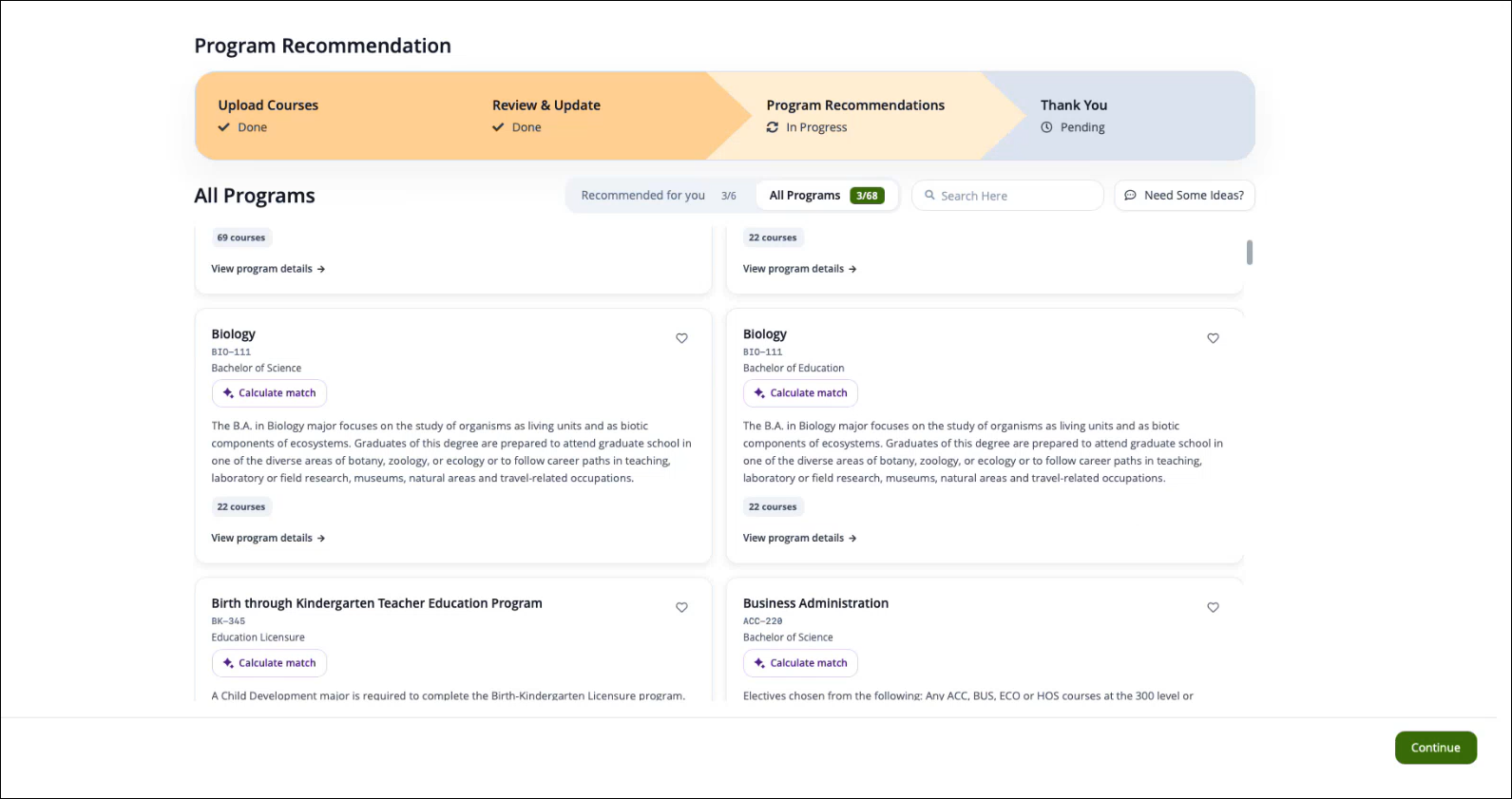
Browse available programs.
Click a program.
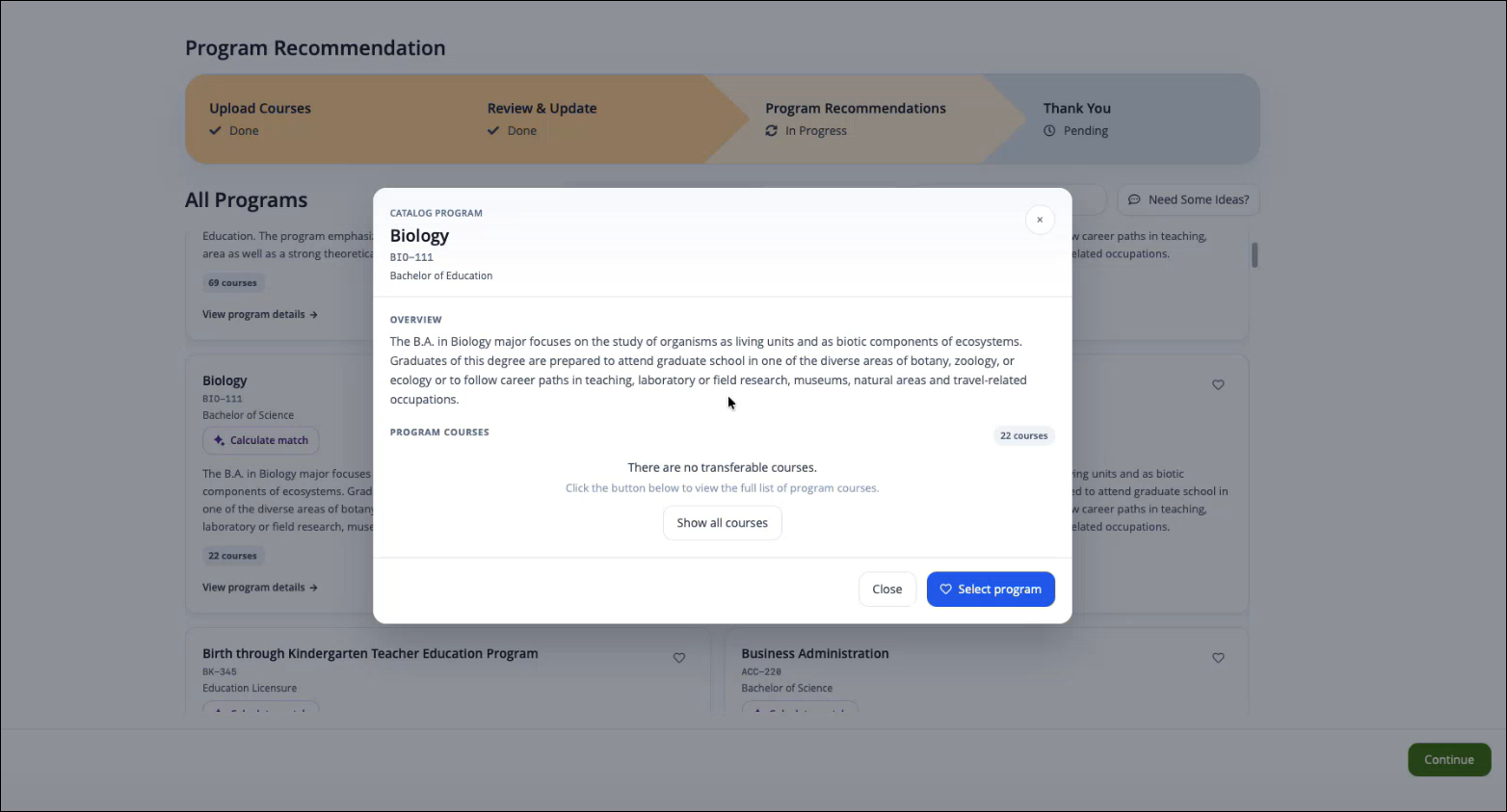
Review the program overview.
Click Calculate Match to evaluate compatibility with the selected program.
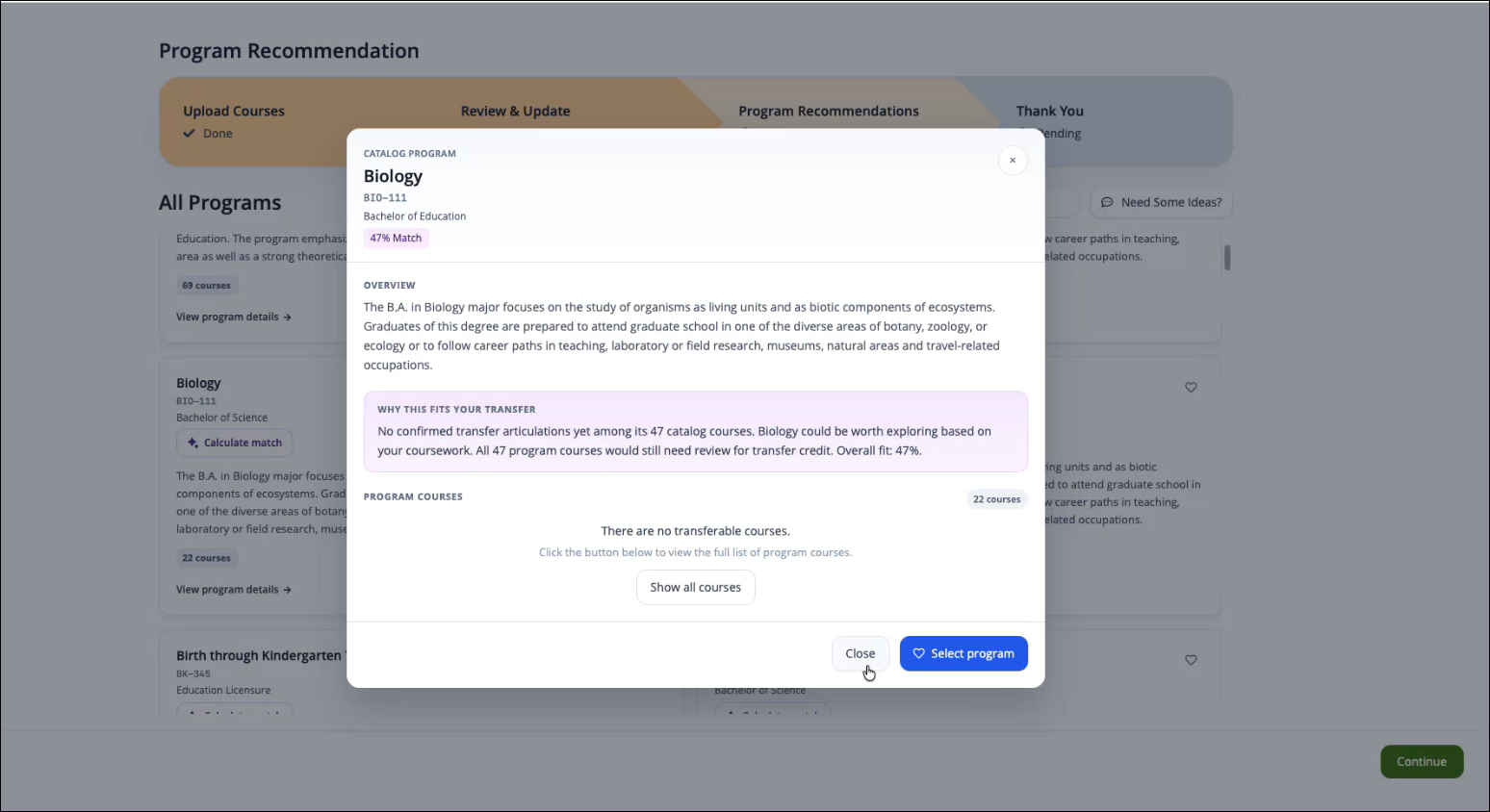
Review the calculated match score and recommendations.
Select Programs
Review available recommendations.
Select one or more programs of interest in one of the following ways:
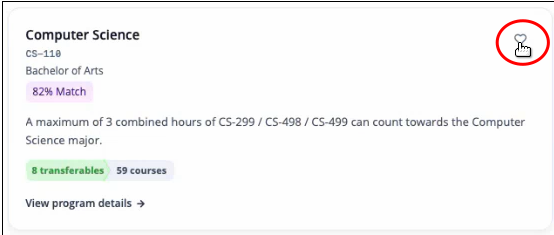
Click the heart icon in the program tile.
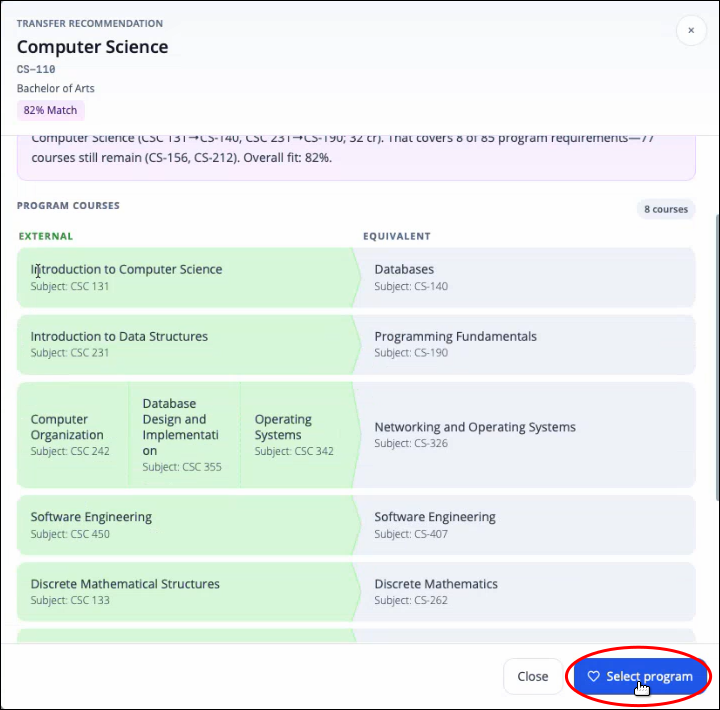
Click Select program in the program dialog.
Click Continue.
The selected programs are included in the final evaluation report.
Thank You
After selecting programs, students complete the final submission process.
Review the selected programs.
Verify the email address.
Select the intended enrollment term.
Select the intended enrollment year.
Click Submit.
A confirmation page displays, and evaluation reports are generated for the selected programs.
Receive Program Evaluation Reports
After submission:
The student receives an email containing PDF evaluation reports.
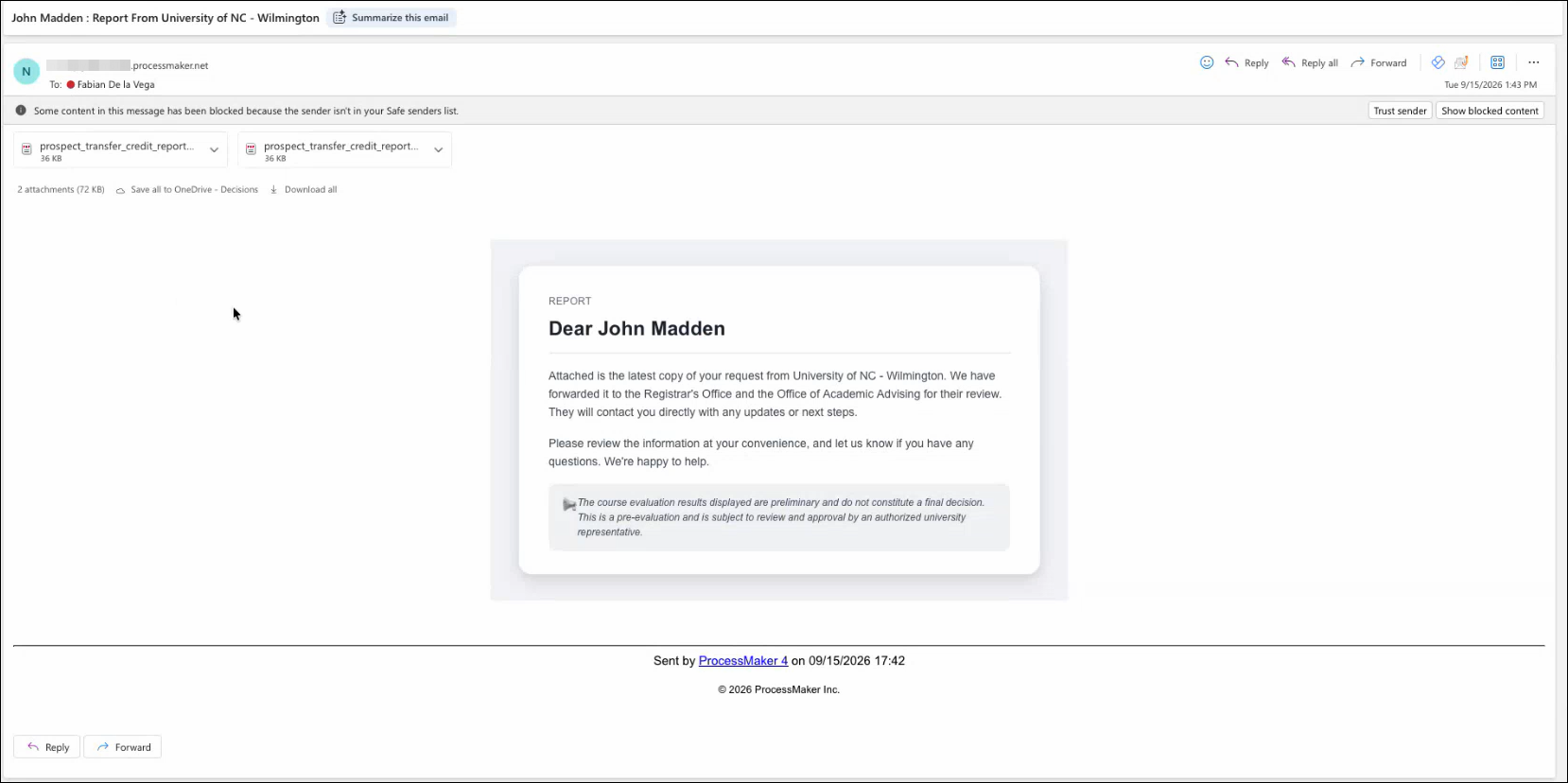
A copy of the results is sent to the Transfer Credit Officer.
Each PDF contains:
Transcript summary
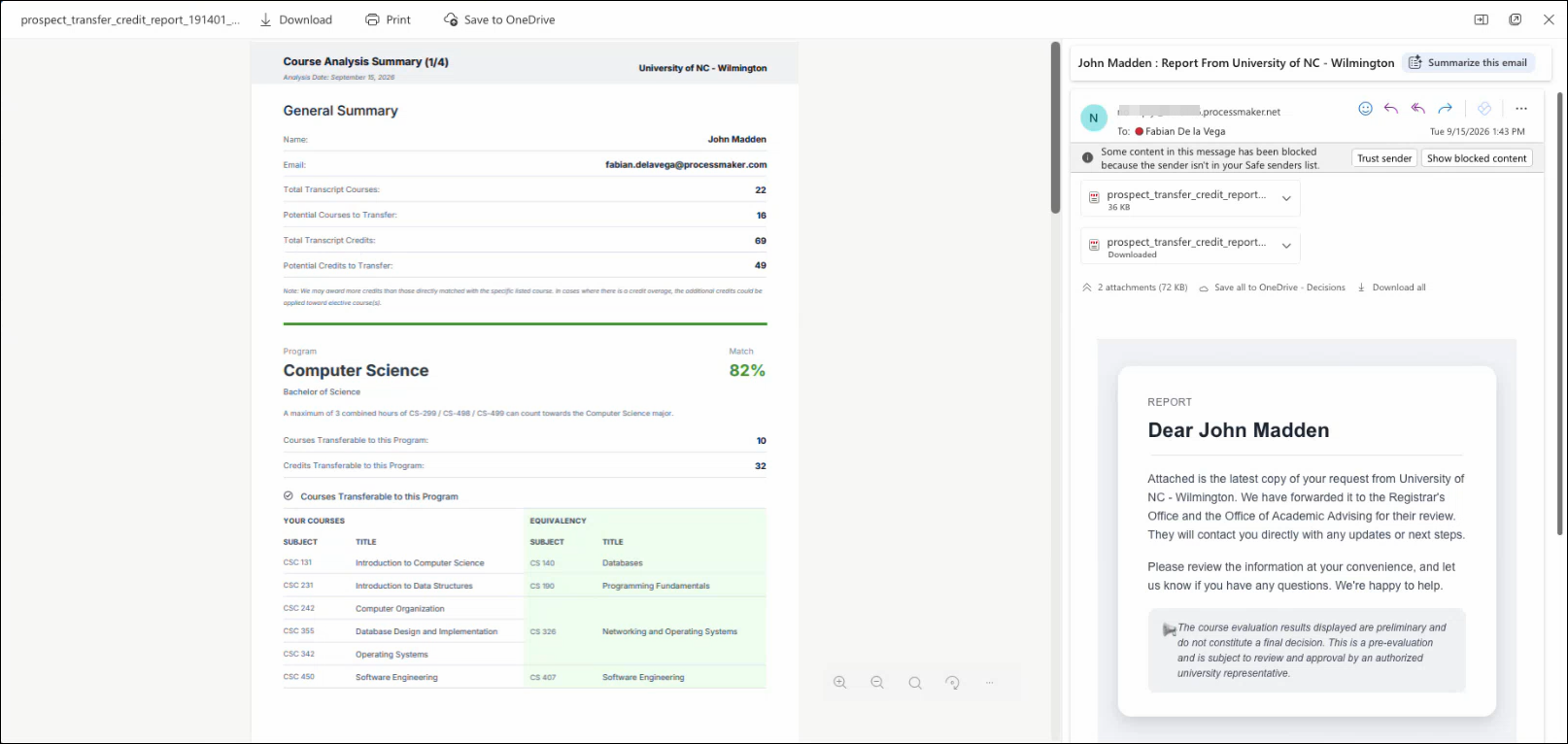
Potential transferable credits
Course equivalencies
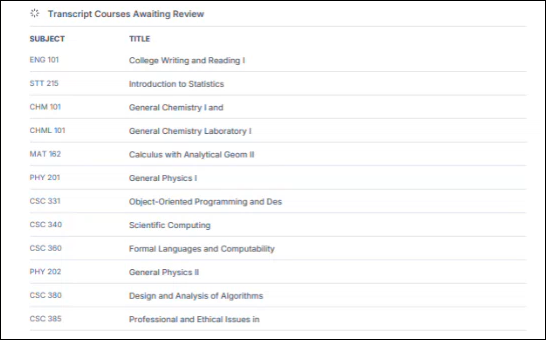
Courses awaiting review: Transcript courses that could not be automatically matched to an institutional course equivalency and require additional evaluation by the institution. These courses may still be eligible for transfer credit, but a final determination has not yet been made.
Remaining program requirements: Courses that still need to be completed to satisfy the selected program's curriculum after transferable credits have been applied. These requirements help students understand the coursework needed to complete the program and estimate the path to graduation.
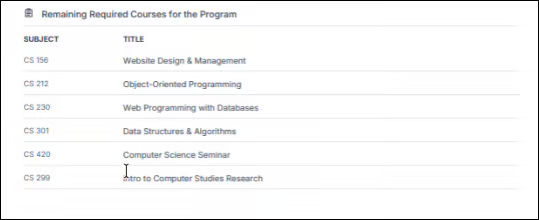
Students can use these reports to evaluate how their previous coursework aligns with their selected academic programs.