Overview
The Document Module System Settings configures how the instance handles document interaction and storage.
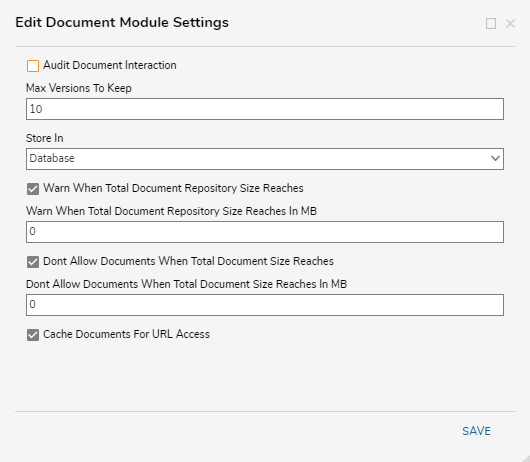
Configuration
| Setting Name | Default Value | Function | ||
|---|---|---|---|---|
| Audit Document Interaction | False | Toggles auditing of document interaction | ||
| Max Versions To Keep | 10 | Prompts for number of different versions to save for a document. | ||
| Store In | Database | Allows selection of where the instance stores documents. This effects any new documents after this change and does not move already stored documents between locations. | ||
| Database | -- | Stores documents in the instance's database. For must use cases, this will more than suffice and it is the preferred setting for instances supporting multiple users and/or clustered instances. | ||
| FileSystem | -- | Stores documents in the machine's file system. If consistently saving large files, switching to the File System may benefit. | ||
| Base Directory | ./Documents | Prompts for the file path to store documents. | ||
| Warn When Total Document Repository Size Reaches | False | Toggles if a warning appears when the repository reaches a certain storage size | ||
| Warn When Total Document Repository Size Reaches (MB) | 0 | Prompts for the storage size threshold that when exceeded sends the warning | ||
| Dont Allow Documents When Total Document Size Reaches | False | Toggles if the storage location still accepts additional documents after a certain storage size is reached | ||
| Dont Allow Documents When Total Document Size Reaches (MB) | 0 | Prompts for the storage size threshold that when exceeded prevents documents from storing | ||
| Cache Documents For URL Access | True | Toggles ability to view documents via URL. | ||
For further information on the Portal, visit the Decisions Forum.