Overview
This article explains how runtime selection can be used with Database Integration steps by dynamically supplying connection string values. In Decisions, database integrations require a fixed provider type (such as SQL Server or PostgreSQL), but allow flexibility in how connection details are defined. By dynamically providing values such as server name, database name, username, and password at runtime, integrations can be reused across multiple environments or tenants. This approach helps reduce duplication, supports scalable architectures, and enables more flexible database connectivity while maintaining a consistent integration configuration.
Key Concept
When configuring a Database Integration in Decisions, the database type (e.g., PostgreSQL) is fixed and cannot be changed dynamically. However, individual components of the connection string can be provided at runtime.
- Server Name
- Database Name
- Username
- Password
This allows flexibility when working with multiple databases that share the same type but differ in connection details.
Configuring Project Constants for Dynamic Values
To dynamically supply connection values, project-level constants can be created and reused across Flows.
- Navigate to [Project Name] > Manage > Configuration > Constants.
- Add constants for required connection values:
- Server (e.g., Server IP or Hostname)
- Username
- Password
These constants can be referenced within Flows and allow values to be overridden when the project is deployed to another environment.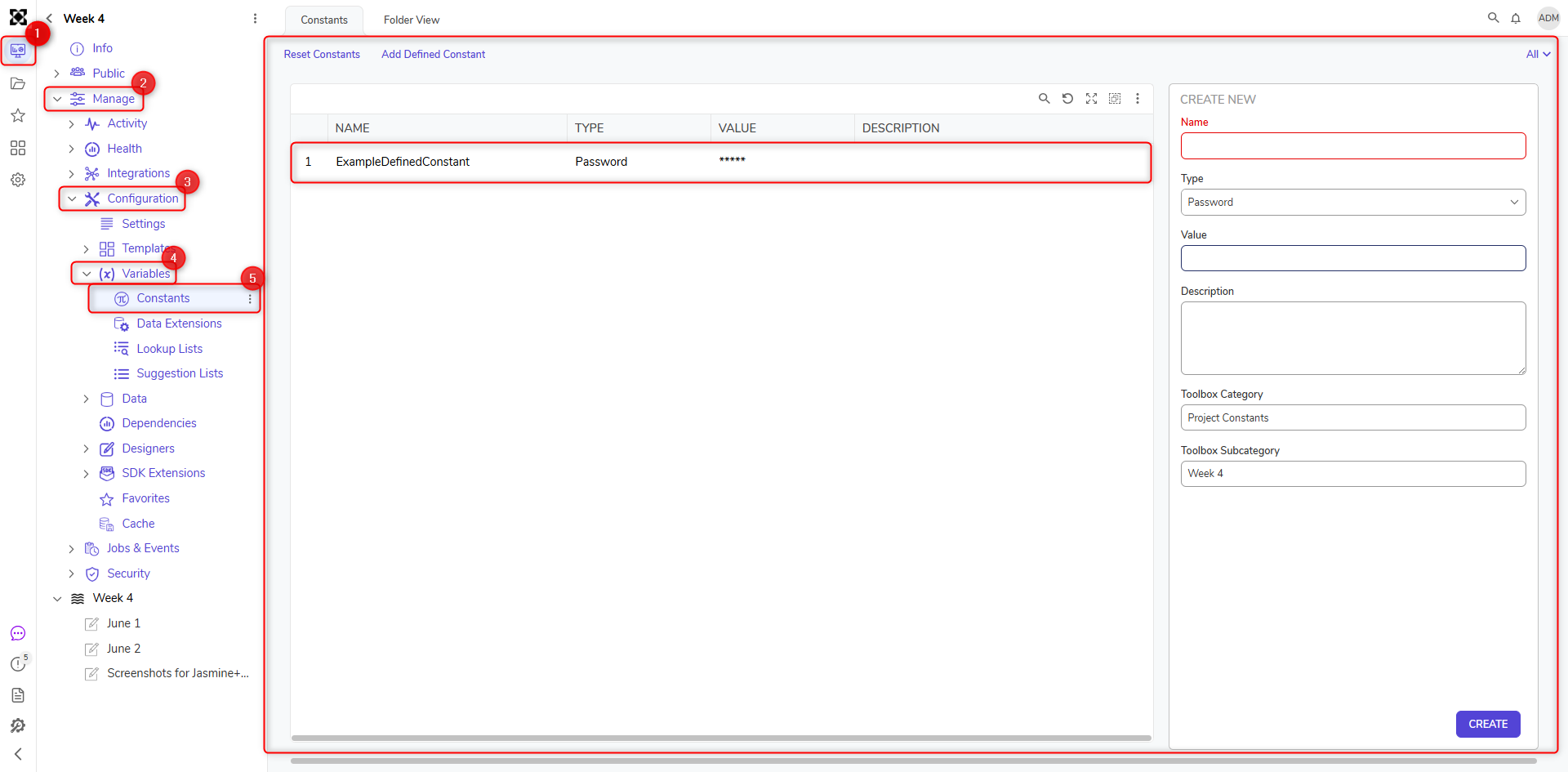
Using Runtime Connection String Override
Database Integration steps provide the ability to override the default connection string at runtime, allowing connection details to be supplied dynamically instead of relying on a static configuration.
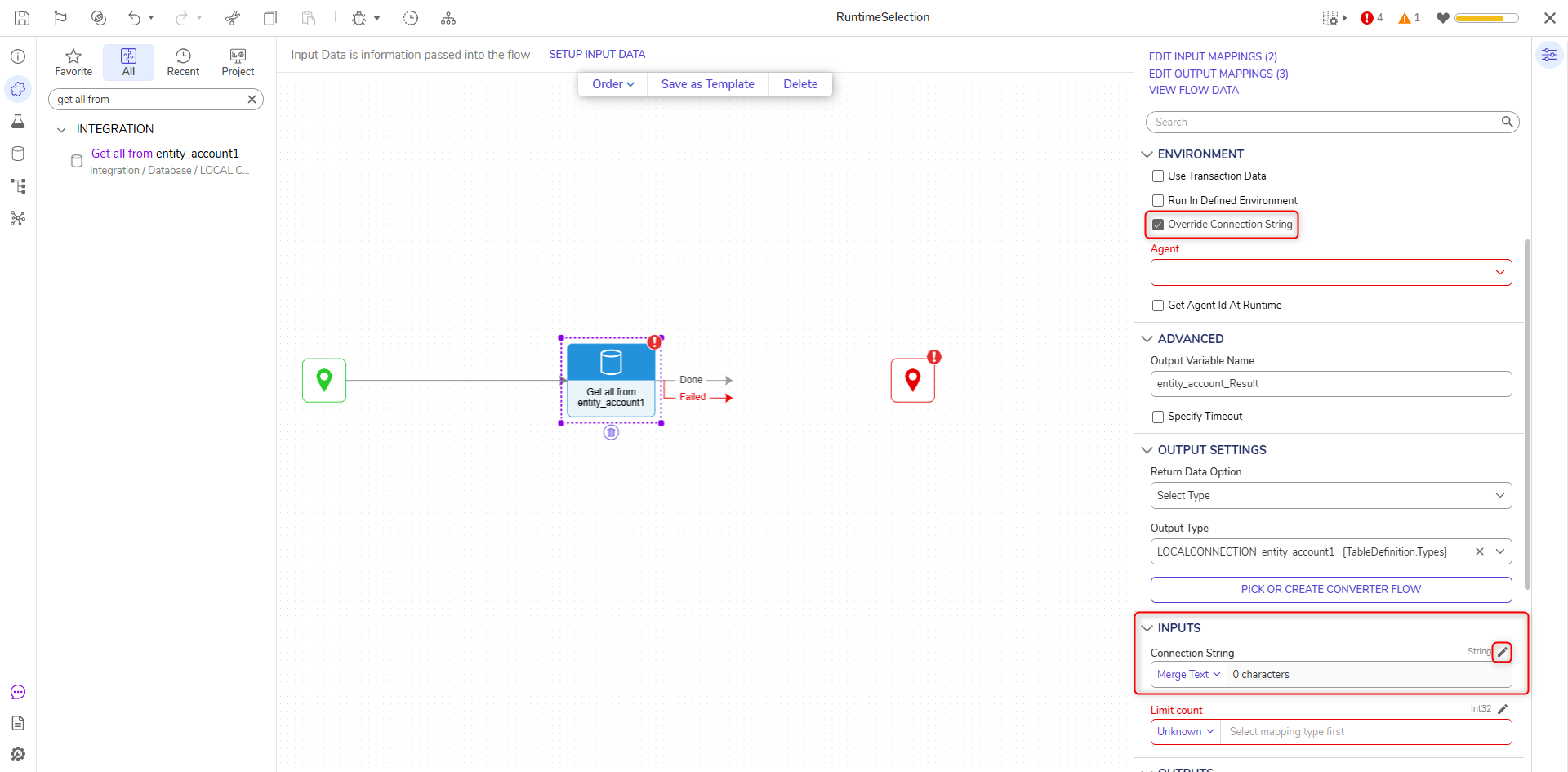
- Add a Database Integration step to a Flow (e.g., Get All from AddressDB).
- Select the step and navigate to Properties > Environment.
- Enable the Override Connection String checkbox.
- A Connection String input field will appear under Inputs.
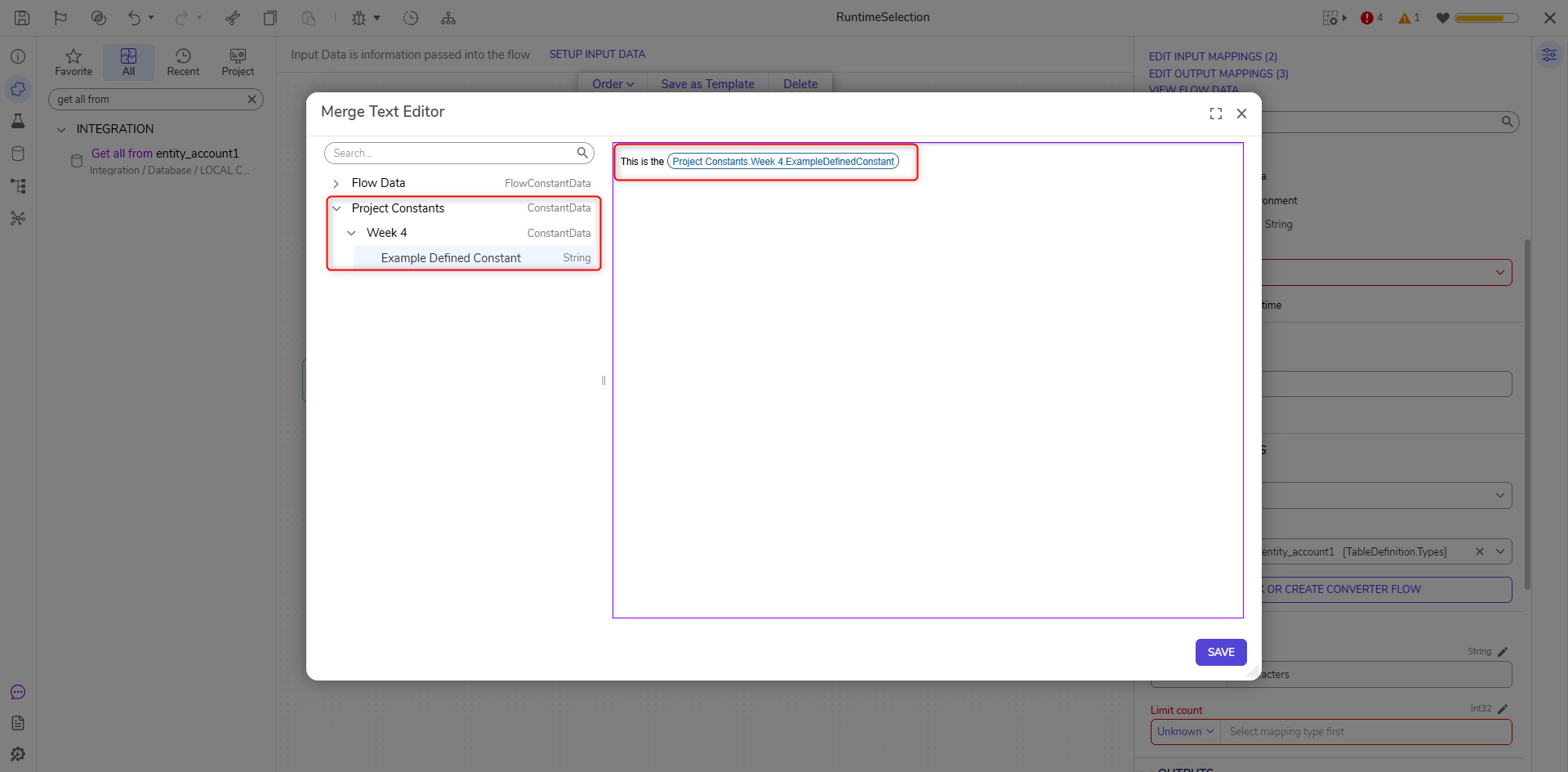
- Use the dropdown to open the Merge Text Editor.
Within the Merge Text Editor, the connection string can be constructed dynamically by combining static text with Project Constants or other runtime values.
Dynamic Connection String Configuration
The structure of the connection string depends on the database provider being used. In the Merge Text Editor, Project Constants can be inserted to dynamically populate connection details such as server name, database name, username, and password.
These values are merged into the connection string at runtime. Any updates made to the Project Constants are automatically reflected during execution, making it easier to manage connection details across different environments.
Connection string formats vary depending on the database provider being used (e.g., SQL Server, PostgreSQL, MySQL). Each provider requires a specific structure and set of parameters for establishing a connection.
For reference on provider-specific connection string formats, see: https://www.connectionstrings.com/.
Limitations
- The database type cannot be changed dynamically (e.g., SQL Server cannot be switched to PostgreSQL at runtime).
- The connection string must match the format required by the configured database provider.
Example Use Case
A common use case is a multi-tenant or multi-environment setup where connection details vary between environments. By storing connection values in Project Constants and constructing the connection string dynamically, the same Database Integration steps can be reused without modification.