Overview
The Repository Server (Legacy), available in v9 and earlier, faced limitations in tracking changes, associating revisions with User Stories, importing work items from external systems, and identifying discrepancies between environments. These gaps made it difficult for teams to maintain visibility and coordination across the Development cycle.
The Deployment Tower, introduced in v10, addresses these challenges by providing improved visibility and transparency across building, packaging, and testing processes, while introducing greater consistency, governance, and automation from development through production. This enables teams to reduce risk, improve collaboration, accelerate delivery, and maintain security, compliance, and auditability at scale.
This overview highlights the key capabilities of both Servers, with a focus on how the Development Tower enhances how code is understood, governed, and deployed.
Repository Server (Legacy) Key Capabilities
Below are a few key features of the Designer Repository:
- Deploy Decisions Projects/Resources to different environments from a centralized location.
- Store and track changes to Projects through Revisions.
- Rollback changes made to Projects to specific Revisions.
- Compare the differences between a Project in a linked environment and the copy stored in the Repository.
- Maintain different versions of a Project through Branches.
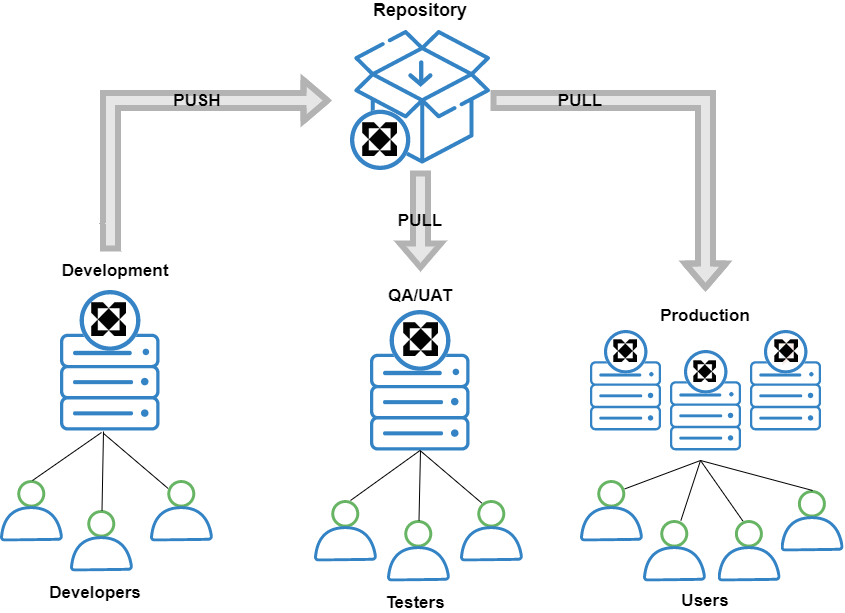
The Deployment Tower vs. The Repository Server
The Deployment Tower is a fundamental redesign of the Repository Server (Legacy) that revolutionizes how code is understood, governed, and deployed. Below are a few key differences from the Legacy version:
- Environment Aware: The Server understands exactly what is deployed across all environments.
- Code + Deploy Unified: Version control and Deployment exist in one system.
- Enterprise Scale: Built for large, multi-organization deployments.
- Governance First: Native access control, audit logging, and approvals.
- Modern Foundations: Git based branching, commits, and pull requests.
The following image discusses key features for both Servers in more detail: 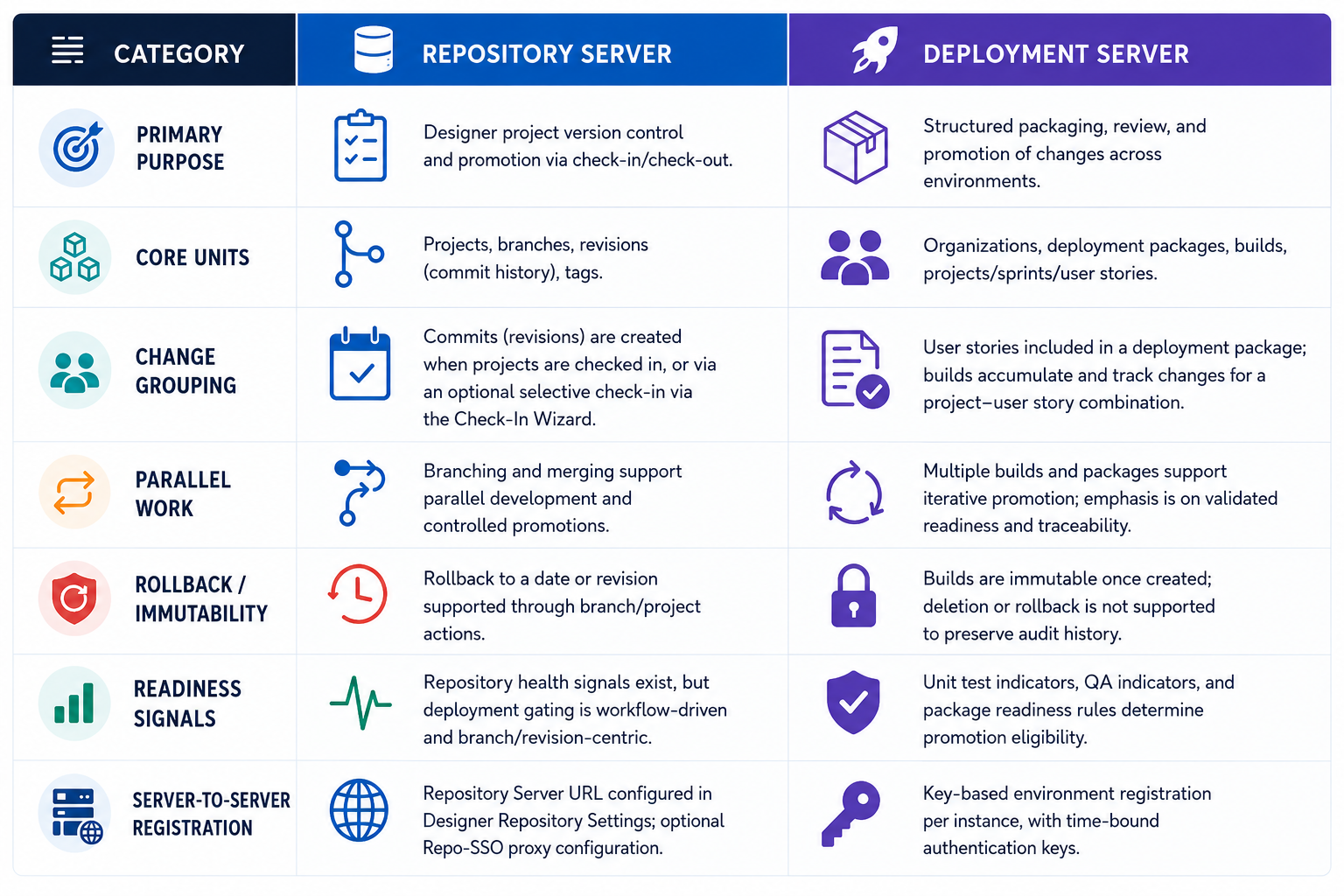
The Deployment Tower Workflow
- Create an Organization on the Deployment Tower.
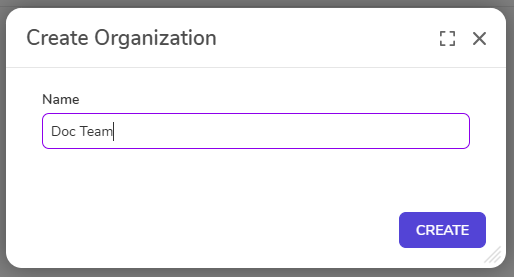 The created organization allows Users to establish the top-level container for project routing, access control, and Deployment tracking. Organizations serve as a top-level container within the Deployment Tower. Each organization centralizes management, deployment, access control, and project tracking, ensuring transparency and consistency across teams and environments.
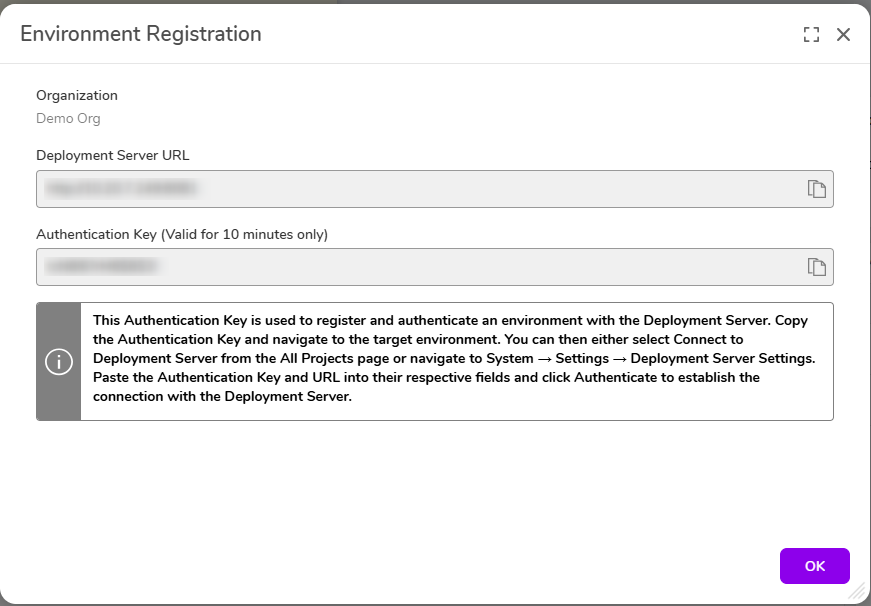
 - Register environments (Development/QA/Production) with the Deployment Tower. The Deployment Tower manages promotion across Development, QA, and Production by registering environments through secure, key-based connections. Environments can be tagged to support identification and routing for promotion.
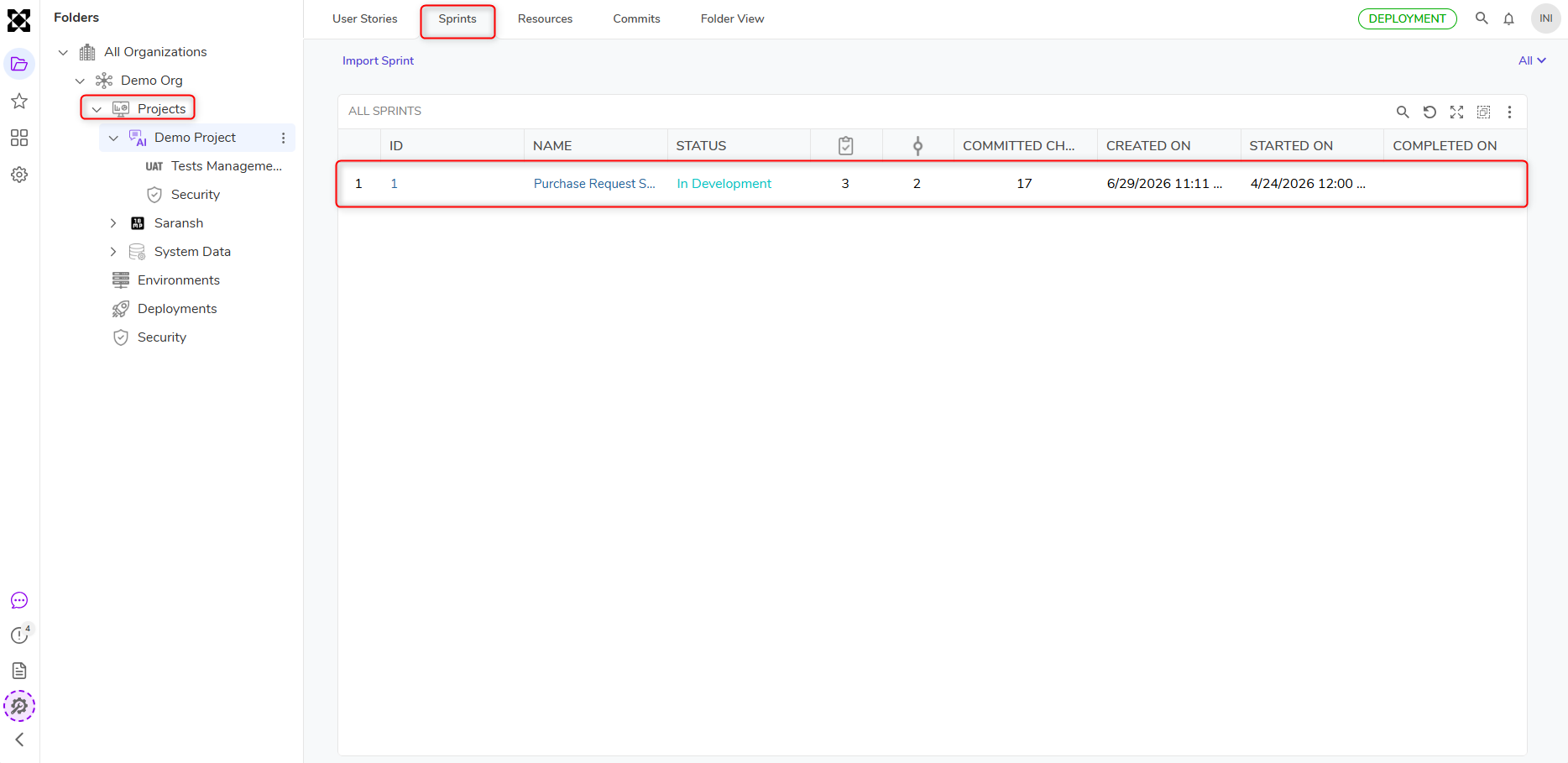
- Plan work on the Development Tower using Projects and Sprints. Projects serve as the primary containers for all development-related activities. Within a Project, teams use Sprints to plan and execute work in structured, time-bound cycles that mirror real-world agile development processes. Sprints are programmatic representations of iterative development cycles in which a team commits to completing a defined set of tasks, called User Stories, within a fixed period of time.
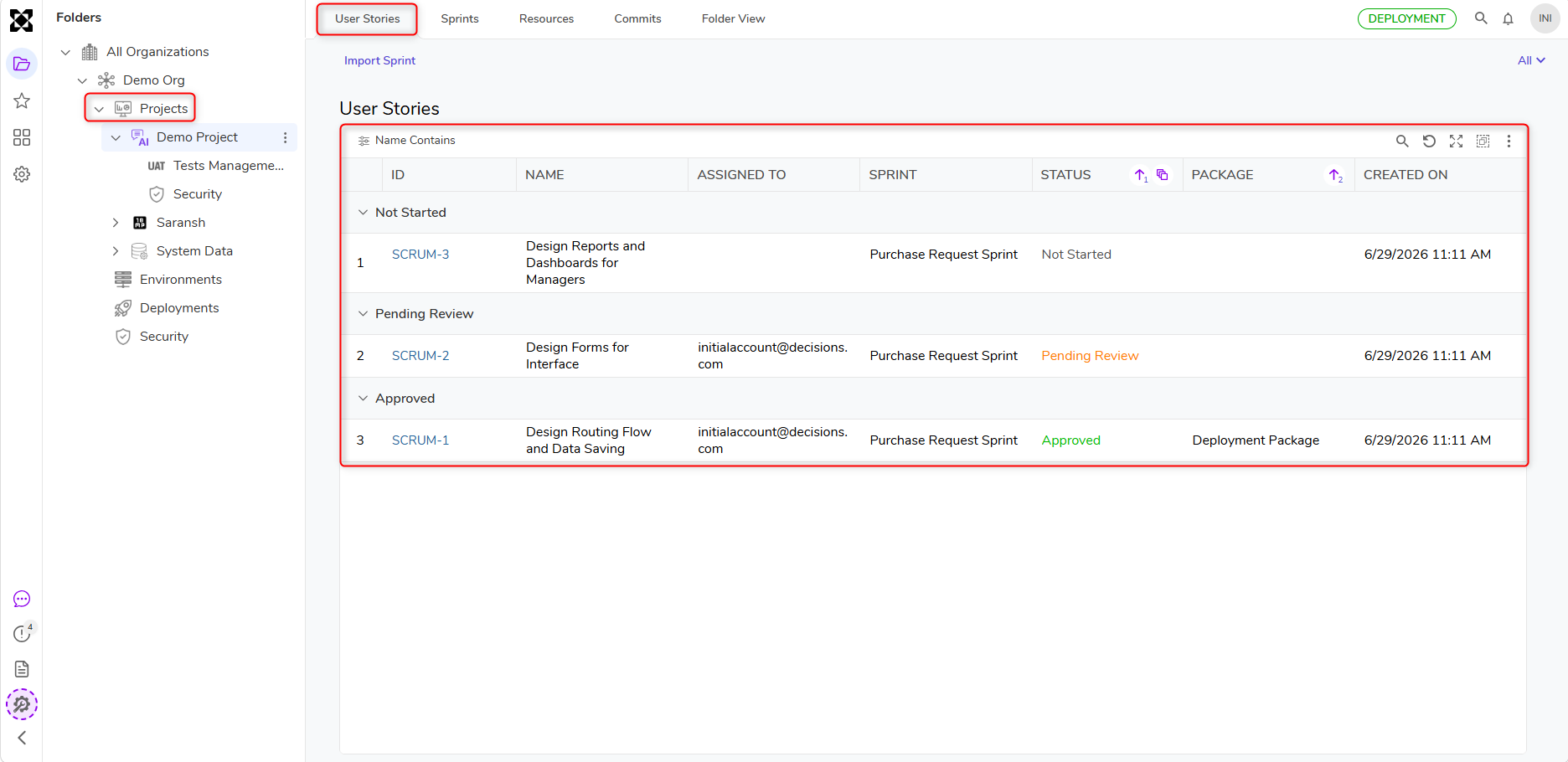
- Include User stories in a Deployment Package. Users can accomplish this by utilizing the User Story option to include work in the current active package, or by editing the package to select the required stories. Deployment Packages are a key component of the Deployment Tower, enabling customers to move their projects efficiently and reliably between environments. They provide a structured way to track, manage, review, and audit changes across the development lifecycle, ensuring that all necessary work is deployed with confidence.
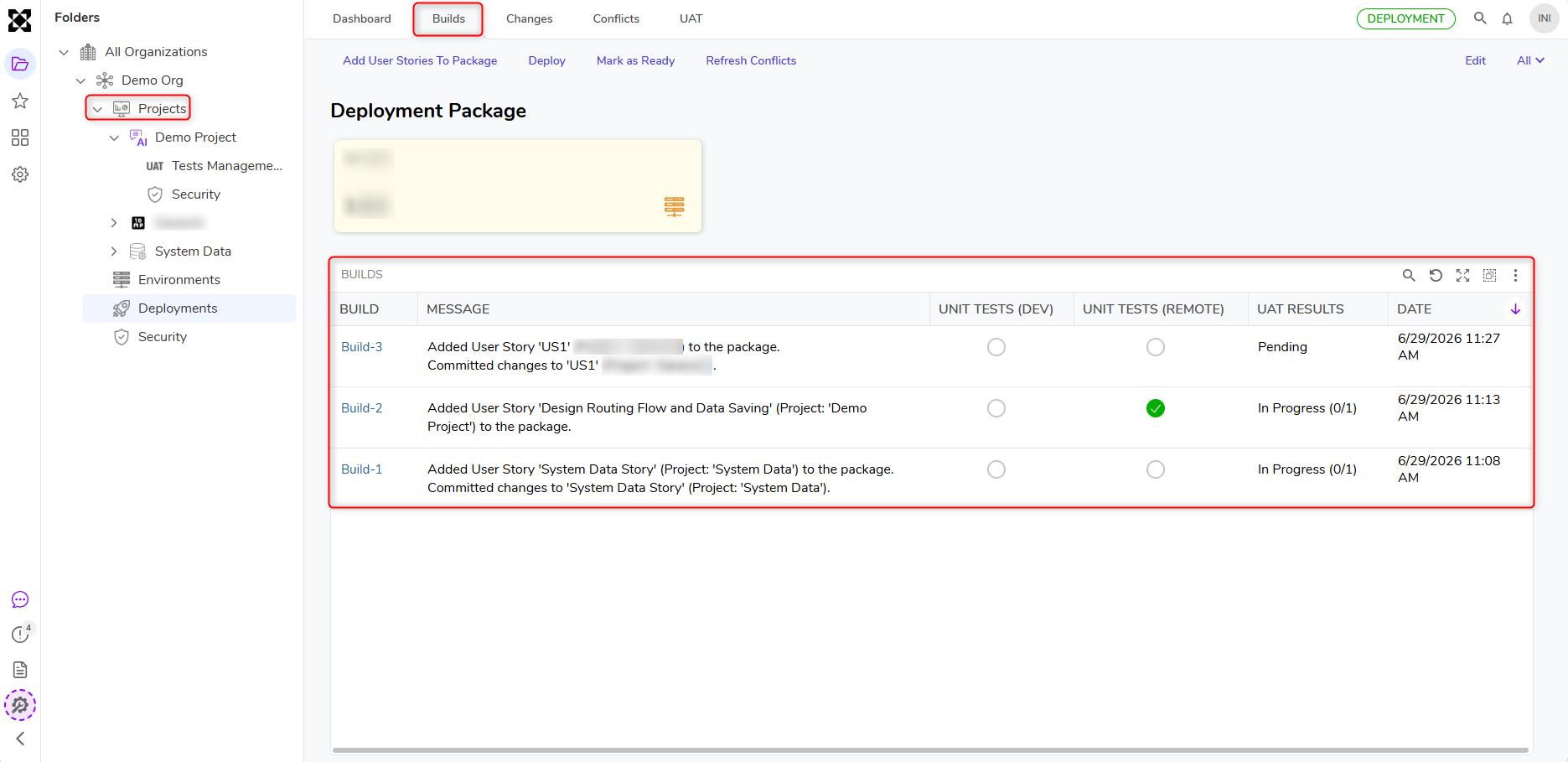
- Generate Builds as work is committed to the Deployment package. Builds in the Deployment Tower provide a structured setup for customers to deploy, manage, and test their projects or designs across different environments. A Build acts as the central package for tracking, managing, reviewing, auditing, and shipping work across environments.
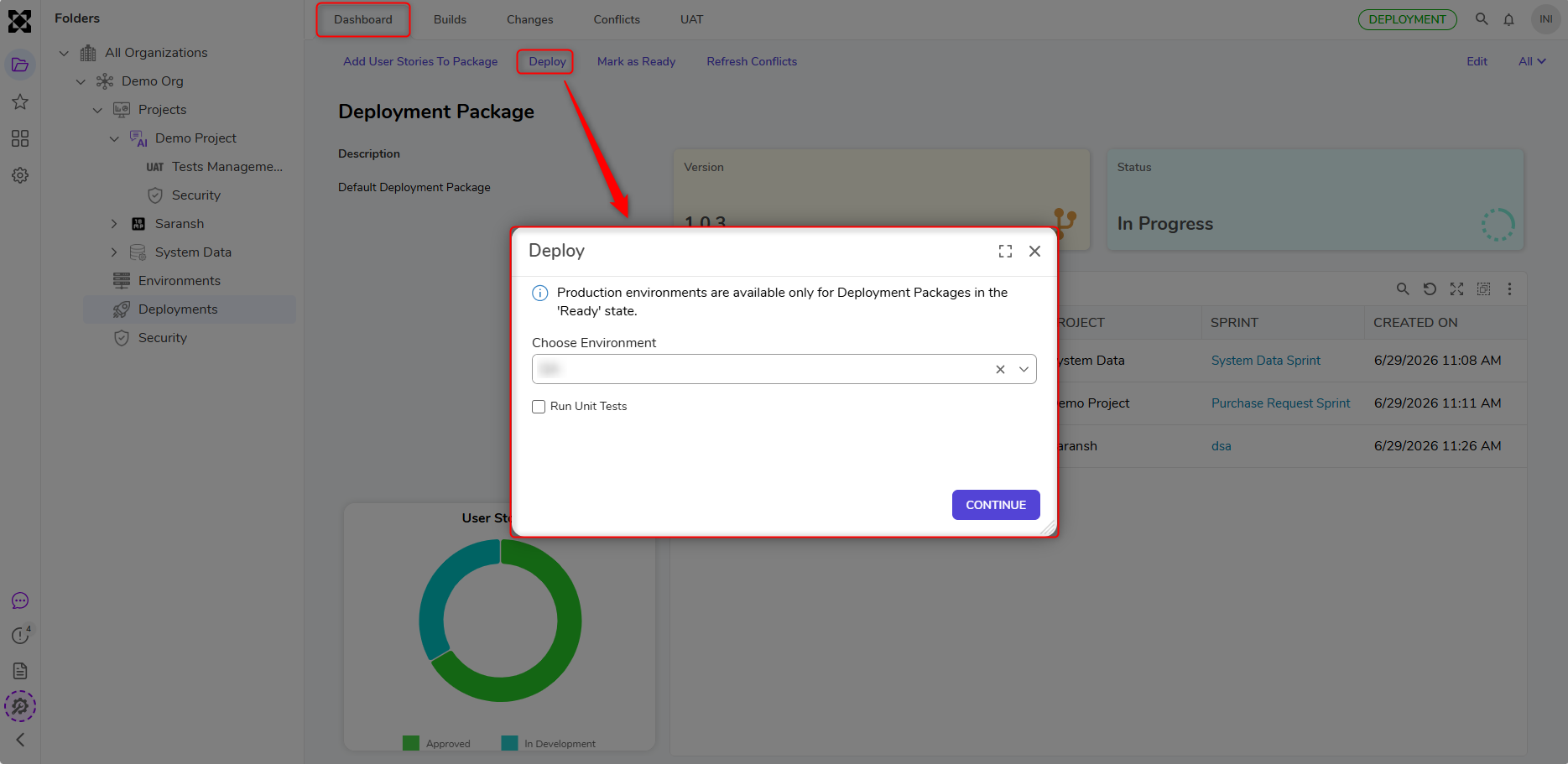
- Promote changes by deploying a Deployment package to the next target environment. Deployment Packages allow teams to organize and manage related sets of modifications, clearly identifying what has been added, changed, or removed through visual indicators such as color-coding. Each package can include committed changes from multiple projects, enabling teams to deploy them together as a single unit.