Overview
The Prompt group feature allows separate groupings of prompts, allowing Users to organize them as they see fit. For example, the prompts could be separated by department, by working group, by initiative, etc.
How to create a Prompt Group
Once the AI.Common module has been installed, and a dependency has been made to a Project, Users will see a Folder called Prompt Groups under the following path: Manage > Integrations > AI.
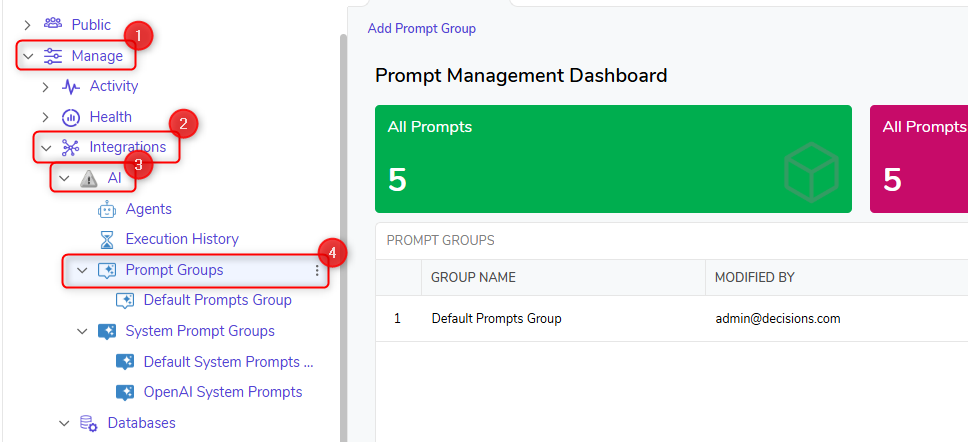
Navigate to this Folder and use the "Add Prompt Group" action. Once clicked, you will be asked to name your Prompt Group.
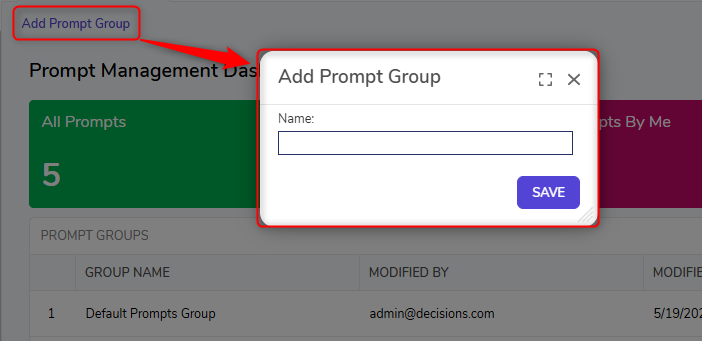
Click "SAVE," and the newly created Group Folder will be available.