Overview
The Open API/Swagger Service allows developers to create and manage REST services by leveraging the OpenAPI specification. OpenAPI, formerly known as Swagger, is a widely adopted format for describing APIs, where specifications are written in YAML or JSON. These specifications provide a comprehensive description of the API, including:
- Endpoints: The different paths available in the API.
- Operations: The actions that can be performed on each endpoint (e.g., GET, POST).
- Parameters: Input and output parameters for each operation.
- Authentication Methods: The required authentication mechanisms to access the API.
- Contact Information: Details about the API provider.
- Licenses and Terms of Use: Legal information regarding the usage of the API.
This article will walk through creating an OpenAPI service using the Pet Store API provided by Swagger as an example. For further details on OpenAPI specifications, visit the official documentation.
Example
This example uses the prebuilt Pet Store API from Swagger at https://petstore.swagger.io/v2/swagger.json.
- In a Project, within the Manage > Integrations > External Services folder, select the ADD OPEN API/SWAGGER SERVICE button from the top Action Bar.
- In the Add OpenAPI/Swagger Server dialog, provide a Service Name, Client Name, and URL or file.
- Select SAVE INTEGRATION.
Setting Description Service Name Provide a meaningful name for the service; once the service has been generated, this name can not be changed. Service URL Provide a service URL, or leave this field blank to use the URL from the OpenAPI definition provided. Use File for OpenAPI/Swagger Definition Select this checkbox to show a file upload area for uploading the OpenAPI/Swagger Definition JSON or YAML file. URL to OpenApi/Swagger Definition Provide the URL for the OpenAPI/Swagger Definition. For Example: https://petstore.swagger.io/v2/swagger.json 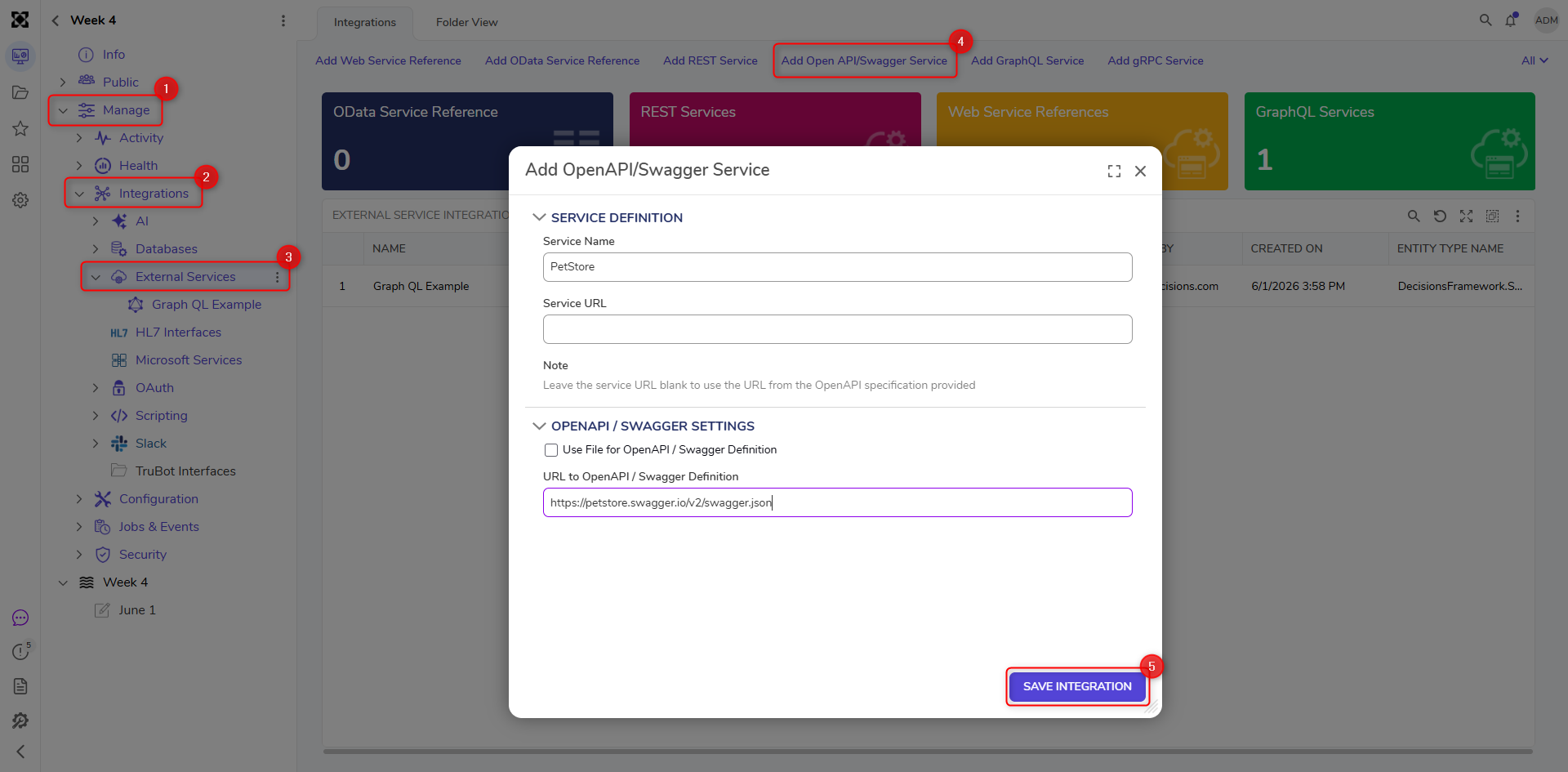
- If the integration is successful, a new folder named after the Service Name will be created. From this folder, you can add additional methods, configure the service further, and update the service using the OpenAPI/Swagger definition.
Folder Actions Description Add Method to Service Manually add additional methods to the service. Updating the service using OpenAPI will not impact these methods. Edit Service Configure the service by providing Authentication methods and HTTP headers. Update Using OpenAPI/Swagger Definition Update the Service URL and OpenAPI/Swagger Settings to update the methods added from this service. This update will not impact manually added or copied methods from original OpenAPI-generated methods. 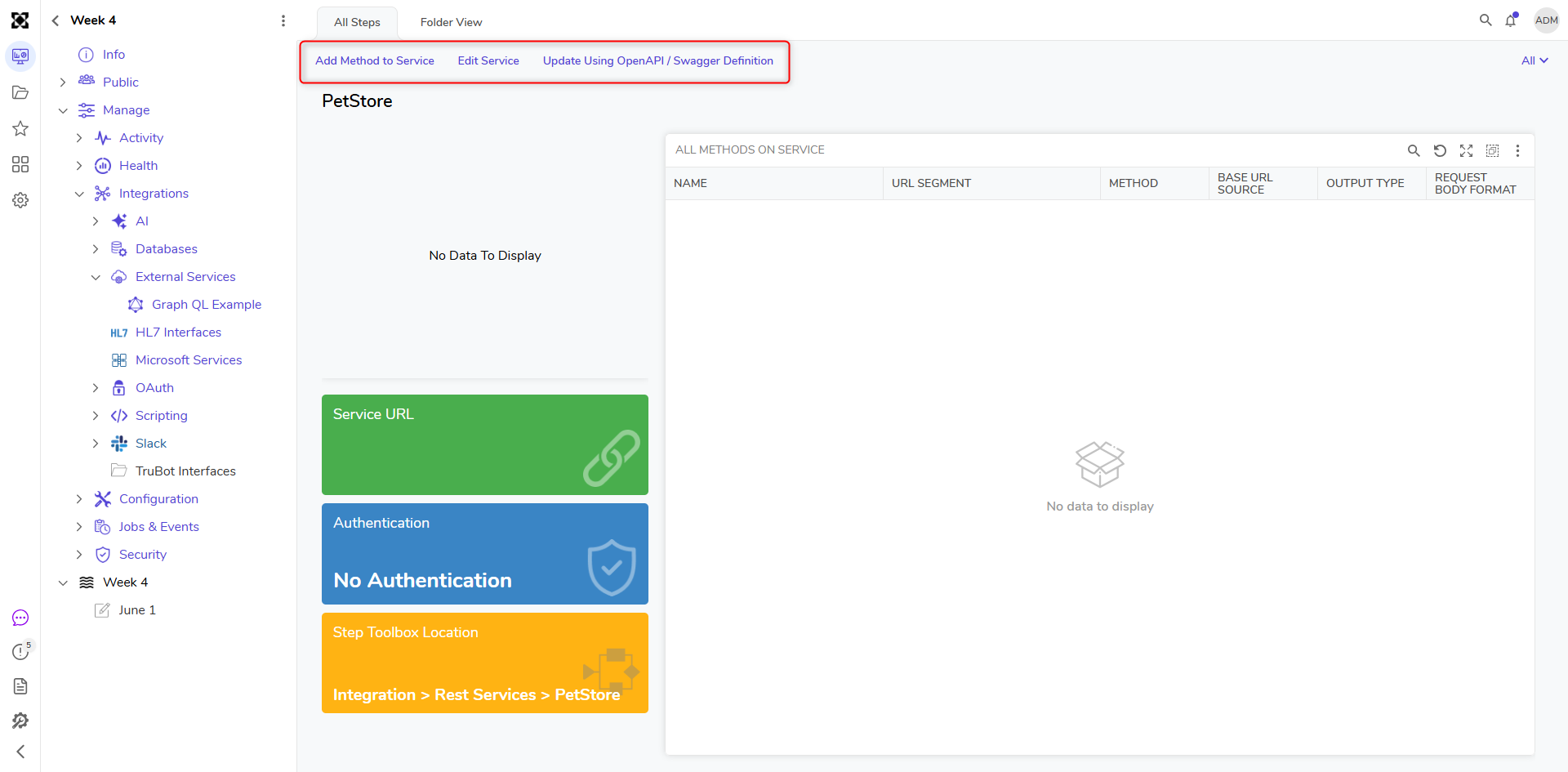
Editing OpenAPI/Swagger Generated Methods
By default, methods generated from an OpenAPI/Swagger definition are read-only and reflect the structure defined in the source specification. To support scenarios where API definitions may not fully align with expected behavior, an Enable Editing option is available for individual service methods.
This feature allows manual adjustments to generated REST methods, such as modifying request or response data structures, without requiring changes to the original OpenAPI/Swagger file.
Enable Editing for a Method
- Navigate to the generated OpenAPI/Swagger Service.
- Locate and select the desired method within the service folder.
- Right-click to select Edit Method.
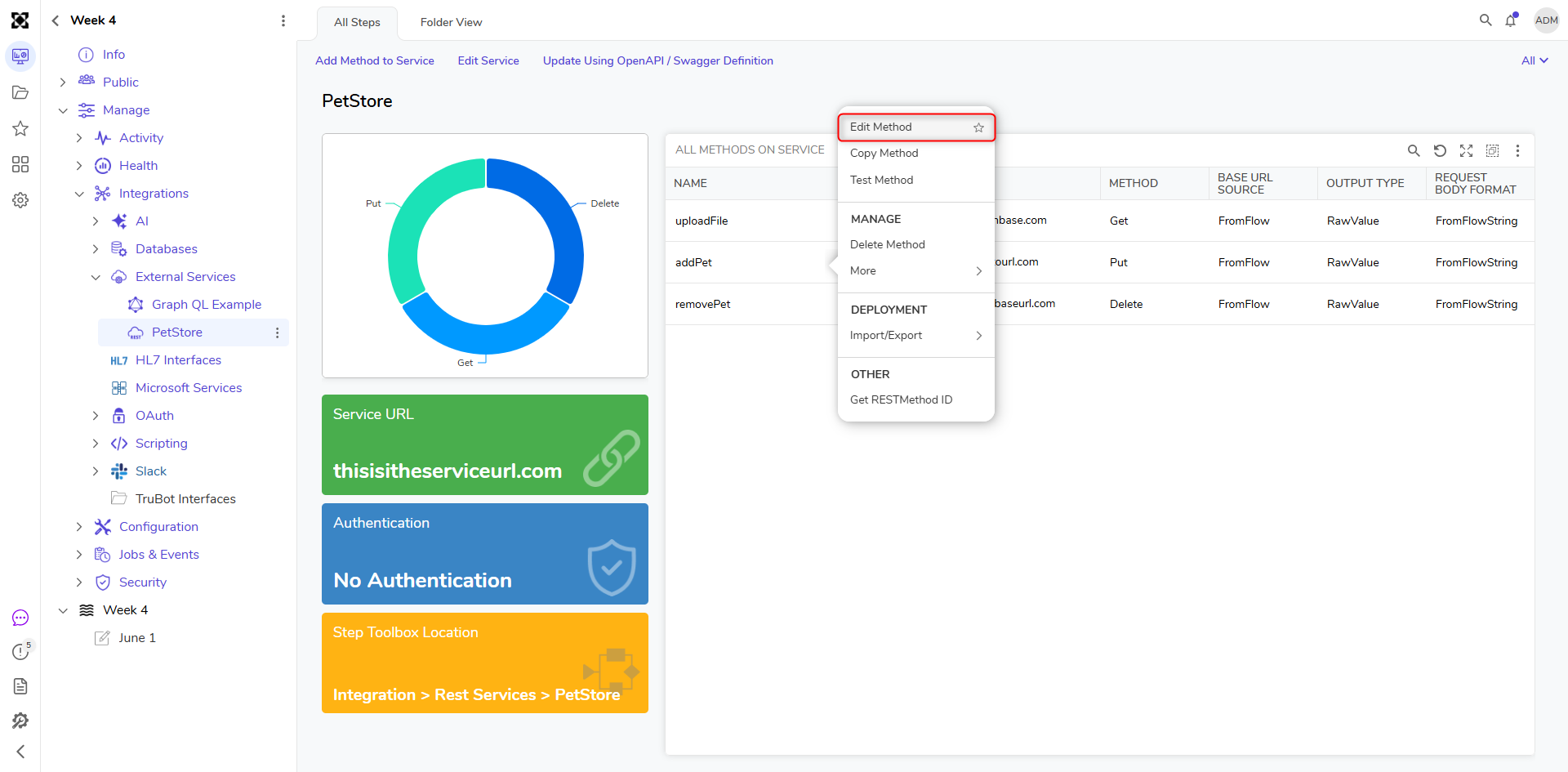
- Proceed to edit the method as needed.
Important Considerations
- Enabling editing allows full customization of the selected method, including inputs, outputs, and data structures.
- Manual changes are applied only to the selected method and do not affect the original OpenAPI/Swagger definition.
- If the service is updated using a new or existing OpenAPI/Swagger definition, any manually edited methods may be overwritten.
Using Generated Methods
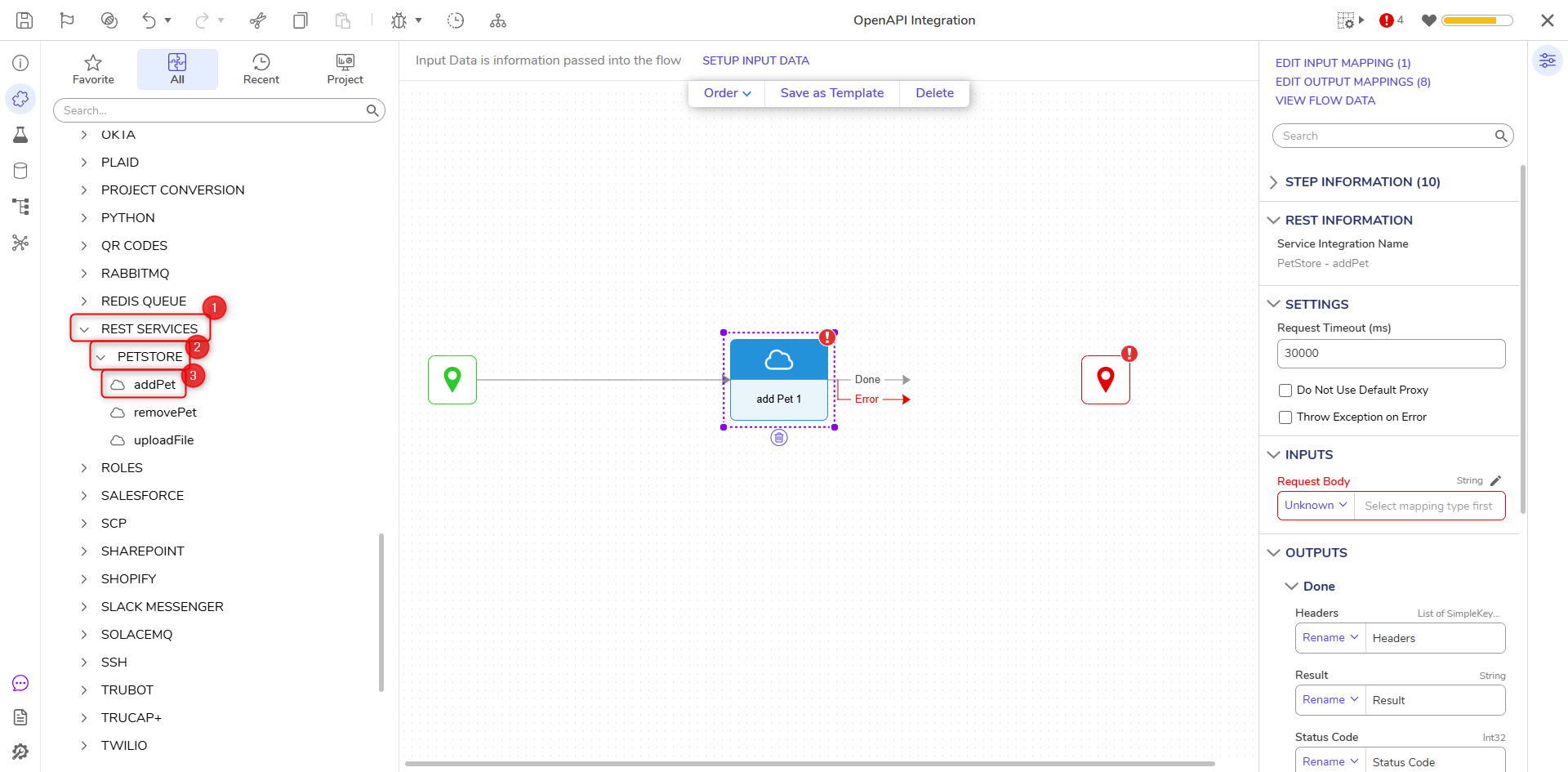
- Open or create a Flow. In the Flow Designer, expand the INTEGRATION > REST SERVICES in the steps Toolbox.
- Expand the Service Name for this API [PETSTORE] to see all available steps that can be implemented into a Flow.
Troubleshooting
Type Generation from JSONSchema
The Add OpenAPI/Swagger Service feature generates types from the provided URL or file using JSON Schema. If the JSON schema is poorly structured or inconsistently defined, the generated data types may be incorrect or incomplete. This can lead to issues when interacting with the service and, in some cases, may cause the Decisions service to stop running.
Solutions
Ensure the API definition file is well-structured and adheres to the OpenAPI specification. Use tools like the Swagger Editor to validate your JSON or YAML file.