Overview
Module Details | |
| Core or Github Module | Github |
| Restart Required | No |
| Step Location | Integration > Jack Henry |
| Settings Location | Settings > Jack Henry Settings |
| Prerequisites |
|
The Jack Henry Module enables Users to interact with bank account information and account transaction data held by Jack Henry.
Once the prerequisites are met, the Module automatically exposes the steps in the Toolbox. The steps available may be used to retrieve data about Accounts, Transactions, and User Information at an associated financial institution.
Configuration/Properties
Installation:
- To set up the Module in Decisions, navigate to Settings > Administration > Features, locate the Jack Henry Module, and select Install.
Creating a Dependency:
- After installing the module, navigate to the project that will utilize the Jack Henry Module.
- Then, within the Project, navigate to Manage > Configuration > Dependencies.
- Select Decisions.JackHenry.
- Select Confirm to save the change.
For more information on installing Modules, please visit Installing Modules in Decisions.
For more information about creating a project dependency for a Module, please visit Adding Modules as a Project Dependency
Adding an OAuth Provider:
Once the above steps have been completed, Jack Henry must be added as an OAuth Provider within the project.
Navigate to Manage > Integrations > OAuth > Providers. Click Add OAuth Provider.
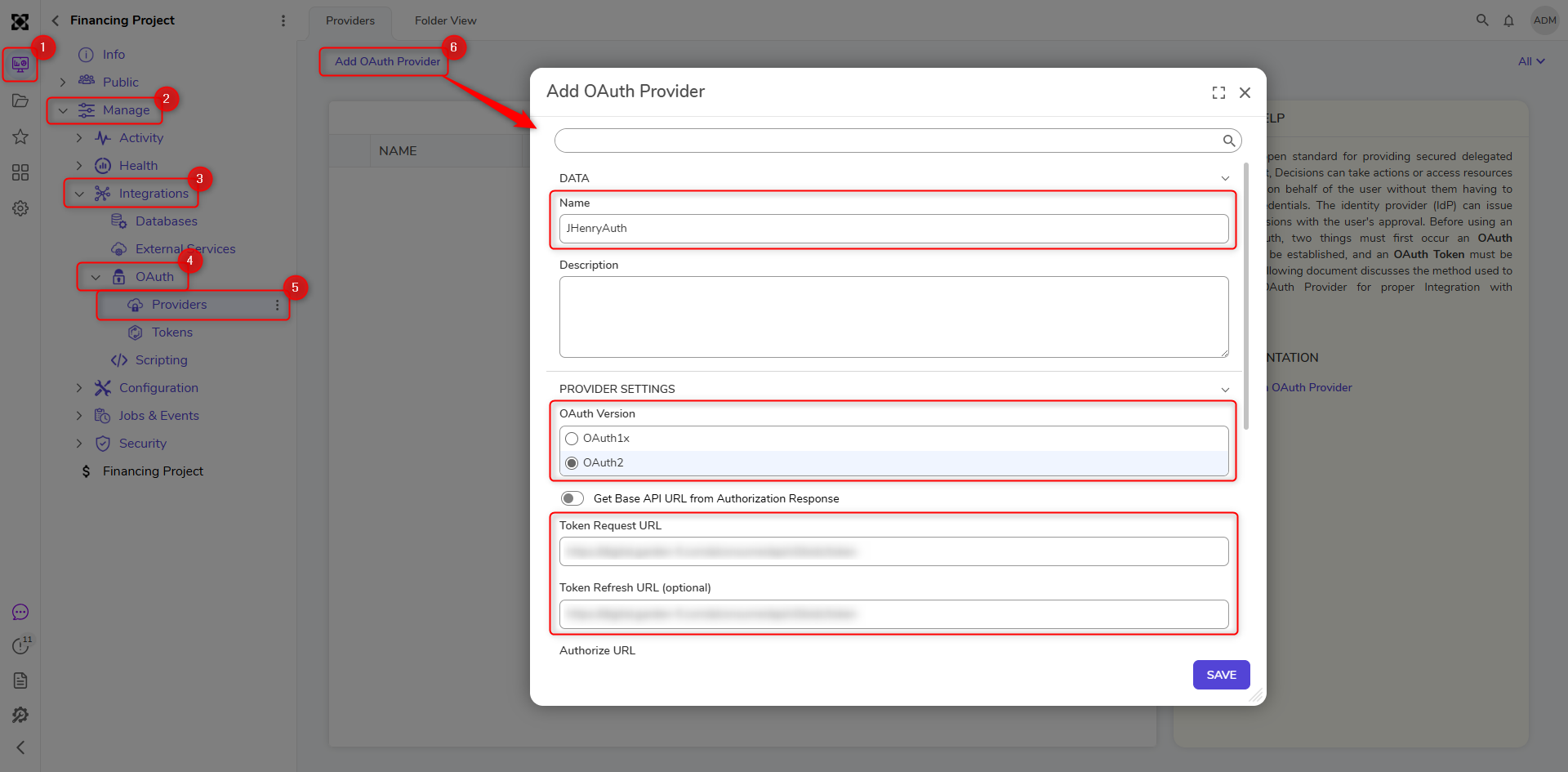 Provide a name for the OAuth Provider. In this example, "JHenryAuth," is used. Set the OAuth Version to OAuth2. Fill in the URL and Key fields with appropriate URLs and keys, respectively.
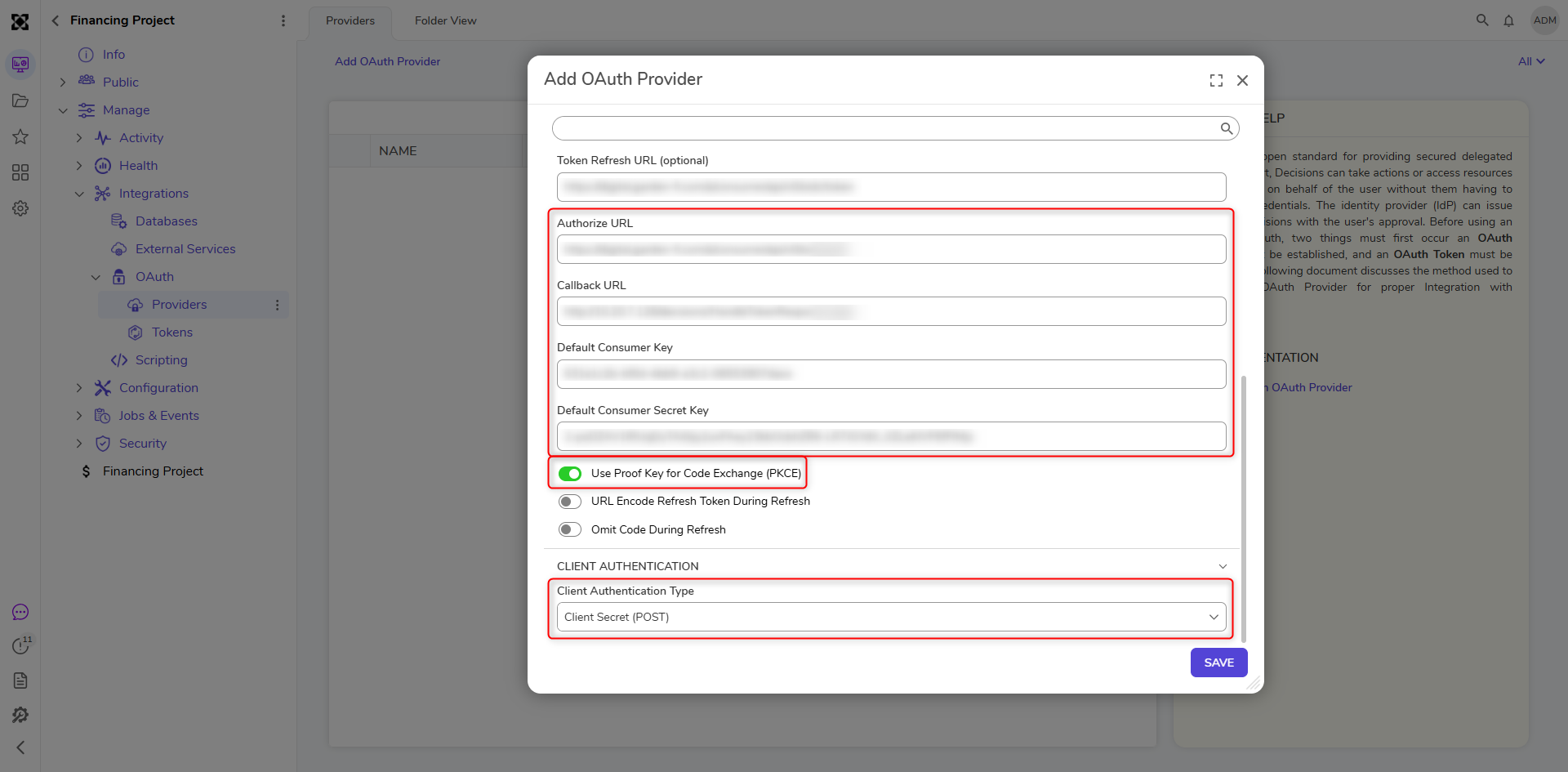 Toggle the Use Proof Key for Code Exchange (PKCE) setting to True.
Once Jack Henry has been successfully added as an OAuth Provider, a Jack Henry OAuth Token must be created.
Adding an OAuth Token:
Navigate to Manage > Integrations > OAuth > Tokens. Click Create Token.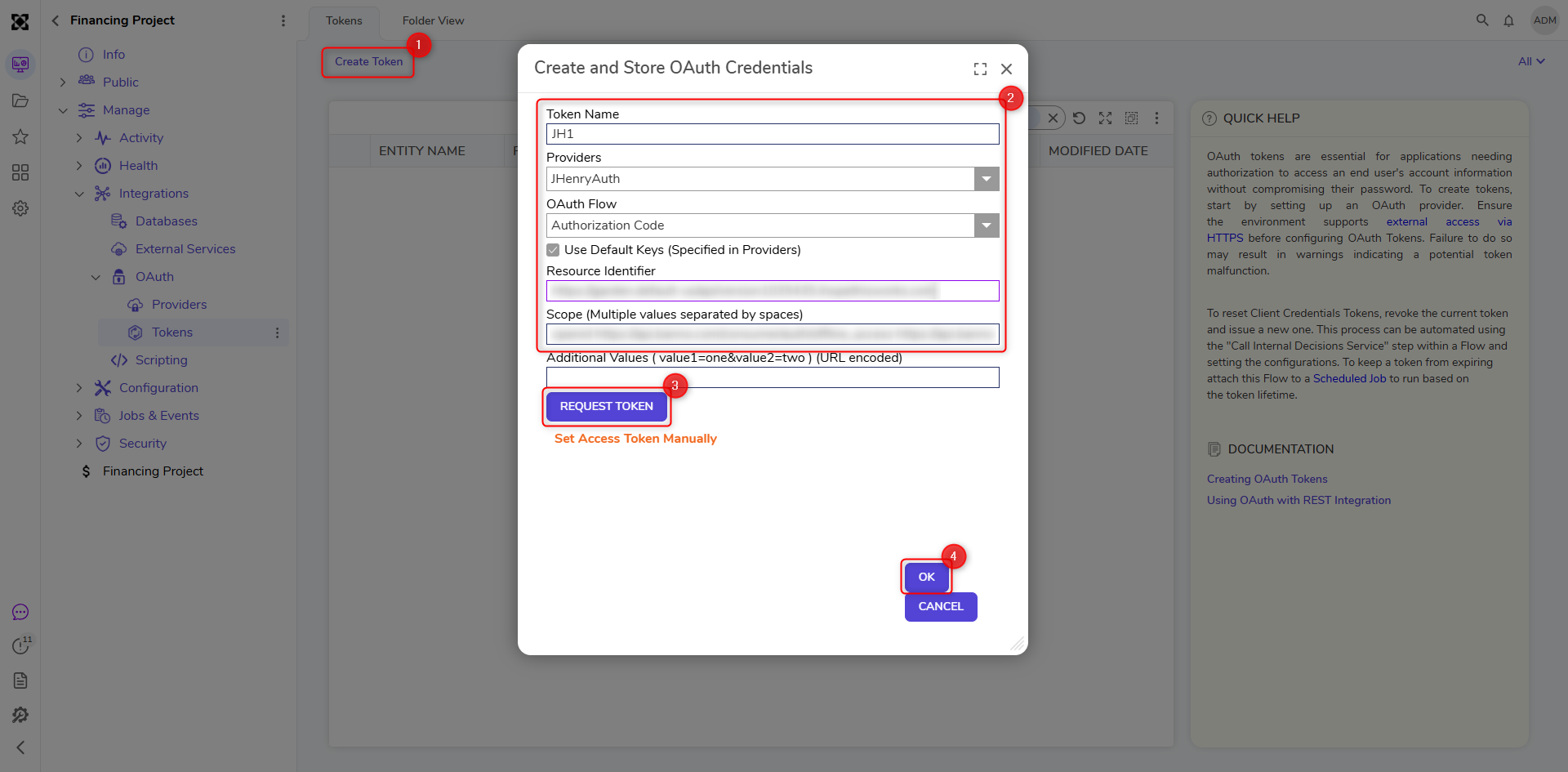 Provide a name for the Token, select JHenryAuth as the Provider, and fill out the rest of the fields with unique identifiers associated with a Jack Henry developer account.
Use Case: Retrieving the Last Transaction of an Account
Navigate to Integration > Internal Services > Call Internal Decisions Service, and drag the step into the Flow. Select OAuthTokenService as the Service, and select RefreshAccessToken as the Method. Enter the Token ID from the previously created Token.
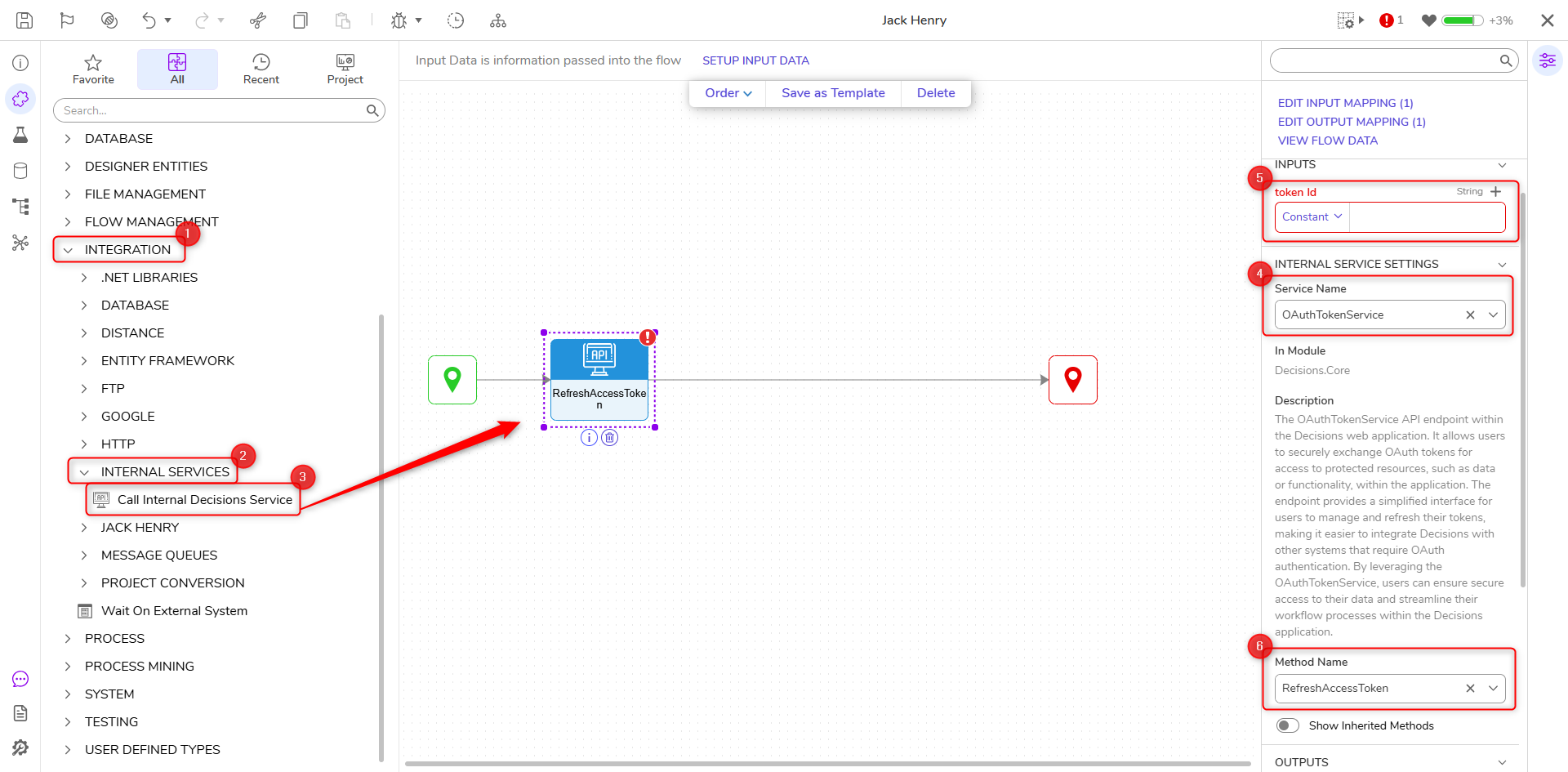
Add the Get All Transactions step to the end of the RefreshAccessToken step.
The configuration below will retrieve a maximum of 20 transactions that occurred between 07/01/2026 and 07/06/2026 for the specified Account ID at the designated financial institution.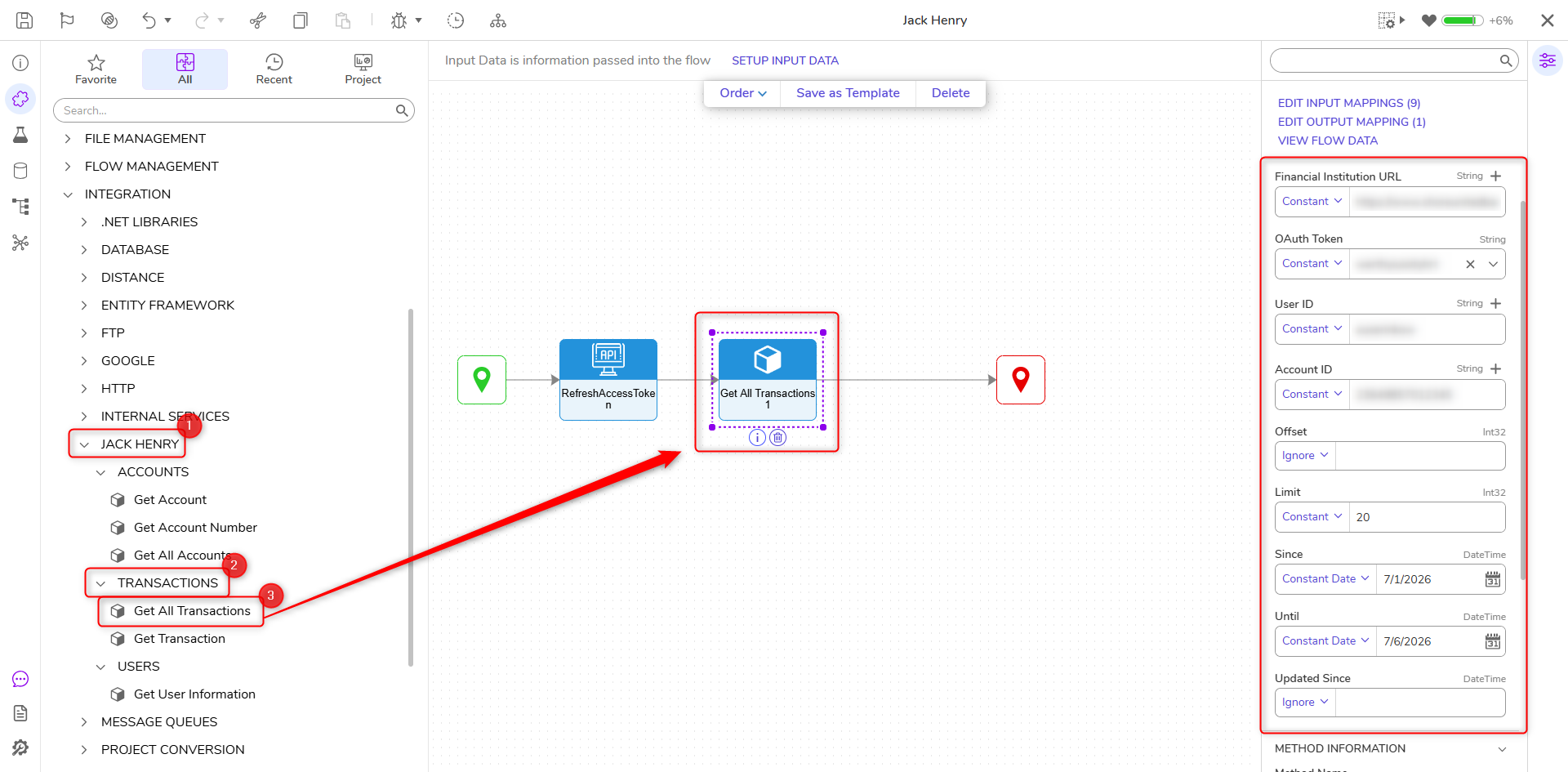
Lastly, add the Get Transaction step to the Get All Transactions step. Set Flow Data as the input type for Transaction ID. In the Pick Data For transactionId window, select GetAllTransactions1_Output > From Transactions > From All Ids > Last. This will retrieve the last Transaction ID from the output list.
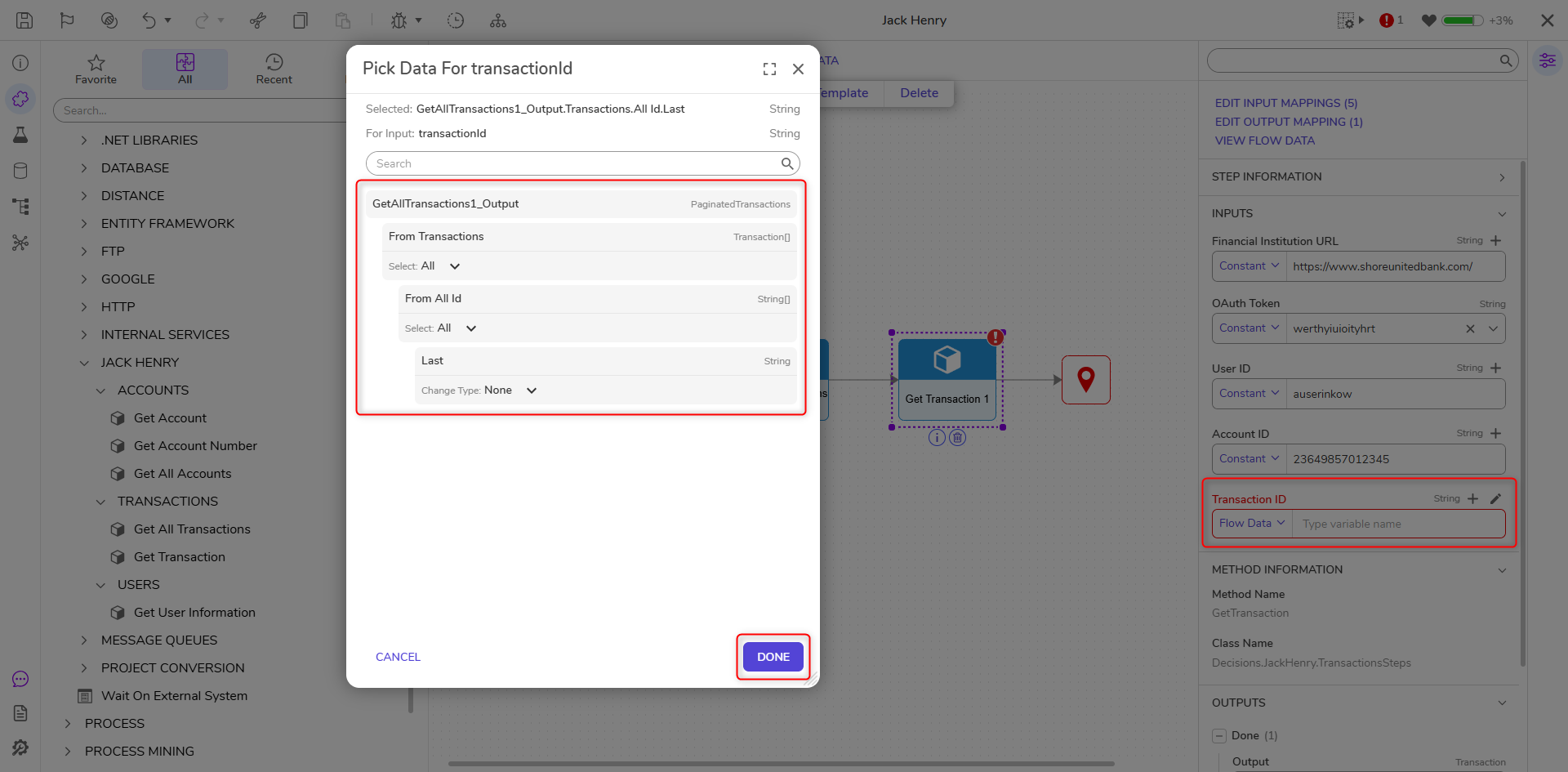
Connect the Get Transaction output to the End step. Save the Flow and run the Debugger to ensure it is working properly.
Available Steps
The table below provides a list of all the steps within the module.
| Step Name | Description |
|---|---|
| Get Account | Returns the Account associated with the specified Account ID at a given institution. |
| Get Account Number | Returns the Account Number of the Account associated with the specified Account ID at a given institution. |
| Get All Accounts | Returns a List of all Accounts at a given institution. |
| Get All Transactions | Returns a List of all Transactions of an Account that took place between the given specified dates. |
| Get Transaction | Returns a single Transaction associated with the specified Account ID and Transaction ID. |
| Get User Information | Returns the information associated with the specified developer User ID. |