Overview
Integration Settings contains system-level configuration that affects how Integrations behave across the platform. This includes JSON Web Token (JWT) options for authentication, security, and performance, as well as features that support embedded UI scenarios (such as logging in to the UI using a JWT token provided in HTTP headers).
Settings
The Integration Settings can be found by navigating to System > Settings and selecting Integration Settings.
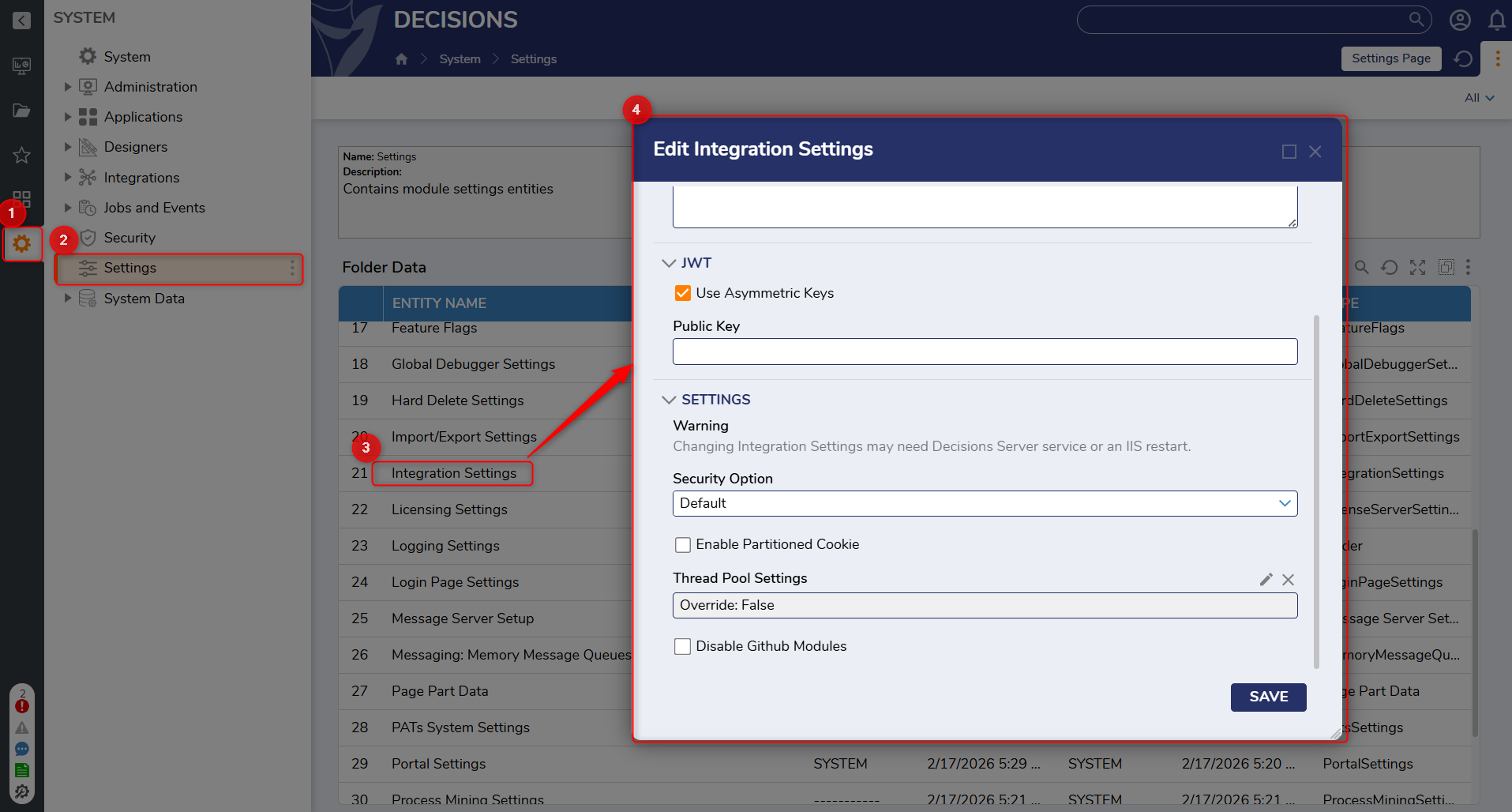
| Setting Name | Description | |
|---|---|---|
| JWT | ||
| Use Asymmetric Keys | When enabled, opens a field to enter the Public Key. | |
| Secret Key | Secret Key for the JSON Web Token (JWT). Removed in v9.10. | |
| Public Key | Public Key for the JSON Web Token (JWT). For more information, refer to How to Set Up and Use JWT. | |
| SETTINGS | ||
| Enabled Partitioned Cookies | When enabled, allows the UI to be authenticated using a JWT token provided in HTTP headers and enables partitioned cookies for embedded scenarios (such as iFrame hosting). | |
| Security Option | Controls security behavior for connections. Default disables older protocols such as TLS 1.0; Secure enforces more restrictive TLS behavior. | |
| Thread Pool Settings | Allows a user to override the thread pool minimum and maximum values. For more information, refer to Thread Pool Settings. | |
| Disable GitHub Module | When enabled, GitHub modules will not be visible under the module section in Decisions. For more information, refer to Enable / Disable GitHub Modules. | |
Embedded UI authentication
Enabled Partitioned Cookies is intended for embedded UI scenarios where browsers restrict third-party cookies. When enabled, the UI can be authenticated using a JWT token provided in HTTP headers (introduced in v9.21).
Feature Changes
| Description | Version | Release Date | Developer Task |
|---|---|---|---|
| Added Enabled Partitioned Cookies and enabled UI authentication using a JWT token via HTTP headers. | 9.21 | March 2026 | [DT-046838] |
| Removed the Secret Key setting. | 9.10 | May 2025 | [DT-044294] |
For further information on Integrations, visit the Decisions Forum.