Overview
All executions of AI prompts made inside of the Decisions environment are audited to historical context. If you need to inspect how your prompt is performing overtime you can see this data inside this dashboard. This execution data for a prompt will only show inside the project where the prompt lives. A prompts data cannot be seen outside of the project dashboard unless you build a custom report.
How to Find AI Execution History
Navigate to the following folder path inside of a Project: Manage > Integrations > AI > Execution History.
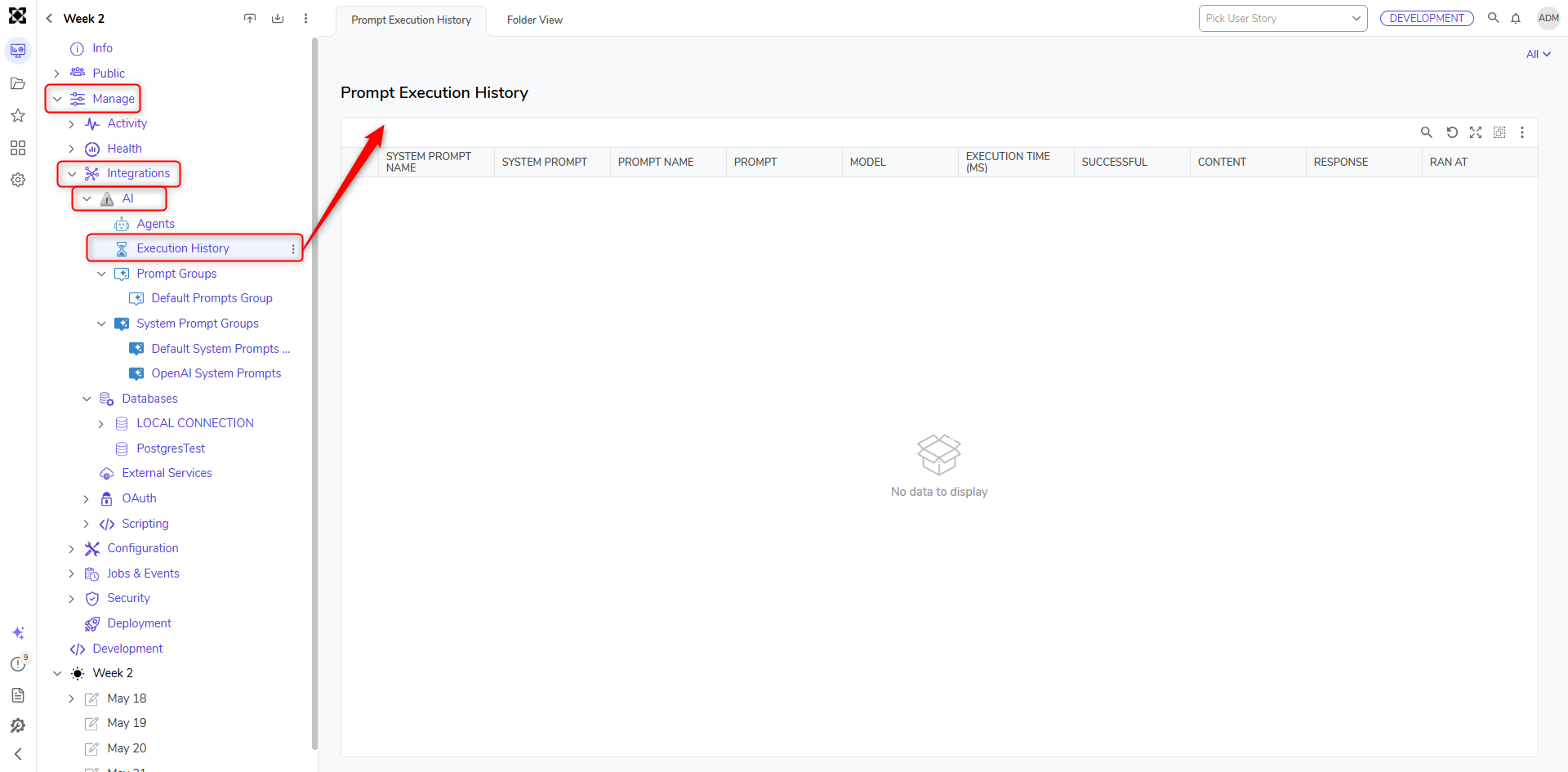
Once there all of the historical data from prior prompt executions is available. Users can filter down to the prompt itself to get a better understanding of how a specific prompt has been executing. The search bar is a useful tool for finding the exact executions, or particular responses.
Available execution data includes Prompt Name, Model Used, Execution Time (MS), Successful Execution, Content, Response, and Ran Time. All of that data is filterable and searchable inside the Report.
