Overview
Assignment Roles are identifiers that are used to define User (individual Accounts) or Group responsibilities and positions. Roles may include:
- Designer
- Analyst
- Manager
- etc
Roles can be used to define a recipient for an Assigned Decisions Object, such as a Task, Form, Report, Page, or Service Catalog Item. This article discusses how to CREATE and utilize Assignment Roles within an Assignment Process.
Example
Creating Assignment Roles
In previous versions, Users had to navigate to System > System Data > Assignment Roles to create Assignment Roles. In v9+, Assignment Roles can still be created at the system level, but Users can also create them at the project level, as demonstrated in the example below.
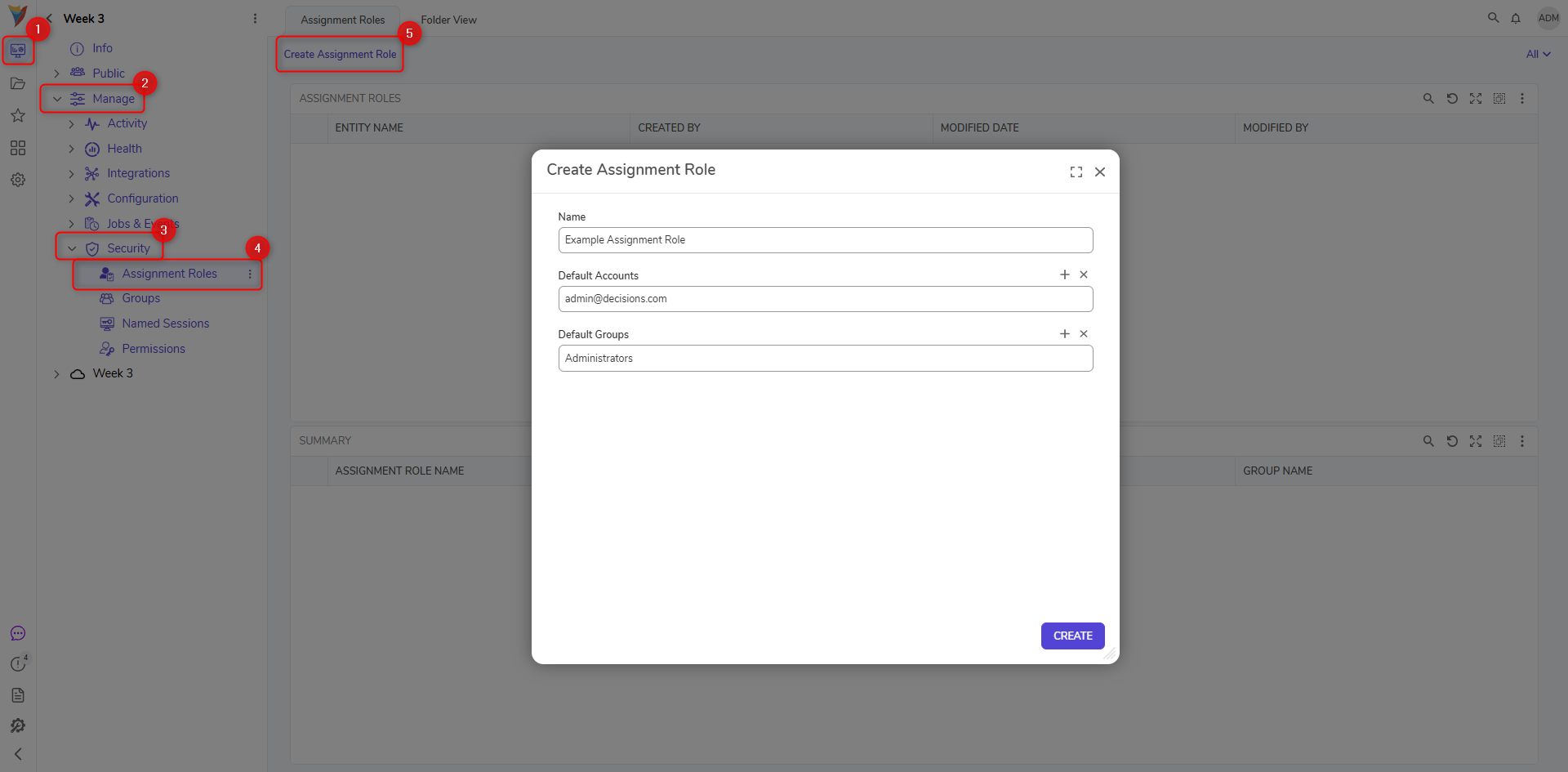
- Navigate to a desired Project > Security > Assignment Roles. Then, click CREATE ASSIGNMENT ROLE.
- Provide a Name in the respective text box. Then, under Default Accounts and Default Groups, select ADD NEW. Choose the default Accounts to add to the Assignment Role.
- PICK the desired Account and or Group, then click CREATE.
- From a Flow containing an Assigned Form, add and configure a Setup Process Folder step before the Show Form or Add Task step. This step is needed to help mitigate/track progress within the Assignment Process.
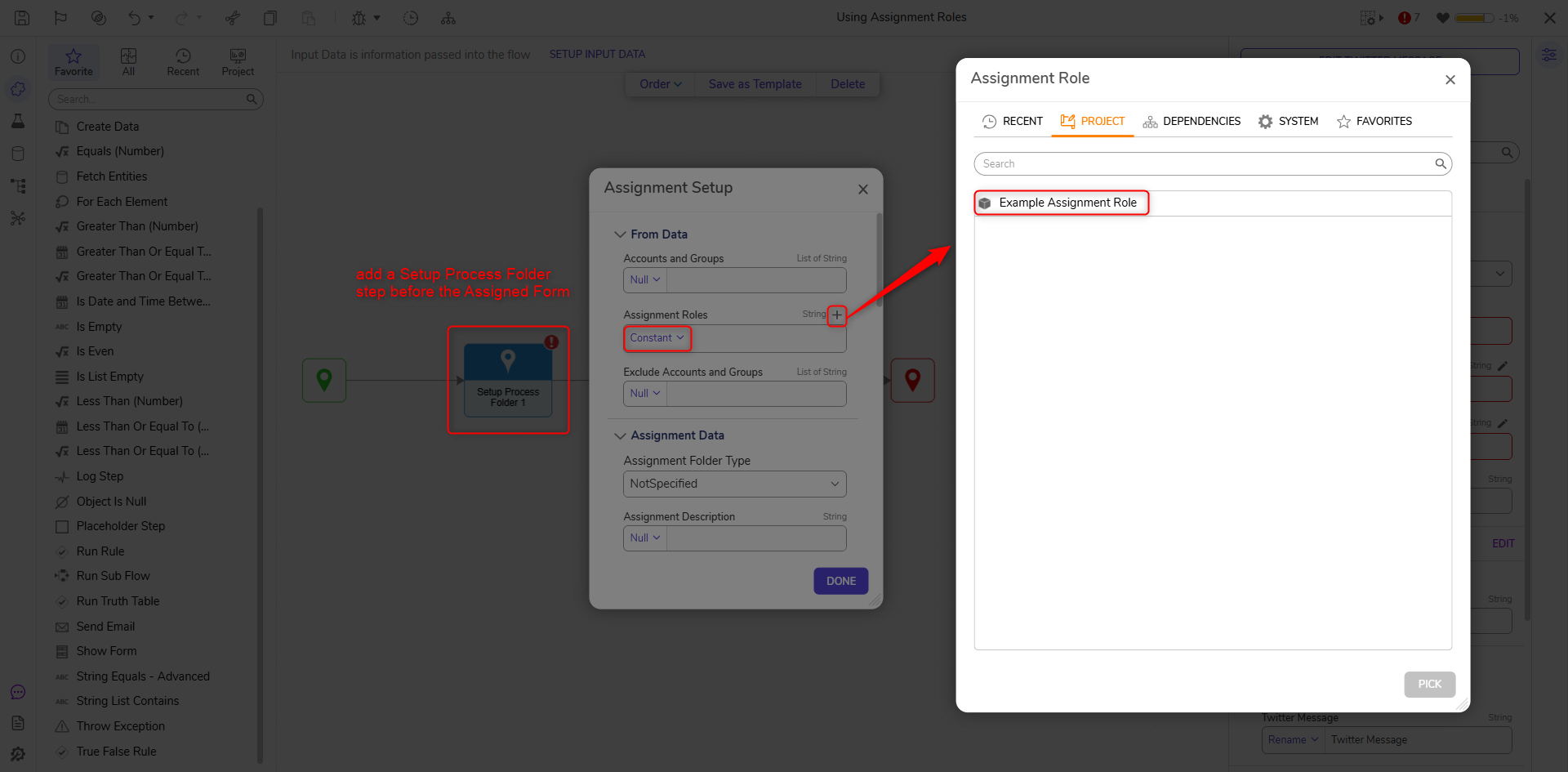
- From the Properties of the Assigned Form, navigate to ASSIGNMENT SETUP and select EDIT.
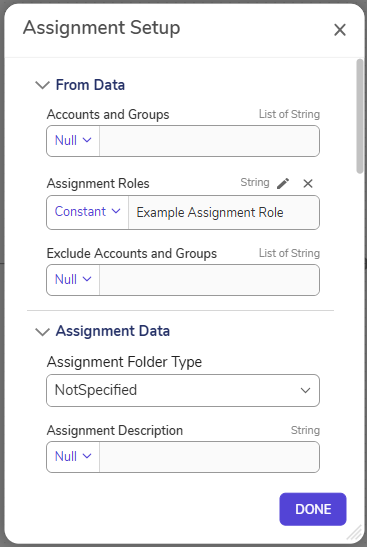
- Under From Data > Assignment Roles, set the mapping to Constant, then PICK the Assignment Role that was previously created and click DONE.
- Save the Flow, then debug it.
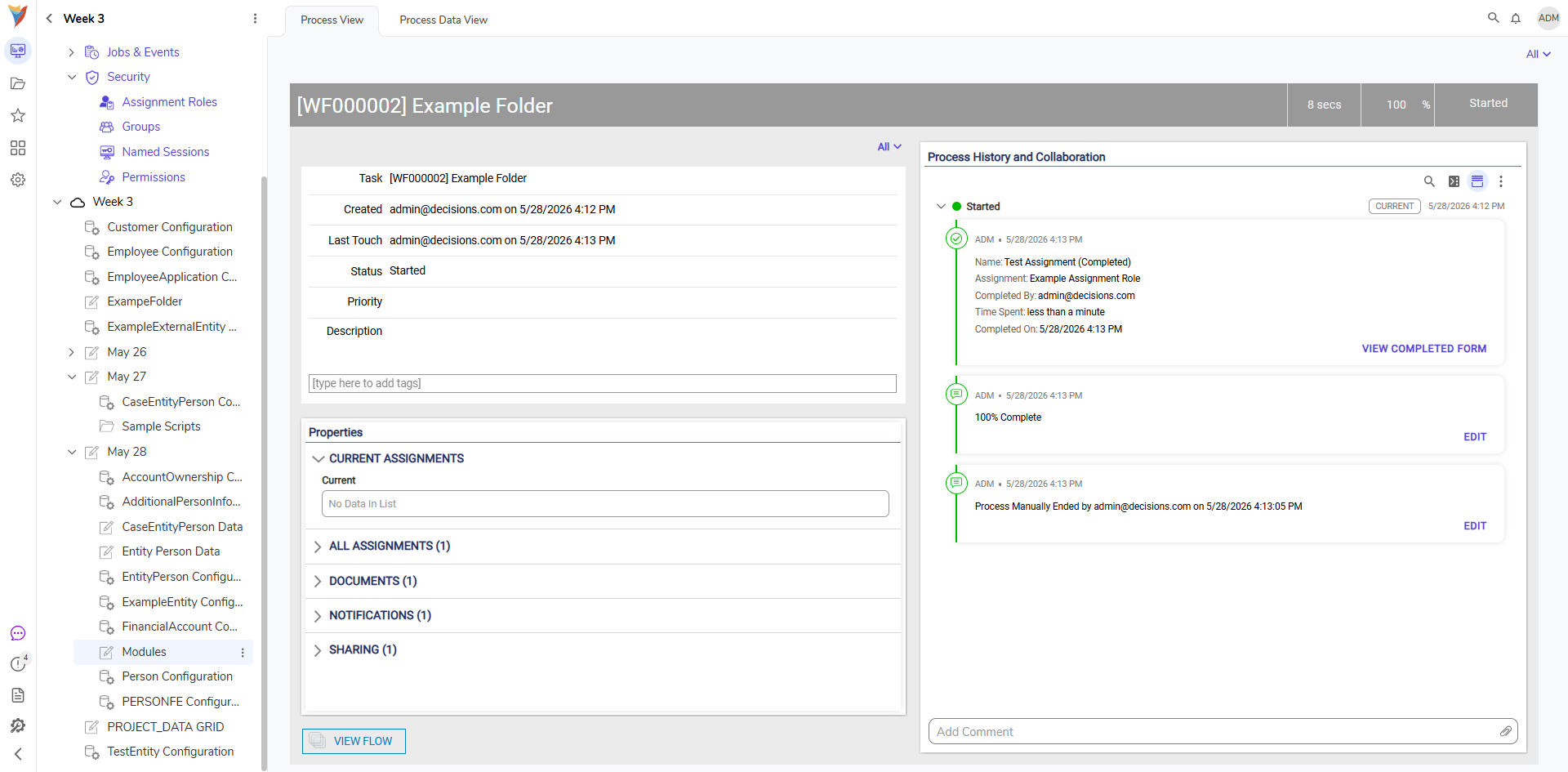
- After running the Flow, navigate to the Process Folder created by the Setup Process Folder. Verify that the Assignment Process Data displays the designated Assignment Role.
Associated Steps
| Step Name | Description |
|---|---|
| Add Groups On Assignment Role | Allows Users to add groups to an Assignment Role. |
| Add Users On Assignment Role | Allows Users to add Users to an Assignment Role. |
| Clear Inbox Count Cache | Clears the inbox count cache. |
| Complete Assignment in Other Flow | Allows Users to select a Flow and complete an assignment. |
| Get Accounts For Assignment Role | Returns accounts associated with the Assignment Role. |
| Get All Groups And Users For Folder And Role | Returns all groups and Users for the specified Assignment Role. |
| Set Users On Assignment Role | Allows Users to set Users to an Assignment Role. |
| Get Assignment Role For Folder By Name Or Id | Returns the Assignment Role data for the specified Folder. |
| Get My Assignment Count | Returns the number of tasks/assignments assigned to a User. |
| Get Groups On Assignment Role | Returns the groups associated with the specified Assignment Role. |
| Set Groups On Assignment Role | Sets the group(s) for a specified Assignment Role. |
For further information on Administration, visit the Decisions Forum.